Key takeaways:
Every bar already knows roughly where its liquor goes. The problem is that "roughly" is expensive, and the gap between what the point-of-sale rang up and what actually left the bottles is where a beverage program quietly loses its margin.
Beverage inventory software exists to close that gap, and the eight tools below go about it in four genuinely different ways.
Vendors label the same thing a beverage inventory app, a beverage inventory system or beverage inventory control software, and the label tells you nothing.
One asks you to look at a bottle and drag a line. One asks you to put it on a scale. One reads a barcode. One puts a meter on the draft line and never asks you to count at all.
Prices below were taken from each vendor's own pricing page in October 2026, and the billing basis is stated with every figure. That matters more than usual here: two of these vendors display an annual rate by default, and one bills in four-week periods rather than months.
Counting method is what actually separates one bar inventory software product from another. It decides how long a count takes, how accurate it is, who can do it, and what you can measure afterwards.
Visual estimate is the fastest and the least precise. The traditional version is "tenthing", where a manager eyeballs a partial bottle in tenths. Backbar and Bar Cop replace the eyeball with an on-screen slider, and Partender replaces it with a photo of the bottle you tap at the liquid line.
Weighing trades speed for accuracy. Bar-i's Bluetooth scales read to a hundredth of an ounce, which removes the estimate entirely for partials.
Barcode scanning solves identification rather than quantity. It is fastest where the problem is a thousand distinct wine SKUs rather than half-empty bottles.
Measurement at the pour skips counting altogether. Bevchek puts flow meters on draft lines and reconciles every pour against the sale in real time.
Automating the count is the easy half of this. Knowing what to do with the answer is the part that pays, which is the same reason restaurant automation projects stall at the dashboard.
Bar-i publishes the clearest explanation of why the traditional method fails, and it is worth repeating. Tenthing produces negative usage on slow-moving premium bottles, where a manager records 0.6 one week and 0.7 the next with nothing poured in between. It also cannot read kegs, opaque bottles like Baileys, or irregular shapes like Crown Royal.
That is the test to apply to your own back bar before you compare prices.
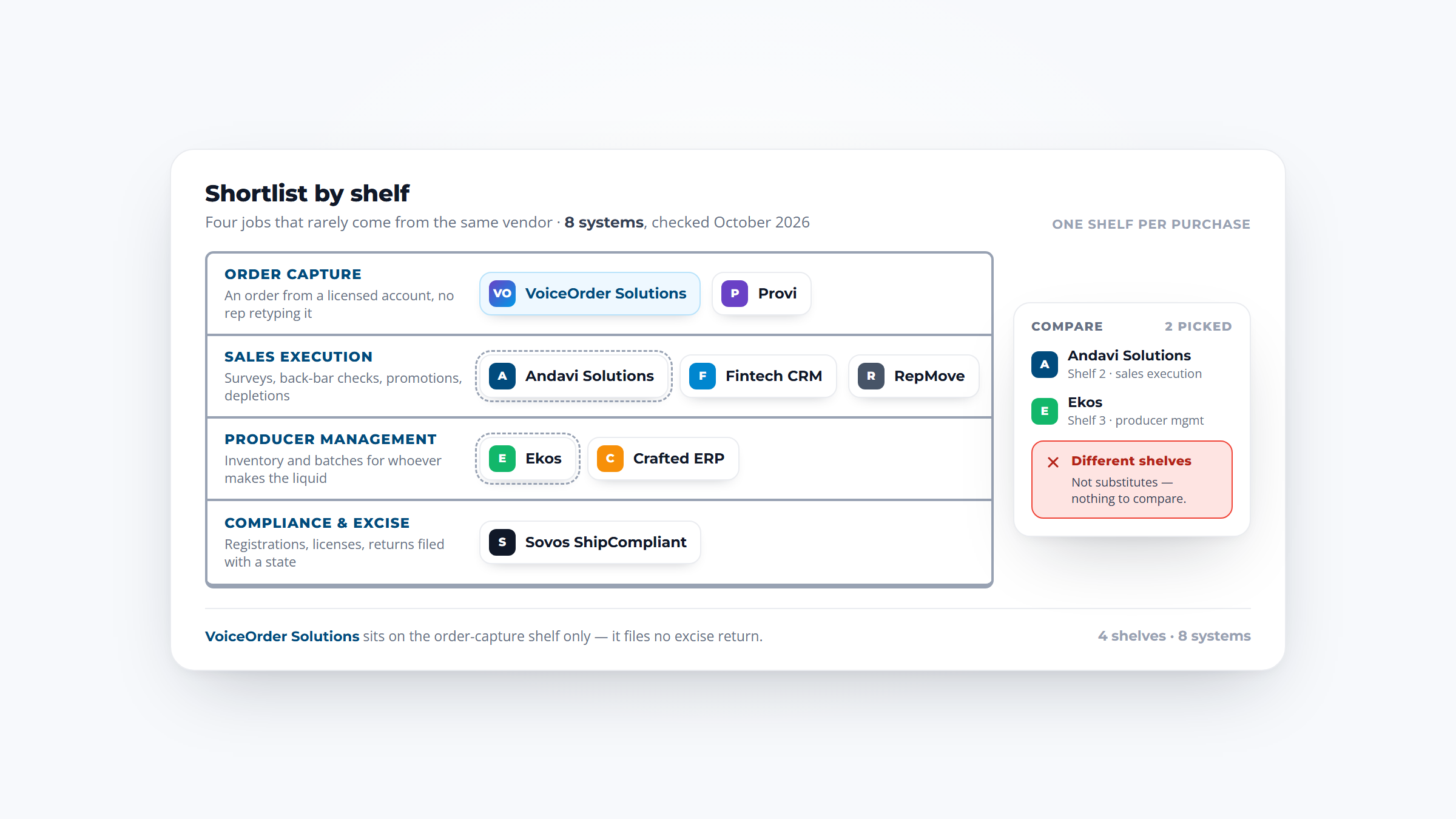
Where the count ends, ordering begins, and that handoff belongs to your distributor rather than to the counting app. Some beverage distributors now run a dedicated ordering app for their accounts, many of them built on VoiceOrder Solutions, so the reorder reaches the rep as a confirmed, itemized record.
The table below leads with counting method, because that is the decision, then covers whether the tool syncs with your point-of-sale, whether it reports variance, and whether it can send an order to your distributor.
| Tool | Counting method | POS sync | Variance reporting | Sends orders to distributors | Price (and the basis it bills on) |
|---|---|---|---|---|---|
| Backbar | Slider estimate plus barcode | Live: Toast, Square, Clover, Shift4 | Paid tiers only, full on Professional | Yes, one-click POs, on the free plan | $0 free for 1 location; $79/mo annual or $99/mo monthly |
| Bar-i | Bottles weighed to a hundredth of an ounce | 40+ integrations, Pro Lite and up | Product-level, Pro Lite and up | Automated ordering, Pro Lite and up | $100 a month; Pro Lite $250 per 4-week period |
| Partender | Tap a bottle photo at the liquid line | Not published | Variance and shrinkage reports | POs broken out by distributor | $199/mo paid annually, $299/mo monthly |
| BevSpot | Shelf-to-sheet on any device, offline mode | Free for 4 named partners, fee for others | Item-level variance and menu profitability | Yes, with a cart filled from usage | Quote; free trial, food and beverage priced separately |
| Sculpture Hospitality | Their app, counted by you or their consultant | Integrated, partners not listed | Yes, reviewed with a consultant | Managed par ordering at higher levels | $199 a month plus setup; two levels custom |
| Bar Cop | Slider, in your own shelf order | None by design, you drop in a file | Pour cost, variance and four audits | Order sheet that fills itself | $149 a month per bar, or $124 at $1,488 a year |
| Barkeep | Manual on iOS, optional scale and scanner | SmartTab and Fintech; sales otherwise uploaded | Expected against actual, online tier up | Order generation and pars, online tier up | $39.99 one-time app, plus $30/mo or $300/year |
| Bevchek | Flow meters on the line, measured at the pour | Toast, Square, Micros and more | Real-time per pour, with anomaly alerts | No POs, but live keg levels and forecasts | Pricing available on request |
Five of the eight publish a monthly price, Barkeep sells its app for a one-time fee instead, and two quote, which is ordinary in a category where half the vendors sell hardware or a service alongside the software. Read down for the counting method that matches your bar before you compare the numbers.
Whichever you land on, a tool only helps if the count actually happens, so the strongest predictor of success is whether counting sits inside the closing checklist rather than beside it.

Overview: Backbar is bar-first inventory, purchasing and reporting on web, iOS and Android, and it carries the only genuinely free plan in this lineup.
Counting uses an on-screen slider for partials plus barcode scanning, with several people able to count at once and color coding showing who counted what on paid tiers.
Key features:
Pricing: Basic is $0 a month for one location. Essential is $79 a month billed annually or $99 monthly, and Professional is $129 annually or $149 monthly, each priced per location.
Pros: A real free plan rather than a trial, ordering included at zero cost, simple enough to set up from a single invoice.
Cons: Only four named POS partners, the free plan has no pour-cost or variance reporting at all, and per-location pricing makes a four-bar group $316 a month.
Where it fits: A single bar that wants to stop guessing without a budget conversation, and a group that is ready to pay per site.
Final verdict: The obvious starting point, provided you understand that the free tier counts stock and does not tell you what you lost.

Overview: Bar-i is a hybrid of software and service. Your team weighs the bottles, and a named account manager enters invoices, resolves counting errors, manages the POS link and delivers the analysis.
Its own advice is unusually direct about when software alone stops working: above roughly $20,000 in monthly sales, it does not recommend an in-house system.
Key features:
Pricing: SpeedCount is $100 a month with no contract. Pro Lite is $250 per four-week period, and SpeedCount Pro adds a per-count service fee starting at $100.
Pros: Weighing removes the estimate, the analysis is done for you, and product-level variance is genuinely granular.
Cons: Billing runs in four-week periods, so Pro Lite is 13 payments and $3,250 a year rather than $3,000, and the cheapest tier omits the integrations and variance work.
Why buyers shortlist it: It is the only option here that supplies a person to do the part most bars abandon after two months.
Final verdict: Built for bars that have already tried an app and let it lapse, and priced accordingly.

Overview: Partender replaces both the scale and the spreadsheet with a photograph. The app shows the bottle, you drag a line to the liquid level, and you move on.
The pitch is speed, and the company claims a full count in about 15 minutes at up to 99.2% accuracy, which is its own figure rather than an audited one.
Key features:
Pricing: Pro is $199 a month paid annually or $299 a month billed monthly, with a 14-day free trial and no free plan.
Pros: No hardware at all, genuinely fast on a high-SKU back bar, unlimited user logins across iOS, Android and web.
Cons: The most expensive entry price here, counting remains a visual judgment, and it publishes no POS integration partners anywhere we could reach.
What it is genuinely good at: Getting a large, varied back bar counted quickly enough that it actually happens every week.
Final verdict: Worth the premium where the obstacle is the hour the count takes, and worth asking directly about POS data before signing.

Overview: BevSpot covers inventory, vendor ordering, recipe costing and POS-linked variance across both food and beverage, sold as separate plans so you only buy the side you need.
The product suits venues running a kitchen and a bar together, which is where separate tools usually start contradicting each other.
Key features:
Pricing: Quote-based. The free option is a trial with full feature access rather than a free plan, and food and beverage are priced separately.
Pros: Genuine dual food and beverage coverage, offline counting, white-glove onboarding during the trial.
Cons: No published price, two plans if you want both programs, and an activation fee for any point-of-sale outside its four preferred partners.
Its real strength: Treating the bar and the kitchen as one profitability question rather than two inventory chores.
Final verdict: A strong fit for hotels and clubs, and a slower buy than the self-serve options because every number comes from a quote.

Overview: Sculpture Hospitality is a franchise network of local inventory consultants running one shared platform, and it is the oldest operation here by two decades. It was founded in 1987, began franchising in 1991, and traded as Bevintel until 2014.
What you are buying is graduated human involvement rather than a feature tier.
Key features:
Pricing: Self Service is $199 a month plus setup. Shared Service and Full Service are custom, and the company says this is because cost depends on how much consultant involvement you need.
Pros: A real person who knows your venue, consistent weekly rhythm across sites, wide international coverage.
Cons: Service quality depends on your local franchisee, two of three levels publish no price, and it is the slowest option to start.
Why it earns a place here: It answers the real reason bar inventory programs fail, which is that nobody keeps doing them.
Final verdict: The right call for operators who have already proved to themselves that software alone does not get counted.

Overview: Bar Cop bundles bar and kitchen inventory with a full back office, covering weekly numbers, audits, scheduling, shift cash, menu costing and books, at one flat price with no tiers.
Its most distinctive decision is refusing point-of-sale integration on purpose.
Key features:
Pricing: Free for 30 days with no card, then $149 a month per bar, or $124 a month paid annually at $1,488 a year.
Pros: One price with nothing held back, works with any point-of-sale that can export a file, full back office included.
Cons: No live sync, so there is a manual file drop every week, and a small bar pays the same as a busy one.
Where it beats the alternatives: Its own argument is that the report your point-of-sale already writes is the whole bridge between the two systems, which means no connector to break and nothing to configure.
Final verdict: Excellent value for one or two independent sites, and an awkward fit across a larger group.

Overview: Barkeep has sold iOS liquor inventory since 2005, founded by a bar owner, and it is the cheapest way into this category by a wide margin.
Barkeep sells three stacking products rather than tiers, so the app, the cloud layer and multi-venue management are separate purchases.
Key features:
Pricing: The app is $39.99 one-time. BarkeepOnline adds cloud sync, reporting and order management at $30 a month or $300 a year, and BarkeepPro is $50 a month plus additional venues.
Pros: The lowest entry cost here, long track record, scales up to very large multi-venue operations.
Cons: iOS only with no Android and no full web app, and every report sits behind the paid online tier.
Where it fits: Small bars already running iPads, and at the other extreme, groups needing per-venue staff permissions and audit history.
Final verdict: Remarkable value at $39.99 if you understand that the useful reporting starts at the monthly add-on.

Overview: Bevchek is the one entry that does not ask you to count. Sensors on the draft lines measure flow, temperature and pressure per tap and reconcile every pour against the point-of-sale automatically.
The same sensors cover CO2 pressure, walk-in refrigeration, ice machines and post-mix, which puts Bevchek closer to building telemetry than to an inventory app.
Key features:
Pricing: Pricing available on request, with hardware and installation scoped per venue.
Pros: Measures at the moment of pour rather than after the fact, catches foam and temperature problems no count would reveal, no weekly counting labor.
Cons: Draft only in practice, so bottles, spirits and wine still need counting, and it places no purchase orders.
Why it made this list: For a beer-led venue it answers a question the counting tools cannot, which is what happened between the keg and the glass.
Final verdict: A complement to a counting tool rather than a replacement, and the strongest option for stadiums, breweries and taprooms. Note that its homepage and its pricing page quote different waste-reduction figures, so treat either as a vendor claim.
Each figure in the table was checked against the page the vendor itself publishes, in October 2026, and noted with how it bills. That rule removed three separate errors before they reached this page: one vendor defaults its pricing toggle to annual, one bills per four-week period, and one carries an obsolete set of prices in hidden markup.
Tools that only count food were set aside, because food and beverage inventory control software and a bar-first tool solve different problems at the shelf.
Each candidate was also checked against its own site for whether it still exists as an independent product. Four names that appear on competing roundups did not survive that check: one was renamed in 2014, one was acquired in 2016 and now serves a different company's product page, one has been folded into its parent's single platform, and one shares a name with an unrelated social-media scheduler.
Tools already covered in our roundup of restaurant inventory management were deliberately set aside unless they carried beverage-specific capability a general food entry could not, which kept the list focused on the bar rather than the kitchen.
Both terms get used loosely, and the arithmetic is simple enough that there is no reason to accept a vague version.
Pour cost is what the liquid in a drink cost you, divided by what you sold it for. Variance is the gap between what your point-of-sale says you poured and what your count says actually left the bottles.
Start with the bottle. A 750 millilitre bottle holds 25.36 fluid ounces, so the pour size decides how many drinks come out of it.
| Pour size | Pours per 750 mL | Cost per pour at $18 a bottle | Pour cost on a $9 drink | On an $11 drink |
|---|---|---|---|---|
| 1.00 oz | 25.4 | $0.71 | 7.9% | 6.5% |
| 1.25 oz | 20.3 | $0.89 | 9.9% | 8.1% |
| 1.50 oz | 16.9 | $1.07 | 11.8% | 9.7% |
| 2.00 oz | 12.7 | $1.42 | 15.8% | 12.9% |
Half an ounce of generosity moves that drink from 11.8% to 15.8%, four full points, with no theft, no price change and no supplier increase. That is the entire argument for measuring pours.
The 1.5 ounce line is not arbitrary. The NIAAA defines a US standard drink as about 14 grams of pure alcohol, which is 1.5 fluid ounces of spirits at 40% alcohol, 5 ounces of wine at 12%, or a 12-ounce beer at 5%. The same page adds the caveat that matters here: those amounts may not reflect customary serving sizes.
That gap is what variance measures, and reading it as a trend rather than a weekly snapshot is the same discipline any restaurant analytics software applies to covers and labor.
Work a single week on one bottle of well vodka.
Your point-of-sale rang up 300 vodka drinks at a 1.5 ounce spec, which is 450 ounces, or 17.74 bottles of theoretical usage. Your counts say you opened with 12 bottles, bought 18, and closed with 10.5, so you actually used 19.5.
The variance is 1.76 bottles, which is 44.5 ounces, or about 30 drinks that left the building without being rung up. At cost that is $31.61. At the $9 menu price, it is $267.18 of lost revenue, on one product, in one week.
As a share of theoretical usage that variance is 9.9%, and here is the uncomfortable part. Penn State's open textbook/04%3A_Managing_and_Controlling_Operating_Expenses/4.01%3A_Analyzing_and_Managing_Food_and_Beverage_Expense) on food production and service, which sets out these formulas, notes that a 10% variance may be an acceptable rule of thumb while stating plainly that no established guideline exists. A number inside the rule of thumb is still costing you $267 a week on a single SKU.
One more wrinkle is about to make bottle-level counting harder. In a final rule effective January 2025, the Tax and Trade Bureau authorized 13 additional container sizes for wine and 15 for spirits, including 700 millilitre and 720 millilitre bottles. A 700 millilitre bottle yields 15.8 pours at 1.5 ounces against 16.9 from a 750, which is 6.7% fewer from a bottle that looks identical on the shelf.
Carrying one cost per ounce across a product line stops working the moment two fill sizes sit side by side, which is an argument for a tool that tracks cost per unit rather than per bottle.
The published monthly prices run from $0 to $250, and the spread reflects how much labor the vendor is absorbing rather than how good the software is.
Backbar's free tier is genuinely free for one location. Barkeep's $39.99 one-time purchase is the cheapest paid entry, though useful reporting needs the $30 monthly online layer on top. Bar Cop sits at $149 a month flat, Sculpture Hospitality's self-service level at $199 plus setup, and Partender at $199 a month paid annually.
Bar-i starts at $100 a month and tops the published range at $250 for Pro Lite. That tier bills per four-week period, so it lands thirteen times a year rather than twelve.
Hardware is the line people forget. Weighing-based tools need a Bluetooth scale, barcode workflows need a scanner at volume, and Bevchek needs flow meters installed on every tap. Ask whether hardware is included, rented or bought outright, because the answer varies by vendor and sometimes by tier.
The integration fee is the other surprise. BevSpot integrates free with four preferred point-of-sale partners and charges an activation fee for anything else, which is a real cost that only appears in a footnote. Bar Cop avoids the question entirely by taking a file export instead.
Two of the eight quote rather than publish, which is normal where a service or hardware install is part of the deal, and it means the only honest comparison is two written quotes against the same venue count and SKU count. A tool that forecasts demand well is worth more than one that only records history, which is the same logic that applies to inventory forecasting anywhere else in an operation.
A count is only worth the time if it changes what you order, and this is where most beverage programs leak value. The numbers get collected, and the order still gets written from memory on a Monday morning.
Par levels close that loop. A par is the quantity of each product you want on hand when the order arrives, set from actual usage rather than from habit, and almost every tool here can build a purchase order against one. Backbar does it on the free plan, Partender breaks the order out by distributor, and Bar Cop fills the sheet from usage-driven pars.
Getting those pars onto a purchase order is a purchasing discipline rather than a counting one, and it is where the weekly rhythm either holds or collapses.
Three practical rules make pars work. Set them from at least four weeks of usage, not one, so a single busy weekend does not distort the level. Reset them seasonally, because a rooftop bar in July and the same bar in January are different businesses. And review the slow movers separately, because a bottle that sells twice a month needs a par of one, not a reorder point.
The other half of the loop is the distributor, and this is where the operator's tools stop. Your inventory app can tell you that you need nine cases; getting that order into the distributor's system accurately is their side of the handoff.
That is the problem VoiceOrder Solutions solves, and it is bought by the distributor rather than by the bar. A food or beverage distributor deploys it for its accounts, each one working from the order guide and negotiated pricing the distributor already maintains, and orders arrive at the distributor's order desk digitized, numbered and timestamped, so the rep works from a confirmed record rather than rekeying one.
Because an order saves automatically if it is interrupted part way through, a session broken off mid-list resumes where it stopped rather than starting again.
For an operator, the practical move is to ask your distributor what ordering options they offer beyond the phone, since the account always gets it through the distributor rather than buying it directly. Many now run an app or a portal, and the ones that do will usually set it up against your own order guide in a day or two.
Book a VoiceOrder Solutions demo
Work out your counting method first and the shortlist collapses to two or three names.
If your losses are on draft, Bevchek is the only tool here that measures at the pour, and the counting apps will never see what foam and temperature cost you. If your back bar is large and varied and the count keeps getting skipped, Partender's photo-tap is the fastest route. If you need accuracy on partials, Bar-i's scales remove the estimate.
If budget is the constraint, Backbar's free tier counts stock properly at one location, and Barkeep's $39.99 app is the cheapest paid start. If you want one bill for the whole back office, Bar Cop at $149 flat covers bar, kitchen, scheduling and books. If the honest problem is that nobody does the count, Sculpture Hospitality sends someone.
Whichever you pick, run one test before you commit. Take a full count on a Sunday night, pull the point-of-sale sales for the week just finished, and calculate the variance on your three best-selling spirits by hand.
If the tool cannot reproduce that number on its own within a few minutes, it is not going to tell you anything you cannot already work out, and the weekly stock management routine around it matters more than the software you bought.
Yes, with one caveat that matters. Backbar's Basic tier really is free, really does cover a single site, and really does include ordering. What it withholds is the costing: no pour cost and no variance, which is the reason most bars go looking in the first place. Every other tool here is a trial rather than a free plan.
Three here are genuinely food and beverage inventory software rather than one with the other bolted on, and each has a catch.
BevSpot covers both but prices food and beverage as separate plans. Bar Cop includes bar and kitchen in its one flat $149 a month. Backbar is alcohol-first and also used for food and supplies, though the costing that makes it worth running sits on the paid tiers. If the kitchen is the bigger program, start from a food and beverage inventory management software tool built food-first instead.
There is less authority behind the usual answer than you would expect. BevSpot's analysis of its own customer data, published in 2016, put typical total pour costs at 18% to 24%, with medians of 24% for beer, 15% for spirits and 28% for wine. No government or trade body publishes a category benchmark, so treat those as one vendor's customer sample rather than a standard. Judge your own number against your category mix and last quarter instead.
Weekly is the practical answer for spirits and wine, and any bar inventory software worth paying for assumes that cadence, because variance is only actionable while you can still remember the week it came from. A monthly count tells you that you lost money and nothing about when or where.
Bars already using AI for restaurants to forecast covers tend to count on the cadence they forecast on. High-volume draft programs benefit from more frequent measurement, which is the argument for flow metering rather than more counting. Whatever the interval, count at the same point in the trading week every time or the comparison means nothing.
Usually, but check which kind. Five of the eight hold a live integration. Bar Cop deliberately holds none and reads a sales report you export yourself, which works with any till and tells you nothing in real time, and Partender publishes no POS partner at all. BevSpot integrates free with four preferred partners and charges an activation fee for the rest, so confirm your own system is named before you buy.
The ordering side of this splits by who you are. If you run the bar, the question belongs with whoever delivers to you, so ask what they offer alongside a phone line. If you supply bars, voice ordering runs off the order guides already sitting in your system.