.webp)
Key takeaways:
Restaurant inventory management is the process of tracking and controlling food and supplies to keep your kitchen running smoothly. In 2026, it's more important than ever because it helps reduce costs, cuts down food waste, and boosts overall efficiency.
With more restaurants adopting cloud-based restaurant inventory management software, integrating voice order technology takes things further. Voice commands make it quick and easy to update stock hands-free, improving accuracy and saving time during busy hours. This tech helps avoid mistakes common with manual entries.
In this article, you’ll discover how voice orders can reduce food waste, improve your profit margins, optimize your ordering process, and use AI-driven insights to make smarter decisions. These restaurant inventory management best practices will help your operation stay efficient and competitive.
Traditional restaurant inventory management faces many hurdles. Counting inventory by hand is slow and tedious. It often leads to mistakes like over-ordering or running out of key ingredients.
These errors drive up food costs and cause waste or even theft. When inventory is off, your food cost percentage can rise well above the ideal 30-35%. This affects your menu availability and disappoints customers.
Here are some common pitfalls of manual inventory tracking:
Switching to voice orders makes a big difference. General-purpose voice assistants (including Amazon Alexa for Business, Google Assistant, and Microsoft Copilot) can handle basic hands-free commands, but they are not built for the precision food procurement requires.
A purpose-built tool like VoiceOrder Solutions is designed specifically for restaurant ordering workflows, capturing items, quantities, and supplier details accurately and transmitting confirmed orders directly to the distributor with no manual correction needed. Instead of writing down or typing each item, staff speak their order and the system handles the rest.
This speeds things up and reduces errors caused by busy hands or distractions.
Here’s why voice tech helps your restaurant inventory management system:
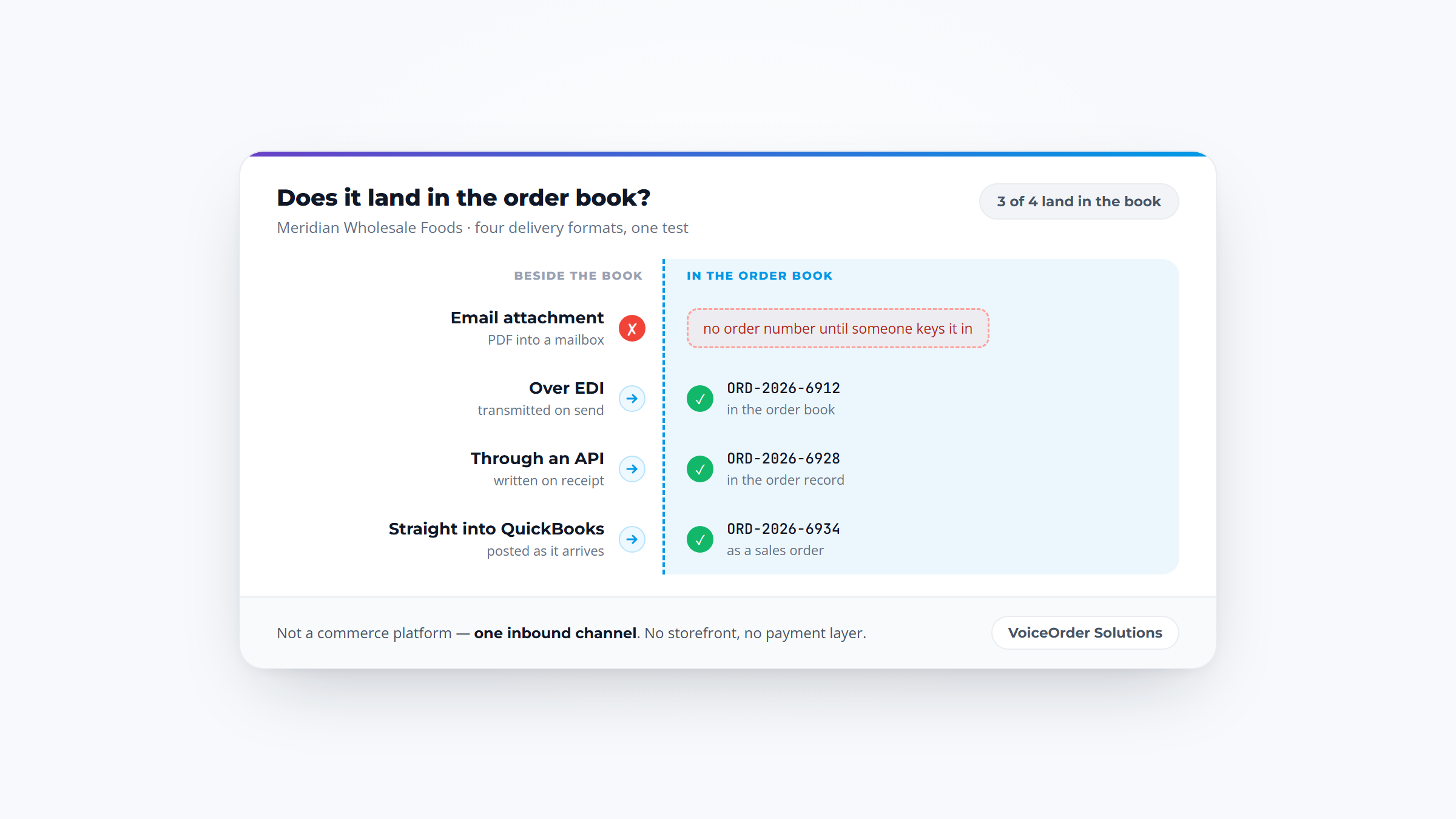
When par levels are hit and a reorder is needed, VoiceOrder Solutions handles that next step: restaurant buyers can place procurement orders to their food distributor by voice, hands-free (no more phone calls or manual entry). Each order is digitized and timestamped, improving accuracy and supporting 24/7 ordering outside business hours. It connects to existing workflows via email, PDF, Excel, or API with minimal disruption.
With voice orders, you get a smarter, faster way to track food stock and control costs. This makes restaurant inventory management easier, more accurate, and more aligned with restaurant inventory management best practices.
Efficient restaurant inventory management starts with organizing everything clearly. Begin by dividing your stock into key categories. This helps you know exactly what you have and where to find it. The main categories to consider are perishables like meat, dairy, and produce; non-perishables such as dry goods and canned foods; bar inventory; and cleaning supplies. Within these, keep in mind the inventory types: raw ingredients, prepared items, and finished goods ready to serve.
Next, choose a tracking method that suits your restaurant’s size and style. You can still use manual spreadsheets with Excel templates if you want a simple solution. But for faster, more accurate tracking, barcode scanning equipment from Zebra or Honeywell makes a big difference. Many restaurants now rely on digital platforms like Toast POS or Sage Inventory Planner. These systems save time and reduce mistakes. If ordering is where your stock numbers go stale, inventory tracking software that also places the reorder closes that gap.
An important part of restaurant inventory management best practices is integrating your point-of-sale (POS) system with your inventory and vendor systems. This connection gives you real-time inventory updates and keeps your orders accurate. Adding VoiceOrder Solutions to your setup lets restaurant buyers place procurement orders to their distributor by voice, speeding up restocking and reducing manual entry errors.
To clarify how to split your stock, here’s a simple list of inventory groups:
Tracking methods to consider include:
With this structure, you’ll know exactly where items fit and how to track them smoothly. Now, let’s move on to how you can set par levels and plan your inventory counts for better control.
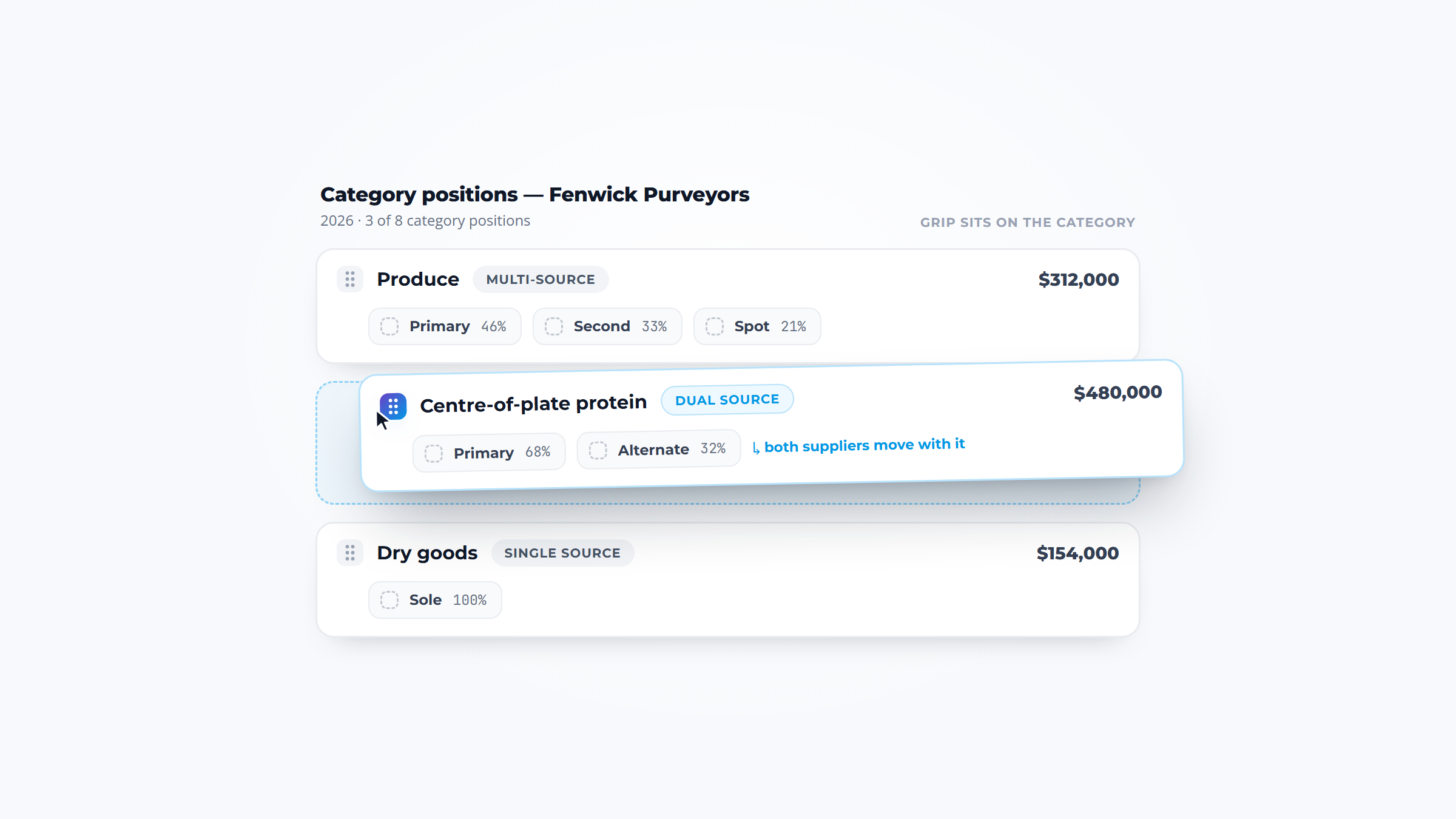
Par levels tell you the minimum amount of each item you should keep on hand to avoid running out. It’s smart to set reorder points and safety stock too, which act like buffers when demand shifts. For example, you might set a par level of 15 gallons for fryer oil, so you reorder when you hit 10 gallons but never let it drop below 5 gallons.
On a real item it is three marks, not one, and the middle one is what triggers the order.

How often you count your inventory depends on how big your restaurant is and how fast items move. A good rule of thumb is:
Proper organization goes hand-in-hand with counting. Make sure all your storage areas have clear labeling. Map each shelf to a corresponding inventory sheet. Keep all items in consistent spots so counting is quick and accurate.
Here’s a quick table to help you visualize count schedules:
| Count Type | Frequency | Purpose |
|---|---|---|
| Spot Check | Daily | Check fast-moving items |
| Full Count | Weekly | Count all inventory |
| Deep Audit | Monthly | Detailed review and adjustments |
By staying organized and sticking to this routine, your restaurant inventory management system will keep your kitchen running smoothly and reduce waste.
A dedicated voice ordering tool alongside your inventory system speeds up the procurement loop, so restocking happens without the usual phone and paper trail.
Getting restaurant inventory management right is key to running a smooth operation. With the rise of innovations like voice orders, using strong frameworks and best practices has never been more important. Let’s look at some practical steps you can take to cut waste, improve accuracy, and make smarter purchasing decisions.
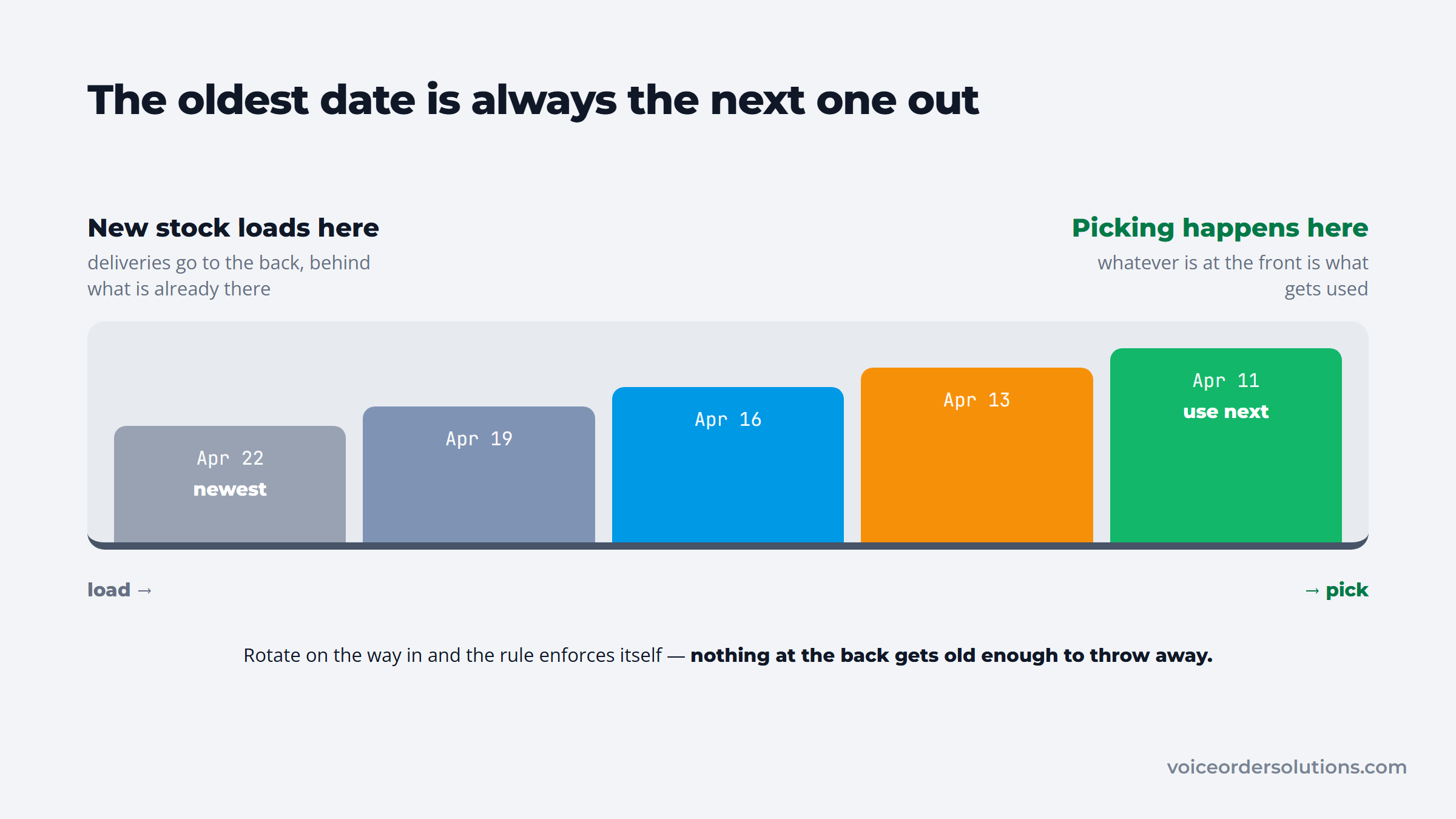
One of the best ways to reduce food waste and control costs is by sticking to solid counting and waste protocols. Start by enforcing the FIFO method (First In, First Out). This simple system ensures older stock gets used first, cutting down spoilage and maintaining food freshness. Make sure everything is labeled clearly, and train your team properly to follow it.
Load the shelf correctly and the rule stops depending on anyone remembering it.
Next, keep track of waste through waste tracking sheets. These help you spot patterns and adjust par levels based on actual usage and seasonal trends. Instead of guessing, you’ll order what you need, when you need it.
To boost accuracy, implement two-person counting teams during inventory checks. Having two sets of eyes reduces errors and boosts accountability.
Finally, standardize your processes with clear SOPs (Standard Operating Procedures). When everyone knows their role and follows the same steps, accountability increases and mistakes decrease. Checklist software for restaurant managers is how those SOPs stay live instead of laminated to a wall.
Here’s a quick snapshot of key counting and waste protocols:
| Protocol | Benefits | Actions to Take |
|---|---|---|
| FIFO Method | Reduces spoilage, improves freshness | Label items; staff training |
| Waste Tracking Sheets | Identifies waste patterns | Record waste daily; analyze data |
| Two-person Counting Teams | Increases accuracy and accountability | Pair staff for inventory checks |
| Standardized SOPs | Consistency and accountability | Develop clear procedures; train team |
Now that your inventory counts are sharper, let’s explore how data and forecasting can take your system to the next level.
Data isn’t just for big companies. It can transform your restaurant’s inventory system too. Start by comparing theoretical inventory usage to actual usage through variance reports. This reveals shrinkage issues like theft or counting errors, so you can fix them quickly.
Use your POS sales data combined with voice order inputs from tools like VoiceOrder Solutions to forecast demand. This lets you replenish stock just in time, avoiding overstock or shortages. Voice-assisted order-taking adds real-time data that sharpens your forecasts, making your inventory system more responsive.
Next, consider suggestive ordering algorithms available in cloud-based restaurant inventory management software like MarketMan or Upserve. These tools analyze your sales trends and suggest the right order amounts, saving you time and money.
Tracking the right KPIs keeps you on target. Aim for 4 to 6 inventory turns per month, keep waste below 10%, and maintain your Cost of Goods Sold (COGS) under 30-35%. Regular KPI checks show where to improve and celebrate wins.
Here’s a simple list of KPIs to focus on for better restaurant inventory management:
Using these restaurant inventory management best practices will not only cut costs but also improve your kitchen’s efficiency and food quality. Combining solid counting methods with smart forecasting tools sets your restaurant up for success in 2026 and beyond.
In 2026, smart restaurant inventory management means real-time data, automation, and hands-free control. Several top software platforms now blend these features with voice order capabilities, making your kitchen smarter and your ordering smoother. Let’s dive into some of the best options that boost restaurant inventory management efficiency.
Restaurant365 is a standout all-in-one solution. It combines POS, accounting, and inventory with real-time syncing so you always know your stock levels. Plus, it supports voice order APIs, allowing staff to update inventory hands-free. This integration helps reduce errors and speeds up reordering.
Toast POS also leads the pack. It connects easily with voice assistants, offering features like automated reorder alerts and recipe costing. Its analytics dashboard makes understanding waste and sales mix effortless. With voice commands, your staff can place orders or check inventory without pausing their work.
For smaller or mobile-first operations, MarketMan and WISK shine. Both offer barcode scanning and AI-powered forecasting. Their voice command features enable quicker inventory counts and reorder requests directly from the kitchen. These platforms scale from small bistros to larger chains, with pricing tiers that fit various budgets.
Here’s a quick look at these platforms:
| Platform | Voice Order Features | Key Strengths | Scalability |
|---|---|---|---|
| Restaurant365 | API compatibility | All-in-one sync & accounting | Small to enterprise |
| Toast POS | Voice assistant integration | Recipe costing & alerts | Medium to large |
| MarketMan | Voice commands | Mobile-friendly, AI forecasts | Small to medium |
| WISK | Voice commands | Barcode scanning & forecasting | Small to medium |
VoiceOrder Solutions works alongside these platforms rather than replacing them. Where Restaurant365 and Toast track stock within the restaurant, VoiceOrder Solutions handles the procurement step: restaurant buyers place restocking orders to their food distributor by voice, hands-free. Orders are digitized and transmitted automatically, cutting out the phone calls and manual entry that slow down restocking. It integrates via API or common file formats (email, Excel, PDF) and works on iOS and Android.
When choosing software for restaurant inventory management, some features really stand out as must-haves. These capabilities will save you time and improve accuracy.
Here’s a list of the essentials to keep an eye on:
These features bring huge benefits. They reduce wasted ingredients, help plan smarter orders, and keep your margins healthy. Voice command features ensure your staff doesn’t need to stop what they’re doing to update inventory or place orders. This blend boosts both accuracy and efficiency.
From small bistros to multi-location chains, one size doesn’t fit all in restaurant inventory management. Many platforms offer pricing tiers that scale with your operation size and needs. Entry-level solutions fit smaller kitchens with essential features. More advanced enterprise options include multiple user roles, advanced analytics, and complex integrations. Where the reporting matters more than the counting, restaurant analytics software is the category to compare instead.
For procurement ordering specifically, VoiceOrder Solutions works alongside any of these platforms regardless of restaurant size, letting buyers place supplier orders by voice without disrupting existing inventory workflows.
With the right combination of inventory platform and ordering tools, you can put restaurant inventory management best practices into practice in 2026. These technologies reduce errors, save time, and keep your kitchen stocked without extra manual effort.
Switching to voice-driven restaurant inventory management can feel like a big step. But with the right approach, you can make the switch without interruptions or frustration.
Here’s a simple, step-by-step guide to help you roll out voice order tech with ease.
First, take a look at your current restaurant inventory management system. Check if it can connect easily with voice order technology. This will save you lots of headaches later.
Next, pick a platform that supports voice commands and works with your existing POS or accounting tools. This avoids double work and keeps data flowing smoothly.
Now, it’s time to train your kitchen and inventory team. Keep training short and hands-on so everyone feels confident using voice commands and follows new workflows.
Start small with a pilot program. Pick a few items or specific shifts to handle voice order counts and reorders. This lets you spot any issues without risking your whole operation.
While the pilot runs, watch your key inventory stats closely. Look for improvements in waste reduction, accuracy, and how fast tasks get done.
For the procurement ordering step, VoiceOrder Solutions digitizes order capture via voice, making it straightforward to track time saved and errors reduced during the pilot.
It integrates via API or familiar data formats like email and Excel, which means minimal retraining and smooth adoption alongside the existing inventory system.
This frees buying and inventory staff from manual data entry, letting them focus more on supplier relationships and stock levels.
Here’s a quick look at the adoption steps:
| Step | What to Do |
|---|---|
| Assess | Check compatibility with voice tech |
| Choose Platform | Pick voice-enabled software that links to POS |
| Train Staff | Teach voice commands and updated workflows |
| Pilot Program | Run voice orders on select items/shifts |
| Monitor KPIs | Track waste, accuracy, and speed improvements |
With this clear process, your voice-driven restaurant inventory system will start strong.
Once voice orders are live, keep improving with regular reviews. Analyze voice order data often and tweak your par levels to meet demand without waste.
Your staff’s feedback is gold. Encourage questions and provide ongoing training for anyone who struggles or wants to learn more.
Also, have a backup ready. Whether digital or manual, a secondary inventory method keeps you covered if tech hiccups happen.
Finally, use AI-powered analytics to refine forecasting and ordering over time. Combining voice order info with your POS data helps make smarter decisions about stock.
Here’s a list of practical actions to stay on top of things:
By following these steps and tips, you’ll have a restaurant inventory management system that’s faster, smarter, and more reliable. Embracing voice-driven tech like VoiceOrder Solutions puts you ahead in restaurant inventory management best practices while freeing up your team to focus on what matters most.
To improve your restaurant inventory management in 2026, especially with voice orders, you need to keep an eye on a few key metrics. These numbers show how well your inventory system works and where you can improve.
First, Cost of Goods Sold (COGS) is crucial. You should track COGS regularly and aim to keep it under 30-35% of your total revenue. This helps you control food costs while keeping profits healthy.
Next, pay attention to your inventory turnover ratio. Most restaurants should target 4-6 turns per month. This means you use up and replace your stock efficiently without overordering or wasting items.
Another important metric is waste percentage. Reducing waste by 20-30% is achievable with accurate tracking systems and consistent counting protocols. Voice commands make updates quick and precise, cutting down mistakes that cause waste.
Here’s a quick list of key metrics to track:
Next, variance reports help you spot when your actual inventory doesn’t match what your system expects. This difference can reveal shrinkage or counting errors needing attention.
Plus, dashboards that show sales mix and menu profitability ensure you focus inventory on your most profitable dishes. This alignment means fewer dead stock items and more money saved.
Using a cloud based restaurant inventory management software with voice ordering speeds up this process. It delivers real-time accuracy while simplifying updates. That’s why combining these metrics with voice technology is one of the best ways to improve your restaurant inventory management system today.
Voice-enabled restaurant inventory management boosts accuracy and saves time. Staff can update stock hands-free, cutting errors and speeding processes. This adds up to less waste, better margins, and happier customers.
Combining voice orders with cloud based restaurant inventory management software and integrated POS/accounting systems gives you real-time control. You’ll see instant updates, track trends, and make smarter purchases without hassle.
Start small. Try adding voice tools to one or two inventory tasks first. Keep training your team regularly to ease the shift and build confidence.
To explore the benefits firsthand, schedule demos with top platforms like Restaurant365, Toast, or MarketMan. Seeing voice-enabled restaurant pos inventory management in action helps you decide what fits best. This practical step sets you up for lasting success.
A good inventory system keeps track of expiration dates and stock levels. This lets staff use older items first, following the FIFO method. It also alerts when to reorder, so restaurants avoid buying too much and wasting food. It saves money and keeps food fresh.
Cloud-based software stores data online, so you can access inventory anytime from anywhere. It syncs in real time across devices and locations, reducing errors and delays. This makes managing supplies easier, especially for restaurants with multiple spots or remote managers.
When inventory and sales data connect through POS, stock updates automatically each sale. This cuts down mistakes from manual counting and mismatched orders. Also, linking POS with inventory helps track popular items and adjust stock proactively, keeping menus available and customers happy.
Regular counts, clear labels, and organized storage are key. Using digital tools like spreadsheets or basic apps saves time and errors. Training staff to follow steps consistently creates accountability, making inventory easier and more reliable, even with few workers.
Yes, voice systems let staff update counts and reorder items hands-free. This is faster than writing or typing, especially during busy shifts. Real-time syncing means changes reflect instantly, which helps avoid delays and mistakes, making the overall inventory process smoother.