.webp)
Key takeaways:
Shopping for the best accounting software for restaurants turns up two very different kinds of product, plus one that is both, and nothing on the page tells you which you are looking at. Some of these tools own your books. Others never touch them, and exist to read supplier invoices line by line and push the numbers into whichever ledger you already run.
Buy the wrong half and you find out at month end, when the books balance perfectly and still cannot tell you which supplier raised its prices on you.
Restaurants move a lot of money through software that cannot see most of it. Americans spent $820.7 billion at food services and drinking places in the first eight months of 2026, 4.2% more than the same stretch of 2025, on the Census Bureau's advance monthly figures.
Eight restaurant accounting software products are compared below, from a free plan to an enterprise platform quoted by module, with every price read off the vendor's own pricing page on October 5, 2026.
Restaurant accounting solutions split three ways, and the three do not substitute for each other.
General ledgers. These are the restaurant accounting systems in the strict sense: QuickBooks Online, Xero, Sage Intacct and Wave own the chart of accounts, accounts payable and receivable, bank reconciliation and the financial statements. None of them is restaurant-shaped. You build the chart of accounts and the class structure yourself, and none of the four does recipe costing of any kind.
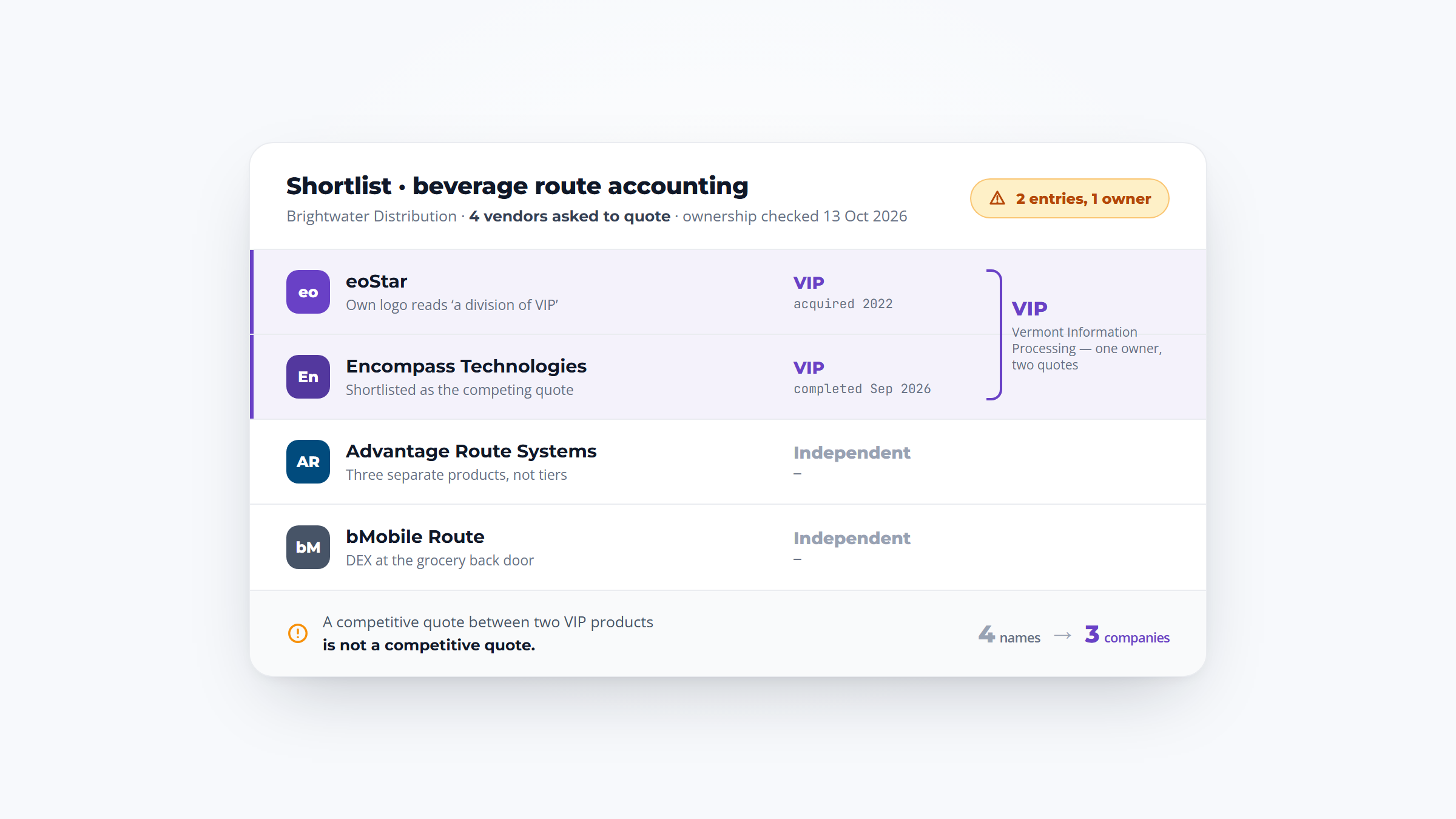
Invoice and food-cost layers. MarginEdge, Ottimate and xtraCHEF by Toast sit on top of a ledger rather than being one. They digitize supplier invoices down to the line, code them, and push the result into your accounting system. None of them reconciles a bank account, because that is not what they are for.
One product that is both. Restaurant365 keeps the ledger and puts inventory, recipe costing, scheduling and payroll on the same data model.
The practical consequence is that a reader searching for restaurant accounting software usually needs two purchases, not one, and the cost of the pair is what should be compared. That is also why the restaurant operating costs breakdown matters more than the subscription line.
The dividing line is line-item capture. Ottimate was founded on "doing what no other AP automation software could do: capture important line item detail." MarginEdge digitizes invoices "even the handwritten ones." A general ledger posts that same delivery as one bill against one account, so it can tell you what you spent at your produce supplier and not what happened to the price of chicken.
The vendors draw this line themselves, on both sides of it.
Intuit sends you to a different product once you pass QuickBooks Online Advanced, describing Intuit Enterprise Suite as "an AI-native ERP solution built for multi-entity organizations" that "unifies financials, payroll, workforce, and operational tools in one platform." Sage markets Sage Intacct as a cloud accounting and ERP solution and prices it "based on the modules that are included," which is the ERP tell. Restaurant365 describes itself as bringing "accounting, inventory, workforce management, and payroll into one solution."
So accounting software owns the general ledger and everything else reaches it by integration. An ERP keeps that ledger and puts inventory, purchasing, recipe costing, labor and payroll on the same data model, so a delivered case of chicken moves food cost, cost of goods sold and the profit and loss statement in one movement rather than three syncs.
The threshold is not revenue. It is entity count plus shared data, and Restaurant365's own description of the problem names it exactly: centralizing financial data across locations, handling intercompany transactions, running multi-state payroll, sharing inventory, and producing consolidated and location-level reports from the same ledger.
A workable test: you have outgrown accounting software when you file for more than one legal entity and need intercompany eliminations, when you need a consolidated profit and loss statement and a per-store one from the same ledger without a spreadsheet, and when your food and labor numbers are being re-keyed between systems to close the period.
Until all three are true, a ledger plus an invoice layer is cheaper and does more. The wider platforms that sit above both are compared in restaurant management software.
All eight at a glance. Payroll is deliberately left out of this table and handled separately below, because it is where the cheap options stop being cheap.
| Tool | Best for | AP invoice capture | POS integration | Food costing | Starting price |
|---|---|---|---|---|---|
| Restaurant365 | Multi-location groups wanting one system | Native, line-item, with credit memos auto-applied | Toast, Square, Aloha, Micros, Clover, Lightspeed | Yes, native | $489 per location/month, billed annually |
| MarginEdge | Keeping your books and fixing invoices | Native, line-item, including handwritten | 21 partners including Toast, Square, Clover, Aloha | Yes | $350 per location/month |
| QuickBooks Online | The system your bookkeeper already knows | Receipt capture and bill pay, header level | App marketplace only | None | $38/month, free tier at $0 |
| Xero | Getting several managers into the books | Smart document capture on every tier | App marketplace only | None | $27/month |
| Ottimate | Groups with a real accounts payable function | Native, line-item, coded per line | Accounting systems, not POS | None | Pricing on request |
| Sage Intacct | Multi-entity consolidation and audit | AP, AR and cash management, no restaurant OCR | Generic, no POS named | None | Pricing on request |
| xtraCHEF by Toast | Restaurants already committed to Toast | Native, line-item, auto-coded | Toast only | Yes, on the Pro tier | Add-on; Toast POS from $0 |
| Wave | A food truck or a first-year single site | Manual bill entry, receipts are an add-on | None | None | $0 (Starter) |
Only three of the eight do food costing at all, and two of those three are not your general ledger. Anything deeper than plate costs belongs in dedicated food inventory software rather than in your books.

Overview: Restaurant365 is the only product here that is both the ledger and everything around it, covering accounting, inventory, scheduling and payroll on one data model. It is sold to groups rather than single sites.
Key features:
Pricing: Its Professional tier is $489 per location per month billed annually, or $539 billed quarterly, published on its operations page rather than its pricing page, which offers only a custom quote. Workforce add-ons covering hiring, payroll and HR cost extra, and Enterprise is quoted.
Pros: Genuinely one system rather than two, restaurant-specific chart of accounts, strongest multi-location story here
Cons: No self-serve path and the published figure sits away from the pricing page, you buy accounting plus inventory plus workforce whether or not you need all three, and implementation is a project
What it is genuinely good at: Closing a period without re-keying anything between systems, which is the actual pain at five locations and up.
Final verdict: The right answer for a growing group and considerable overkill for one restaurant.

Overview: MarginEdge is the most-recommended product in this category that is not an accounting system. It takes a photo of an invoice, returns digitized line items, and pushes bills and journal entries into the books you already keep.
Key features:
Pricing: $350 per location per month, flat, or $500 with the Freepour liquor-counting bundle. Annual billing saves 10%, there are no setup fees, and onboarding packages are priced separately.
Pros: Genuinely flat pricing with nothing metered, the best invoice capture here, works with the ledger you already have
Cons: It is not an accounting system, so $350 sits on top of a QuickBooks or Xero bill, it does no payroll, and Toast customers must also pay Toast's separate $50 per month Restaurant Management Suite fee to open the API
Where it fits: One to ten locations already running QuickBooks or Xero, where the problem is invoices and food cost rather than the ledger.
Final verdict: The clearest value in this comparison, provided you understand you are buying a layer and not a replacement.

Overview: QuickBooks Online is the ledger most US bookkeepers already know, and nothing about it is restaurant-shaped. Its own restaurant page links just three apps, one of which is MarginEdge.
Key features:
Pricing: Simple Start is $38 a month, Essentials $85, Plus $140 and Advanced $340, each currently offered at half price for three months. The free tier excludes mobile app access and third-party integrations entirely.
Pros: Every bookkeeper and accountant can use it, deep app ecosystem, mature bank reconciliation
Cons: No recipe costing or theoretical-versus-actual reporting, invoice capture is header level rather than line item, and the price ladder climbs steeply once you need more than one user
Why buyers shortlist it: Familiarity is worth real money at month end, and the restaurant-shaped work is handled by pairing it with an invoice layer.
Final verdict: A sound ledger that needs a second product before it tells you anything about food cost.

Overview: Xero is QuickBooks' closest competitor and differs on one structural point that matters to restaurants: it charges no per-user fees, so every manager can be in the books without changing the bill.
Key features:
Pricing: Early is $27 a month, Growing $59 and Established $97. Payroll runs through Gusto at $36 a month plus $6 per employee, and auto-reconciliation is a $5 add-on on Early.
Pros: Unlimited users at every price, clean bank reconciliation, strong cash-flow view at the top tier
Cons: The Early plan caps you at 20 invoices and 5 bills a month, which no restaurant taking deliveries from six suppliers can live within, there is no recipe costing, and payroll is a separate product on a separate bill
Its real strength: Several managers and an outside bookkeeper can all work in it without a seat conversation, which is exactly where QuickBooks gets expensive.
Final verdict: Start at Growing rather than Early, and expect to add an invoice layer on top.

Overview: Ottimate is the product formerly sold as Plate IQ, and by its own account it was founded in 2014 to do what no other accounts payable software could then do, capturing invoice detail line by line. It is now sold across six verticals rather than to restaurants alone.
Key features:
Pricing: Available on request. Ottimate publishes no rate and runs no pricing page.
Pros: The deepest accounts payable product in this comparison, strong approval hierarchies for multi-location groups, vendor payment by check, ACH or virtual card
Cons: No published price and no trial, it is accounts payable only with no ledger, no payroll and no food costing, and restaurants are now one of six industries it serves
Where it fits: Groups of ten or more locations with a real accounts payable function and a controller, running NetSuite, Sage Intacct or Acumatica.
Final verdict: Excellent at one job, and always a second subscription rather than a standalone answer.

Overview: Sage Intacct is a horizontal accounting and ERP platform with a restaurant page on top. Its strength is consolidation, and it makes no attempt to be restaurant-shaped underneath.
Key features:
Pricing: Available on request, quoted by module. Its pricing page explains that plans are "based on the modules that are included" and offers no figure of any kind.
Pros: The strongest consolidation and audit story here, genuine multi-entity handling, mature reporting
Cons: Nothing about it is restaurant-specific, with no recipe costing, no food cost percentage and no prime cost report, it names no POS system anywhere, and both MarginEdge and Ottimate publish integrations precisely to supply the invoice capture it lacks
Why it made this list: At the point where consolidation and audit outrank food costing, it is the obvious destination, and the restaurant-specific work moves to a layer above it.
Final verdict: For a group with a controller and several legal entities, not for a restaurant with a bookkeeper.

Overview: xtraCHEF is Toast's cost-analytics and invoice-automation module. It is strong, and it requires Toast, so it is either the obvious choice or entirely irrelevant.
Key features:
Pricing: Sold as an add-on. Toast's own pricing page lists a Starter Kit from $0 a month and Point of Sale from $69 a month, and names xtraCHEF Essentials and xtraCHEF Pro without publishing a figure for either.
Pros: Deep integration with sales and labor data because it all comes from one vendor, genuinely good recipe costing, no second POS connector to maintain
Cons: There is no standalone version for a Square or Clover restaurant, recipe costing and inventory sit behind the Pro tier, and it is not a ledger, so you still need accounting software underneath
Where it beats the alternatives: If you already run Toast, the data is already there and the integration work is zero, which no third-party layer can match.
Final verdict: An easy yes for Toast restaurants and a non-option for everyone else.

Overview: Wave is the genuinely free entry, and the honest version of that claim needs the detail. Real double-entry accounting is free; the things that make bookkeeping fast are not.
Key features:
Pricing: Starter is $0 and Pro is $19 a month or $190 a year. Payroll adds $40 a month plus $6 per active employee, and a receipts add-on starts at $8 a month in the US and is included with Pro.
Pros: A real ledger at no cost, straightforward payroll pricing, no contract
Cons: The free plan has no bank feed at all, so somebody enters every transaction by hand, it allows one user only, and there is no POS integration, no food costing and no multi-location consolidation
Why it is in this comparison: Anyone hunting free accounting software for restaurants deserves a real answer, and this is the closest thing to one.
Final verdict: Workable for a food truck, a coffee cart or a first-year single site, and outgrown the moment you hire a bookkeeper.
Each restaurant accounting software price in the table was taken from the vendor itself on October 5, 2026. Where no vendor figure exists, the entry says so rather than estimating, because the one third-party roundup ranking for this term guesses a price for a product that publishes none.
Three things decided the list, and the one that separates these products most sharply is invoice capture rather than accounting:
That third check turned up the detail most likely to surprise a buyer. A Toast restaurant using MarginEdge pays Toast a separate $50 per month per location to open the API that makes the integration work. It is a Toast charge rather than a MarginEdge one, and it does not appear on either pricing page.
Two entities were checked and left out. Compeat is frequently still listed as an option and has not existed independently since Restaurant365 acquired it in 2021. Zoho Books has a genuinely free tier whose own terms cap it at $50,000 of annual revenue, which rules out essentially every restaurant.
Payroll is where the cheap options stop being cheap, and no ranking page does the arithmetic. These are list prices for a single location with 25 staff.
| Setup | Software | Payroll | Monthly total |
|---|---|---|---|
| Wave Pro + Wave Payroll | $19 | $40 + $6 per employee | $209 |
| Xero Growing + Gusto payroll | $59 | $36 + $6 per employee | $245 |
| QuickBooks Plus + Workforce Premium | $228 bundled | included in bundle | $553 |
| QuickBooks Simple Start + MarginEdge | $38 + $350 | add payroll separately | $388 before payroll |
| Restaurant365 | $489 per location | native, including tip pooling | $489 plus Workforce |
The QuickBooks row rewards a closer look. That $228 is the list price for the Plus ledger and Workforce Premium payroll bundled together, covering payroll tax filing, hiring and onboarding, time tracking and HR tools, and the $13 per employee sits on top of it, taking a 25-person site to $553. Intuit currently discounts the $228 by half for three months, but not the per-employee fee.
Two things fall out of that. The ledger is almost never the expensive line, and the restaurant-shaped capability costs more than the accounting does. A single site running QuickBooks plus MarginEdge is paying roughly nine times more for invoice capture and food costing than for its books.
Only Restaurant365 and Toast handle restaurant payroll natively with tip pooling, which matters more than it sounds once you are running split shifts and multiple pay rates.
Size changes the restaurant accounting software answer more than cuisine or concept does.
| Your operation | What actually constrains you | Where to start |
|---|---|---|
| Food truck, cart, first-year single site | Cash, and nobody to do the books | Wave Pro, or QuickBooks Simple Start |
| One to three locations | Food cost visibility, and invoices piling up | QuickBooks or Xero, plus MarginEdge |
| Three to ten locations | Closing the period without re-keying | MarginEdge or Ottimate on a ledger, or Restaurant365 |
| Ten or more, multi-entity | Intercompany, consolidation, audit | Restaurant365 or Sage Intacct with Ottimate |
The middle two bands are where most readers sit, and both are two-product answers. Anyone buying a single tool there ends up doing the other half in a spreadsheet, the same trap that swallows an unplanned restaurant procurement process.
Every product above starts work when an invoice arrives. None of them touches the step before it, which is where most of the discrepancies are created.
An invoice is a claim about what was ordered and what was delivered. If the order itself was taken over the phone and written on a pad, there is no clean record on your side to check that claim against, and the variance surfaces weeks later as a credit nobody can evidence. Line-item capture solves the arithmetic and cannot solve the missing original.
This is the part distributors have been fixing on their side. VoiceOrder Solutions is bought by food distributors, who hand their accounts an ordering app built on that account's own order guide and agreed prices. Each order the app sends carries its own number and a time stamp, and lands at the distributor's order desk as a finished record rather than a message somebody has to interpret.
For an operator the practical effect is a numbered, timestamped record of what was ordered, from the supplier's system rather than your memory, which is exactly what an accounts payable line needs to reconcile against. It is worth asking your distributor what ordering options they offer, as part of the same conversation as delivery days and restaurant purchasing terms.
Decide first whether you are buying a ledger, a layer, or the one product that is both. That single decision eliminates most restaurant accounting systems on this list, and it is the question the search results are least helpful on.
If you run one site and want food cost visibility, the answer is a ledger plus MarginEdge, and the ledger choice comes down to whether you need several people in the books. If you run ten and are closing late every period, it is Restaurant365 or a layer on Sage Intacct. If you run a food truck, Wave is a real answer rather than a consolation one.
Price the pair, with payroll in it, before comparing anything. On these products the second subscription is usually the larger one, and the accounting software is rarely what you are really choosing. Getting the inputs clean matters just as much, which is where supplier order entry and invoice capture meet.
If you are reading this from the restaurant side, the cheapest next step here is not a subscription at all. Forward this to whoever takes your orders, because a messy invoice is usually created upstream of your books rather than inside them.
If you are the distributor on the other side of that conversation, the ordering setup runs from your end rather than your customer's.
Book a VoiceOrder Solutions demo
It publishes one figure, though not where you would look for it. Its pricing page offers only a custom quote, while its operations page prices a Professional tier at $489 a month for each location on annual billing, rising to $539 on quarterly. That is why the $400 to $500 per location figure quoted in other roundups lands close to the mark.
Payroll and HR add-ons cost extra and Enterprise is quoted, so a multi-site group still needs a real number from sales.
Most independent restaurants keep cash-basis books for tax and run accrual-style management reporting. The IRS default for a business that buys and sells merchandise is accrual with an inventory, but a small business taxpayer can opt out, and the gross receipts ceiling for tax years beginning in 2026 is $32 million in average annual gross receipts. Note the trap in the rule: if you choose to keep an inventory, you generally must use an accrual method anyway.
Because calendar months contain four or five weekends depending on the month, so comparing March sales to February sales compares different numbers of trading days. Thirteen four-week periods, or a 4-4-5 pattern, makes every period comparable. The IRS permits it as a 52-53 week tax year provided the year always ends on the same day of the week, and Texas Roadhouse reports exactly this way, with fiscal years ending on the last Tuesday in December.
For a food truck or a first-year single site, yes. Wave's free Starter plan is real double-entry accounting with unlimited invoices and bills, which is more than most accounting software for bars and restaurants gives away.
Wave's limits are where it costs you: no bank feed, so every transaction is entered by hand, and one user only. QuickBooks' free tier is more restrictive still, allowing two invoices a month and excluding third-party integrations entirely, which rules out any POS connection.
Usually yes, and that is the most useful thing to know before shopping. A general ledger posts a supplier delivery as one bill against one expense account, so it cannot tell you what happened to the price of chicken.
A restaurant layer digitizes that same invoice line by line but reconciles no bank account, which is why a single restaurant accounting app rarely covers both jobs. Only Restaurant365 does both in one product, and it is priced and scoped for groups rather than single sites.