.webp)
Key takeaways:
Order process automation gets sold as a technology decision and behaves like an operations one. The tooling has been capable for years; what determines whether it pays back is whether anyone wrote down how the process is supposed to work first.
The appeal is obvious. Orders arriving by email, phone, text, and portal all end up typed into the same system by a person, and that person is expensive, slow relative to software, and human enough to mistype a case count on a Friday.
This guide covers what can genuinely be automated across the order-to-cash chain, where robotic process automation fits, and how to sequence a rollout that does not break orders while it runs.
Order process automation, sometimes written as order-to-cash process automation when it spans the full commercial cycle, is the use of software to complete steps in an order workflow a person would otherwise do by hand. Those steps span capturing an order, validating it, entering it into a system of record, confirming it, invoicing, and reconciling payment.
The phrase is used loosely across three distinct territories. Purchase order process automation is about buying, sales order process automation is about selling, and the order to cash automation process covers the full commercial cycle through to payment.
Most confusion in vendor conversations comes from not naming which one is being discussed. A tool that automates supplier ordering does nothing for collections, and a collections platform does nothing for the order that was mistyped at capture.
Decide which territory your cost sits in before evaluating anything.
Order to cash is the widest of the three, and mapping it shows where automation genuinely applies rather than where it is merely marketed.
| Stage | What happens | Automation potential |
|---|---|---|
| Order capture | Order arrives by phone, email, portal, or EDI | High, and the highest-value stage |
| Validation | Pricing, credit, and stock checked | High, if pricing lives in the system |
| Order entry | Order recorded in the system of record | High, usually the first thing automated |
| Fulfillment | Picking, packing, dispatch | Partial, mostly warehouse systems |
| Invoicing | Invoice raised and sent | High, and commonly already done |
| Collections | Payment chased and received | Moderate, reminders yes, judgment no |
| Reconciliation | Payment matched to invoice | High, though exceptions still need people |
The pattern worth noticing is that automation potential is highest at the two ends and lowest in the middle. Capture and reconciliation are rule-bound and repetitive; fulfillment involves physical constraints that software can direct but not perform.
Most businesses automate the middle first because it is visible, then wonder why the savings were modest.
Robotic process automation deserves separating from automation generally, because it works differently and fails differently.
RPA software imitates a person using an interface. It clicks buttons, copies fields between screens, and follows a recorded sequence. It does not integrate systems; it operates them the way a human would.
That distinction explains both its appeal and its fragility. RPA can be deployed against a system with no API and no integration budget, often in weeks. It also breaks when the screen layout changes, because it was never reading data, only positions.
Order to cash robotic process automation is therefore best understood as a bridge. It is genuinely useful for connecting a legacy system nobody will replace this year to a modern one, and it is a poor foundation for a process you expect to run unchanged for a decade.
Use it where an integration does not exist and cannot be justified. Replace it with a real integration when one becomes available, and budget for the maintenance in the meantime.
The buying side is where most food businesses and distributors find their largest and least examined cost.
Benchmarks from APQC place the cost of handling one purchase order between roughly $14 and upwards of $54, a spread it traces to process design far more than to tooling. That attribution is the part worth dwelling on, because it means installing software does not by itself move an organization from the expensive end of the range to the cheap one.
The stage generating most of that cost is capture, because it is where a person converts an intention into a record. Somebody walks a storeroom, decides what is needed, and communicates it by phone, voicemail, or text to somebody else who types it in.
VoiceOrder Solutions automates exactly that conversion, and it is deployed by the distributor receiving the order. Each account is issued a voice ordering app built on that customer's own order guide and pricing.
A team member then walks the storeroom with the app open on iOS or Android and says what is needed out loud. The platform structures the result, plays it back for confirmation, stamps it with a time, and routes it into the distributor's system in whichever format that business takes.
Accuracy improves because of the playback, not because the process is quicker. A wrongly recognized item gets corrected on the spot by whoever is standing in the walk-in, rather than turning up as a shortage on the truck two days afterwards.
Orders that would otherwise sit on a restaurant phone system outside business hours are captured and queued rather than left in a voicemail box, and each carries a unique number and timestamp that makes a disputed delivery a matter of record rather than recollection.
The selling side has the same shape and a different obstacle: negotiated terms.
Sales orders arrive with customer-specific pricing, agreed discounts, and occasional one-off arrangements. Where those live in a rep's spreadsheet rather than the system, automation has nothing reliable to validate against and the order still needs a human.
The sequence that works is to formalize pricing first and automate second. Customer price lists held in the system turn a judgment call into a lookup, and once that is true, automated order entry becomes safe.
Exceptions should be routed rather than blocked. A genuine one-off deal needs an approval step that records who authorized it, not a workaround that leaves the order as free text.
Distributors offering customers a self-service ordering portal get a further benefit, since the customer builds a structured order directly and the entry step disappears rather than being automated.
A price list can only live in the system once somebody has decided what the numbers in it are, so it is worth pricing a case out and seeing what the markup you quote actually leaves you.
Turn a landed cost into a wholesale price, see the margin that markup really gives you, and watch how staples drag your blended margin down.
Your case and how you price it
Your line is not one markup
The gap between the two percentages is where most pricing arguments start. A 35% markup on landed cost is a 25.9% margin on the price you bill, and a rep quoting the first number is not describing the second. Add your staple share and the blended figure drops again, which is the number a customer price list has to clear before automation can safely apply it.
The finance end automates well because its rules are explicit, which is why it is often already partly done.
Invoice generation from delivered quantities is straightforward and removes a common dispute, since invoicing from ordered quantities bills for items that were never delivered. Restaurants meet the same mechanic from the buying side through restaurant automation tooling. Matching supplier invoices against orders and receipts is equally rule-bound, and invoice capture software handles the reading step that used to require typing.
Collections automate partially. Reminder sequences, escalation timing, and statement generation are all rules. Deciding whether to extend terms to a struggling long-term customer is not, and automating that judgment produces exactly the outcome you would expect.
The realistic target is automating the routine 80% and routing the rest to a person with context. Businesses that try to automate collections entirely usually damage a customer relationship before they notice.
Being specific about the savings prevents both overselling and disappointment.
| Saving | Where it comes from | How to verify it |
|---|---|---|
| Labor hours | Removed manual entry and re-keying | Count entries per week before and after |
| Error cost | Fewer credits, short deliveries, disputes | Track wrong lines per hundred orders |
| Cycle time | Orders entering inside cutoffs | Measure order-to-confirmation time |
| Cash timing | Faster, cleaner invoicing | Track days sales outstanding |
| Capacity | Same team handling more volume | Orders processed per person per day |
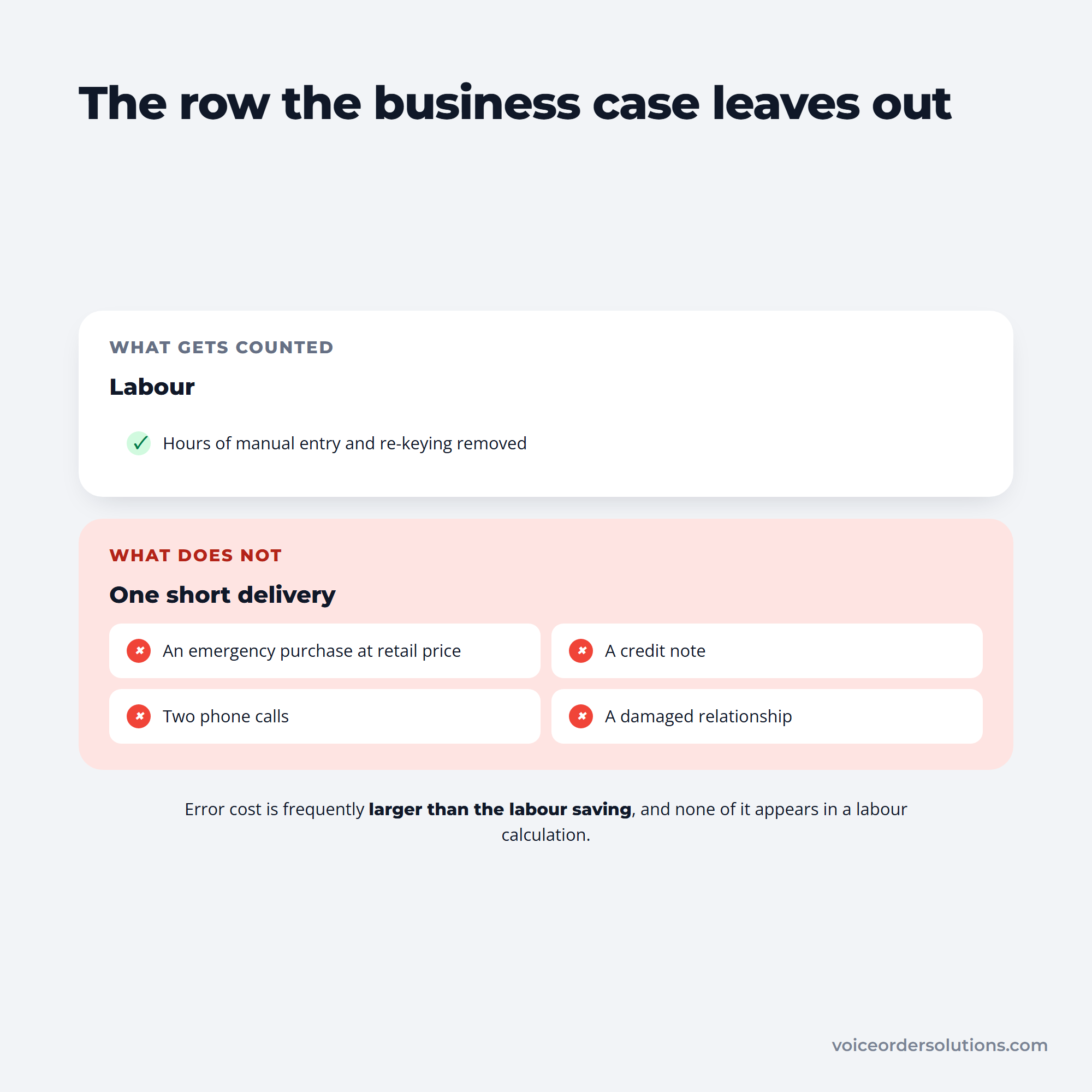
The row businesses most often forget is error cost, and it is frequently larger than the labor saving. A short delivery costs an emergency purchase at retail price, a credit note, two phone calls, and a damaged relationship, none of which appears in a labor calculation.
One of these two blocks is on the business case and the other is on the P&L.
Capacity is the saving that matters most at growth. Automation rarely reduces headcount; it usually removes the need to add someone at the next volume step, which is the argument for moving order entry to the customer rather than hiring a second person to key it in.
The failure patterns are consistent enough to be worth naming.
The first is the one that does lasting damage. An undocumented process contains informal corrections people make without noticing, and automating it removes the corrections while keeping the errors.
Write the process down first, ideally by watching someone do it rather than asking them to describe it. What people describe and what they do are reliably different.
Sequencing an order automation process matters more than tooling choice, because a failure here is immediately visible to customers.
The parallel-run step is the one under time pressure to skip, and it is the one that catches the mismatches that would otherwise reach customers. Run the comparison inside whatever order management system holds the record, so both versions of an order sit side by side rather than in two places.
Step seven matters more than it sounds. Teams that have never run the manual process since automation went live cannot execute it during an outage, which turns a software problem into a service failure.
Adoption is real and the results are mixed, which is worth knowing before setting expectations internally.
The IFDA found AI use among foodservice distributors roughly tripled from 12% in 2023 to about a third in 2025, with ecommerce and ordering the single most common application at 56% of adopters, followed by office and workflow automation at 52%.
The same report records that nearly a third of AI adopters said the technology underperformed their expectations. Both numbers belong in the same sentence when someone asks whether this works.
Put side by side, the two findings set a realistic expectation between them.
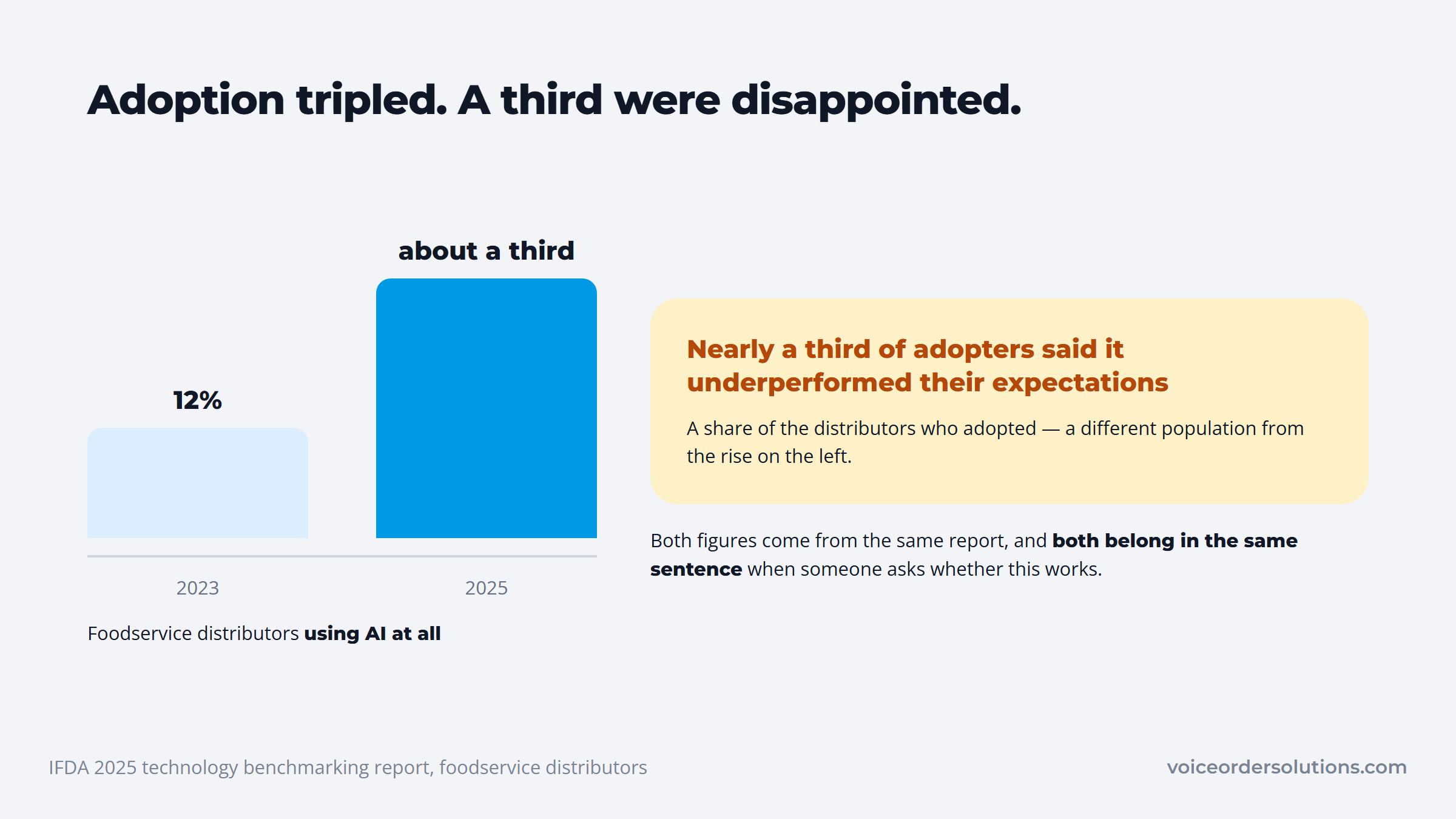
The distinguishing factor between the two groups is usually process discipline rather than product selection. Businesses that documented and cleaned the workflow first report better outcomes than those that bought a tool expecting it to impose order. For a distributor, the cleanest first leg is one agreed route for every incoming order, which is what distribution workflow software built around intake gives you.
Automation projects fail on prerequisites more often than on technology, and the prerequisites are unglamorous enough that they get skipped.
Your item data has to be consistent. If the same product appears as three different names across systems, automated matching will fail on every one of them and route the exception to a person, which is the situation you were trying to leave.
Pricing has to live somewhere the software can read. Customer-specific prices held in a rep's spreadsheet cannot be validated automatically, so orders will keep stopping for human review until they sit in catalog management software the order path can query.
Someone has to own exceptions. Automation does not eliminate unusual orders; it concentrates them into a queue that will silently grow unless a named person works it daily.
And the process has to be written down accurately, which means observed rather than described. People perform informal corrections they do not mention when asked, and automating the described version removes those corrections while keeping the errors they were fixing.
Fix those four before evaluating vendors. A business that has cleaned its item list and centralized its pricing will get value from almost any competent tool, while one that has not will struggle with the best product on the market.
Count what you spend processing orders before evaluating any software. Multiply your weekly order count by a realistic per-order handling cost and the annual figure usually makes the decision straightforward.
Then find the single point where information is retyped from one place into another. That is almost always capture, it is almost always the cheapest step to fix, and fixing it improves every stage downstream because the data arriving is finally correct.
Automate that one step, run it for a quarter, and measure both hours saved and wrong lines per hundred orders. Only then move to the next.
A quarter is the right interval because shorter windows get distorted by seasonality and by the temporary care people take with anything new. Two weeks of unusually clean data tells you about attention, not about the automation.
Resist expanding scope mid-rollout. The most common way these projects stall is adding a second channel before the first is stable, which leaves both half-configured and makes it impossible to tell which one is causing a problem.
Where inbound purchase orders still travel by phone and voicemail, the capture step is the distributor's to automate. That is the job VoiceOrder Solutions does for an independent food distributor: it moves order entry out to the customers placing those orders and works alongside the existing distribution systems already in place. Contact the team for a walkthrough using a live catalog.
Order to cash process automation is the use of software to complete steps across the full commercial cycle, from an order arriving through fulfillment, invoicing, collections, and payment reconciliation. It spans sales, operations, and finance rather than sitting in one department. In practice the highest-value stages to automate are at the two ends: order capture at the start and invoice matching at the finish.
RPA imitates a person operating a screen, clicking and copying between fields in a recorded sequence, rather than connecting systems through an integration. That makes it deployable against legacy software with no API, often within weeks. It also makes it brittle, since a changed screen layout breaks it. Treat RPA as a bridge to a proper integration rather than a permanent foundation.
APQC benchmarking puts purchase order processing at roughly $14 to more than $54 per order, with the spread driven largely by how the process is structured rather than which system is installed. Multiplying the upper figure by your annual order volume usually produces a number that settles the business case quickly, particularly for operations placing orders daily.
Rarely, and promising that generally damages the rollout. What automation reliably removes is administrative time, meaning hours spent retyping orders and chasing information. Those hours typically go back into work the team was already behind on, and the more durable benefit is capacity: handling higher volume without adding a person at the next growth step.
Capture, in almost every case.
It is where information first enters your systems, so errors introduced there propagate through validation, fulfillment, and invoicing and cannot be cheaply corrected later.
Automating entry while leaving capture manual simply delivers the same bad data faster. Fix how the order arrives before improving what happens to it afterwards. The test of whether capture is genuinely solved is whether anyone still retypes an order that already existed in writing somewhere else.