For Food Distributors

Not A Fishbowl Inventory Alternative: Fix The Phone Order

Give the restaurants that still call you an app to order in by voice: each chef speaks the items, checks the list and sends it. Fishbowl already ends the retyping once an order is in. This app is for the call before that, while Fishbowl keeps stock, lots, picking and invoicing.
VoiceOrder app ordering screen
20-30 Min

Saved on each order a chef sends instead of calling

24/7

Restaurant ordering, long after your desk closes

24-48 Hrs

Setup for most distributors, with Fishbowl left as it is

Fishbowl Stays, The Call Changes

Fishbowl plus VoiceOrder Solutions.
The warehouse stays with Fishbowl.

A restaurant that calls still has its order keyed in by hand, and that typing is the step VoiceOrder Solutions changes. After that, Fishbowl moves the order to the shelf and the truck, then posts its invoice to QuickBooks, with no second round of typing. This is not a Fishbowl Inventory alternative: the two products run separately, and neither is wired into the other.

Feature

Fishbowl + VoiceOrder Solutions

Fishbowl on its own

Live stock counts at every location, scanned on a phone
A kitchen that used to call now sends a numbered, timed order
Numbered only after someone enters it
Lot and expiration tracking for perishable stock
Orders pulled in from online stores and retailer EDI
At 11pm a chef who would phone can still speak the items and check them
A voicemail for your team to enter in the morning
Sales orders through picking, packing and shipping
A customer ordering portal, as an add-on or partner app
Your desk works from a list the chef checked, not a call
Notes taken while the chef is on the phone
Shipments, receipts and adjustments posted to QuickBooks
Why People Search

What makes owners look up a Fishbowl Inventory competitor

Fishbowl Inventory already handles an order well once it arrives: stock moves and QuickBooks gets the invoice, so a Fishbowl Inventory alternative would not touch the restaurant call ahead of it. With our app, an emailed list is still keyed in by your people, but the chef has checked every item on it; orders over EDI or the API might need no typing at all, which the demo will settle.
Integration icon

Fishbowl pictures a retail morning

On Fishbowl's pricing page, its sample distributor's day starts with EDI orders from two retailers, compliance rules attached. A restaurant kitchen sends you no EDI. Its chef calls before service, and a person at your desk turns the call into a Fishbowl sales order.
Integration icon

The first entry is still typed by hand

Fishbowl's QuickBooks page promises nothing typed twice: a shipped order becomes the invoice without anyone keying it. The typing it leaves is the first round: a person at the desk keys in what the chef said on the phone.
Integration icon

The phoned order must go into Fishbowl

With Fishbowl in place, each sales order begins in Fishbowl, and the QuickBooks invoice follows once it ships. So the call cannot be entered in QuickBooks and left there: someone keys it into Fishbowl before anything else moves.
What You Get

Not a Fishbowl Inventory alternative: the step before the sales order

Dashboard mockup
Voice Ordering

Said at the walk-in, sent from the chef's phone

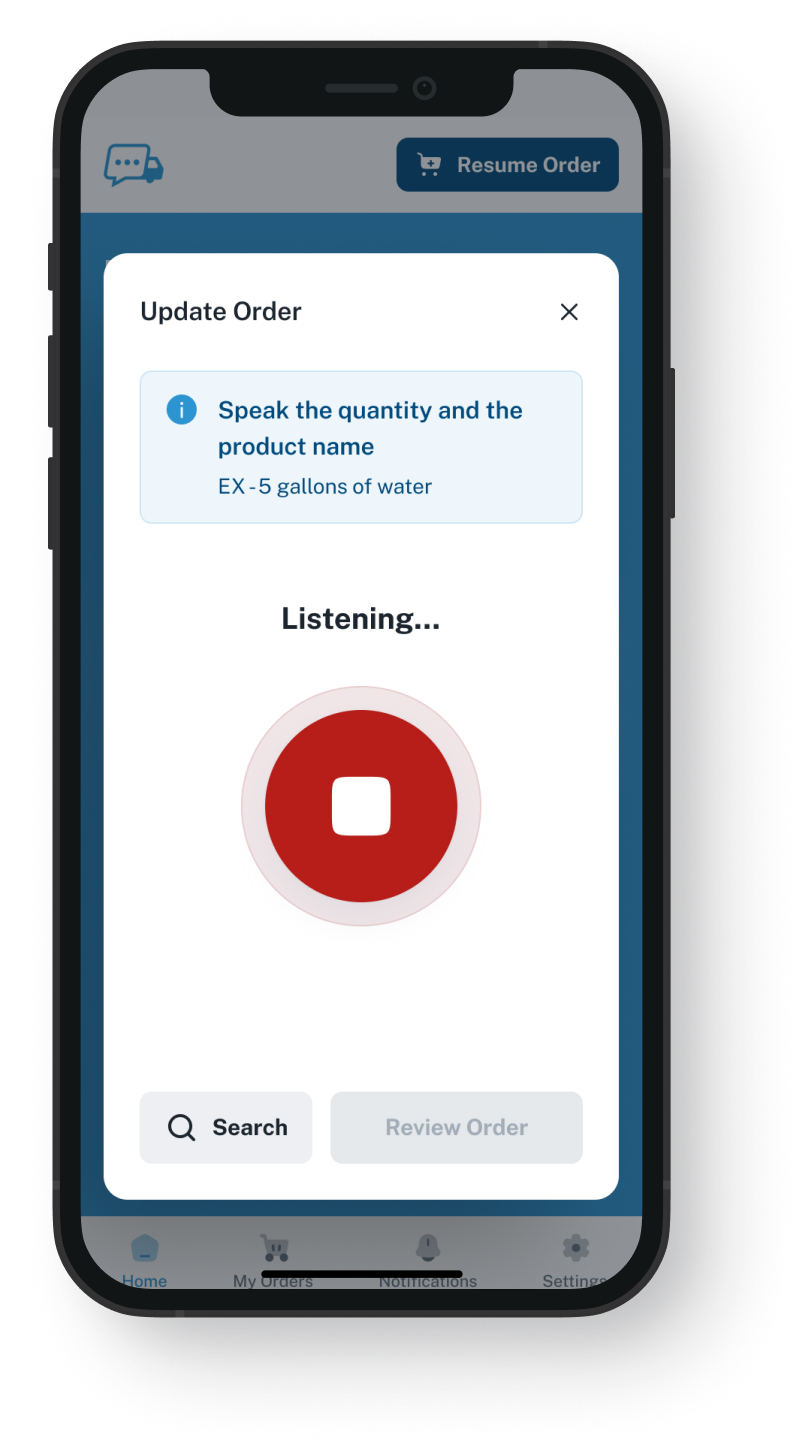
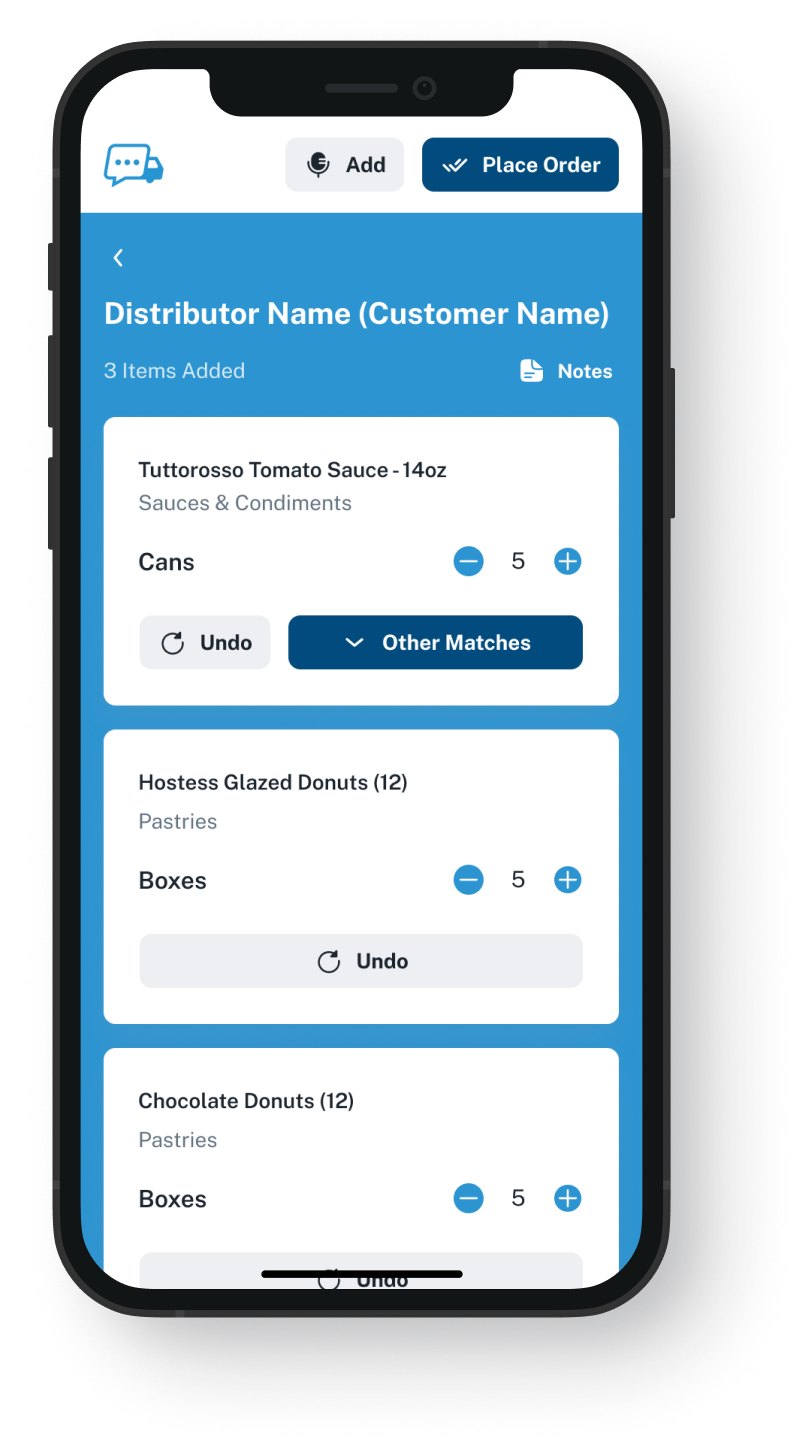
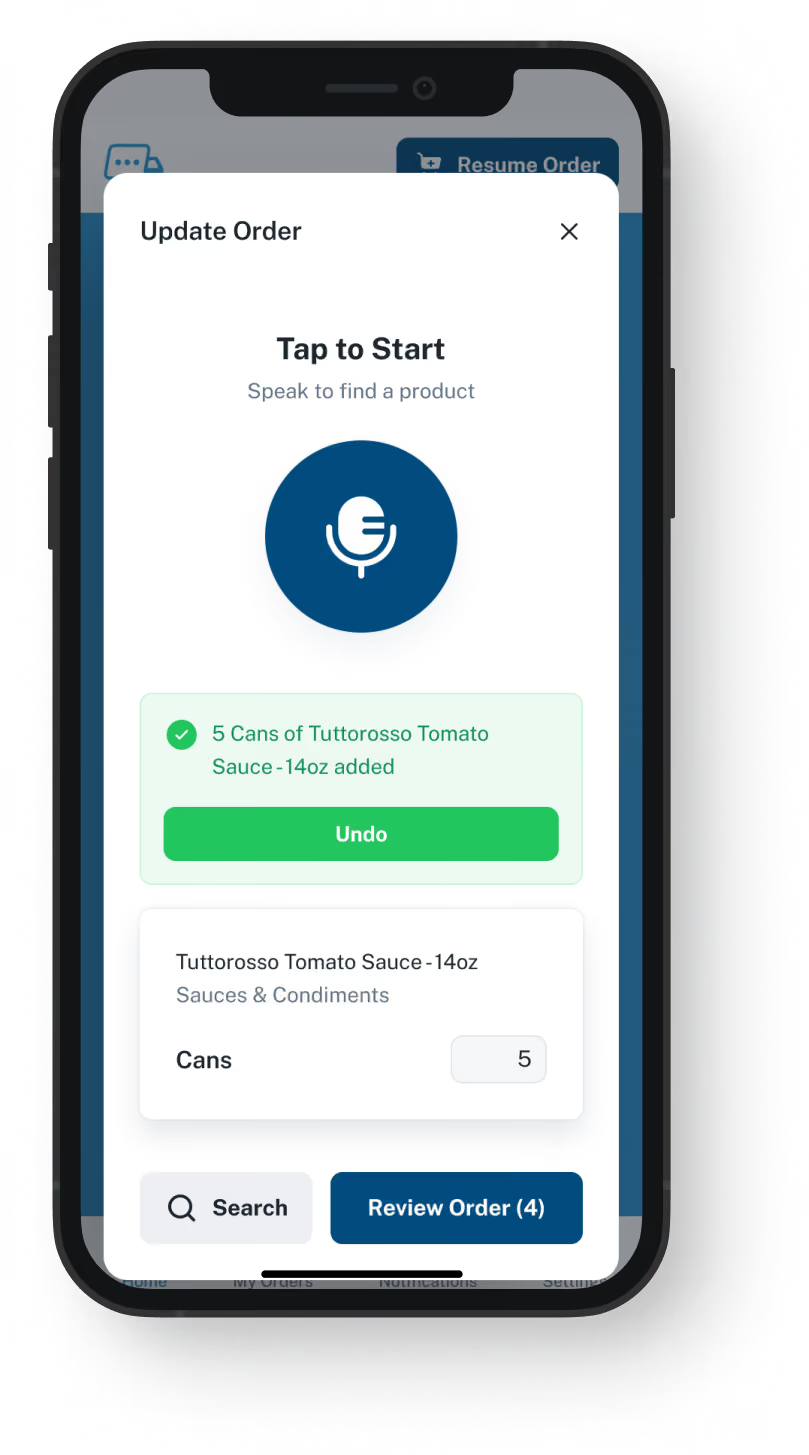
The chef presses Push to Speak and says what the kitchen needs. Our app matches each item to that restaurant's guide, and the chef fixes any item it got wrong before sending. Your desk receives items the chef has reviewed, not notes from a rushed call.
Nothing is sent until the chef has looked it over
Open for orders at any hour, holidays included
Saves 20 to 30 minutes compared with the same order by phone
A half-finished order is saved if service pulls the chef away
Order Guides

Each restaurant's usual items, at the prices you set

Export each account's usual items and their prices from Fishbowl. We build a guide for each restaurant under your part numbers. You keep each guide's prices current in our admin; whether they can update from Fishbowl is a question for the demo. Fishbowl's customer records and pricing rules stay where they are.
A chef sees what that kitchen buys, not your full catalog
You set the price for each account
Update a guide and the chef's app shows the change
Setup needs no Fishbowl login, and nothing is installed in Fishbowl
Dashboard mockup
Dashboard mockup
Delivery Formats

Three formats for a checked order

Each order comes to you as an email carrying a PDF, Excel or Word file, over EDI, or through our API. Email orders get keyed into Fishbowl from what the chef reviewed. Orders that travel by EDI or our API can skip that step if your Fishbowl setup accepts them; the demo is where you find out.
Sent to a rep's inbox or a shared one
Each app order has its own number and send time
Picking, shipping and invoicing run as they do today
Confirmations reach the chef by app notification and text
Inventory Visibility

Stock levels in view while orders come in

VoiceOrder Solutions gives you real-time inventory visibility tied to order activity. It does not replace your stock system: that stays in charge, and a demo shows how the levels connect.
Counts, lots and expiry dates are still managed in Fishbowl
Fewer stockout surprises for the people taking orders
Stock numbers come from the system you count with today
Dashboard mockup
Getting Started

How restaurants get started on the app

Fishbowl stays exactly as it is. You send us a spreadsheet, and we set up the restaurants.
1

Send us one Fishbowl export

A spreadsheet out of Fishbowl is usually all we need: what each restaurant buys and what it pays, item by item.
2

We open each restaurant's account

We load the guide, the account opens, and the chef downloads the app. Most kitchens place a first order the same day.
3

The first orders your desk did not take by phone

Each one was read over by the chef, carries an order number and its send time, and lands where you asked for it.

"I used to spend hours every week ordering food. Now it's simple, super easy, and I have free time to spend on other aspects of my restaurant."

Tony Luna | Owner-Chef, Prairie Moon
Delivery Formats

Orders go out in the formats distributors already use

Each order leaves VOS as an email with a PDF, Excel or Word file, an EDI or API feed, or a QuickBooks entry. No one has to switch software to receive it.
Integration icon

Email

Integration icon

PDF, Excel, Word

Integration icon

QuickBooks

Integration icon

EDI

Integration icon

API Direct

Integration icon

iOS App

Integration icon

Android App

Integration icon

Web Admin

Integration icon

Distributor Platforms

Before And After The Order

What Fishbowl keeps, and what VoiceOrder Solutions adds

This is not an alternative to Fishbowl Inventory. VoiceOrder Solutions does its work before Fishbowl has the order, and Fishbowl does the rest.
Integration icon

Fishbowl keeps the records

Fishbowl and your books stay in charge of customers, inventory levels, lot tracking and invoicing. We store each restaurant's order guide with your prices, which you edit whenever they change, plus every order its chef places through the app.
Integration icon

Fishbowl's app is for your warehouse

Fishbowl Advanced Mobile turns a phone into a barcode scanner for your staff: picking, receiving and counts. Ours belongs to the chef and does one thing: ordering. Your warehouse keeps scanning in Fishbowl's app.
Integration icon

QuickBooks still gets its invoices from Fishbowl

Shipping an order in Fishbowl still creates its invoice in QuickBooks, exactly as it does today. We stop at the point your desk has the order, so your books and your accountant see no change.

See a restaurant order reach your desk with no call to take

Our demo is twenty minutes long. In it, we speak an example order into our app, fix one item, send it and open the file it turns into. Then we look at how it would get into Fishbowl: keyed from the file, or sent by EDI or API.
FAQ

Answers for distributors on Fishbowl

Should we look for a Fishbowl Inventory alternative to get spoken restaurant orders?
No. Fishbowl goes on running your counts, lot tracking, picking and QuickBooks invoicing. What we add is for the restaurant that phones you: its chef talks each item into our app, looks it over and hits send, so nobody at your desk takes it down during a call.
Is VoiceOrder Solutions better than Fishbowl Inventory?
They do different jobs, and VoiceOrder Solutions is no Fishbowl Inventory replacement. Fishbowl handles the order from the moment it is entered: counts, picking, lots and your books. Our one job comes earlier: a chef voices the order in an app and checks it first, rather than phoning your desk.
Doesn't Fishbowl already offer a B2B portal?
Yes. Fishbowl lists its own portal among its plan add-ons, and partner portals and sales-rep apps feed their orders into Fishbowl as sales orders. That suits a chef happy to log in and pick each item from a list or a search. Our app is for the chef who prefers to say it aloud, then read the list over before sending.
Our retail chains send EDI. Can restaurant orders arrive the same way?
We can send each restaurant order over EDI, yes. Fishbowl's EDI is set up for retailer trading partners, through the EDI services it works with. Whether your Fishbowl EDI setup will accept orders from us is something we work out with you in the demo. If it cannot, email, or our API if your setup takes it, will carry the order instead.
Does Fishbowl connect to VoiceOrder Solutions, or will my desk still type orders?
They do not connect: the two are sold and supported apart, and each vendor stands behind its own software only. Through EDI or our API, Fishbowl may accept the order with no retyping, if your setup allows; the demo is where that gets checked. By email, someone at your desk enters it from the attached file, which the chef went over before sending, rather than from a call. A call placed the old way still gets no number from us. Fishbowl offers an API, so other order tools can connect to it too, and its AI assistant, in beta, drafts purchase orders, transfers and sales orders for your staff to approve.
We run Fishbowl beside QuickBooks. Can you deliver orders into QuickBooks?
QuickBooks is one of our delivery formats. With Fishbowl, though, your sales orders start in Fishbowl. Fishbowl's own QuickBooks page says sales orders do not transfer automatically between the two, and that invoices flow from Fishbowl to QuickBooks, so do not count on an order we put into QuickBooks reaching Fishbowl. A file, EDI or the API is the more direct choice, and the demo settles which.
How fast is setup, and what does it cost?
Setup takes 24 to 48 hours for most distributors, and nothing in Fishbowl changes. Fishbowl publishes starting prices for its plans; we give each distributor a quote and publish no figure. Any Fishbowl Inventory alternative means a new stock system, a data move and retraining the warehouse. Shifting some restaurant calls into an app asks for none of that.
Where do the Fishbowl details on this page come from?
From fishbowlinventory.com, read through on 9 November 2026: the inventory, sales, order management, ecommerce, Commerce Suite, AI, warehouse, food industry, QuickBooks, integrations and pricing pages, and the partner portal pages it links. Notice something out of date? Write to us and we will correct this page.

Fishbowl runs everything after the order. Chefs can skip the call.

Give us twenty minutes to follow one restaurant order from the kitchen to your inbox.