For Food Distributors

Not A Zoho Inventory Alternative: Orders Without The Call

Zoho's customer portal lets a restaurant pay a bill, but not start an order. Inside the VoiceOrder Solutions app, your customer's chef talks through what is short and reviews each item before it reaches you. Zoho Inventory carries on with your stock, prices and portal.
VoiceOrder app ordering screen
20-30 Min

Saved for each kitchen order that skips a call to your desk

24/7

Ordering in the app, nights and weekends included

24-48 Hrs

To get most distributors up and running

Zoho Inventory, Plus One App

Zoho Inventory plus VoiceOrder Solutions.
Your stock and portal stay put.

Your warehouses, batch records and billing stay in Zoho whichever way you go. If a Zoho Inventory alternative is what you searched for, the real gap is narrower: the portal Zoho gives your customers is built for viewing and paying invoices, with no ordering inside it. There is no built-in tie between the two products, and each is bought separately.

Feature

Zoho Inventory + VoiceOrder Solutions

Zoho Inventory on its own

Stock across several warehouses, with transfers
Kitchens talk through what they need, in an app
Phoned in, or typed into a separate online store such as Zoho Commerce
Batch numbers and expiry dates, traced for recalls
Kitchens order on their own, not just view and pay
Not in its customer portal; online ordering means a separate store
Price lists assigned to each customer
Picklists, packing and shipping
Restaurants that once called send numbered, timed orders
Calls and voice messages have no order number until your team enters them
Invoices, payments and an accounting sync
The chef reviews every item before it is sent
If the order is phoned, only when your team reads it back
Where The Order Gets Stuck

Why some distributors search for a Zoho Inventory competitor

If you are weighing a Zoho Inventory alternative, look first at what a restaurant can do once it logs in to Zoho's portal: it can view its orders and pay its bills there, but has nowhere to put the next one, so that order still reaches you by phone. An order the app emails you is still keyed in by your team, though the chef checked every item before it was sent. Through EDI or the API it can go into Zoho directly if your account allows it, and we check that in the demo.
Integration icon

Kitchens pay in the portal, then call to order

Zoho's help pages say it plainly: customers "cannot add items and place orders directly from the customer portal." They can view sales orders, pay invoices and check deliveries there. Tomorrow's order still arrives as a call, a text or a voicemail.
Integration icon

Calls turn into typing for your team

In Zoho Inventory, your team creates the sales orders for anything phoned in, at a desk or in its mobile app. A chef's 6 a.m. call only becomes an order in Zoho once somebody has time to key it in.
Integration icon

Voice links to Zoho exist, but you build them

Automation services can hook a phone voice agent or a smart speaker up to Zoho Inventory and turn what was said into a Zoho sales order. You set up that connection and keep it working, and the caller has nothing on screen to correct.
What It Brings

Not a Zoho Inventory alternative: the ordering step its portal leaves out

Dashboard mockup
Voice Ordering

Spoken by the chef, corrected on screen, then sent

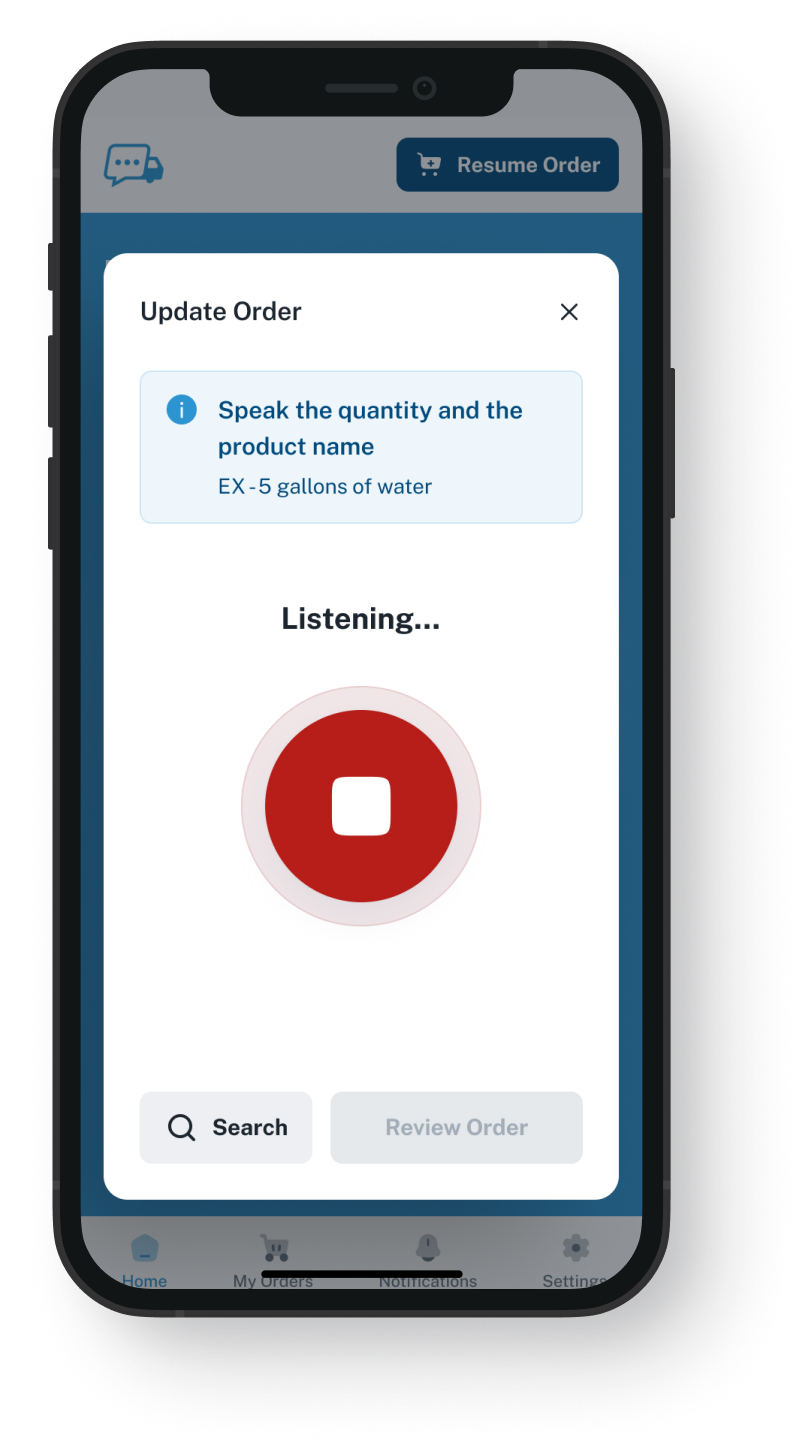
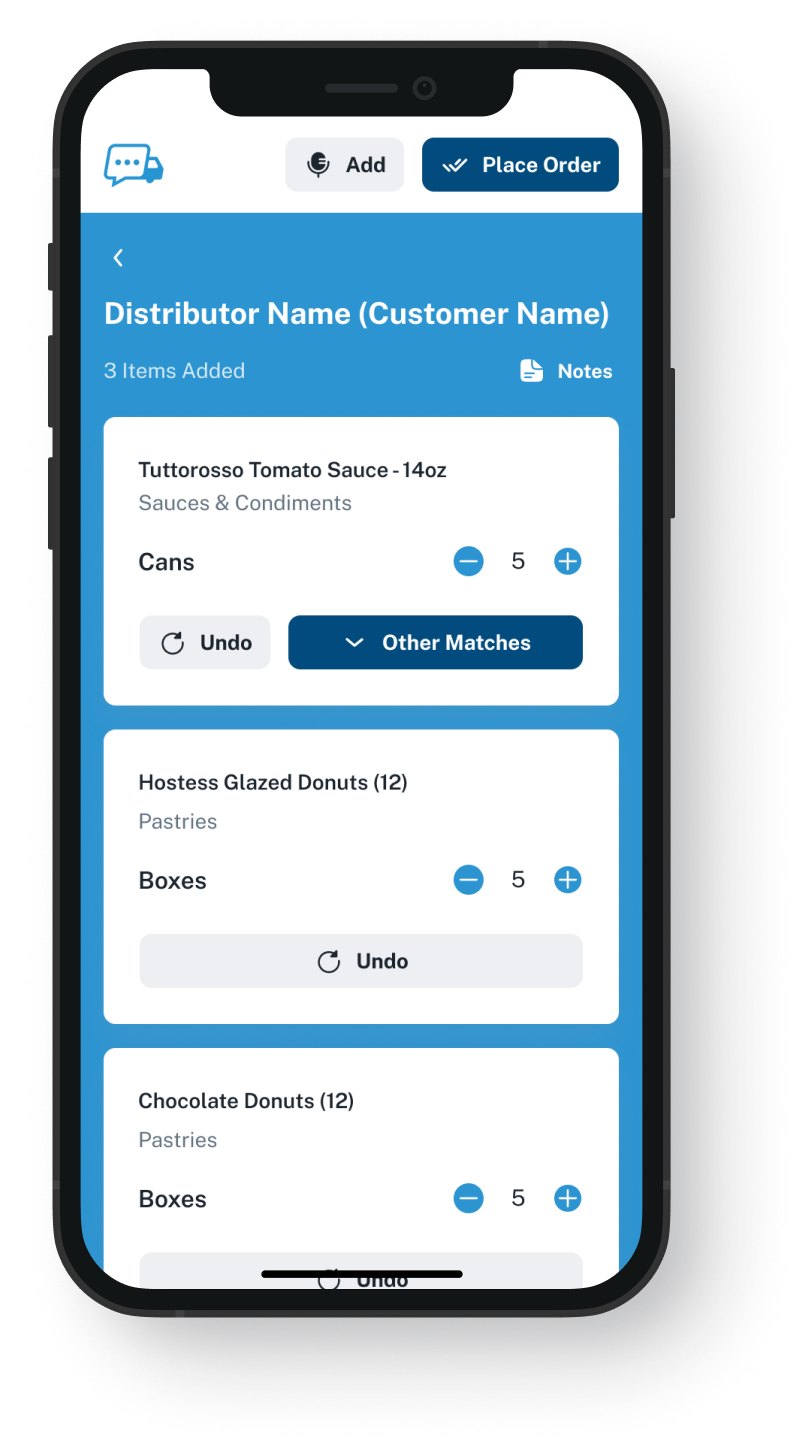
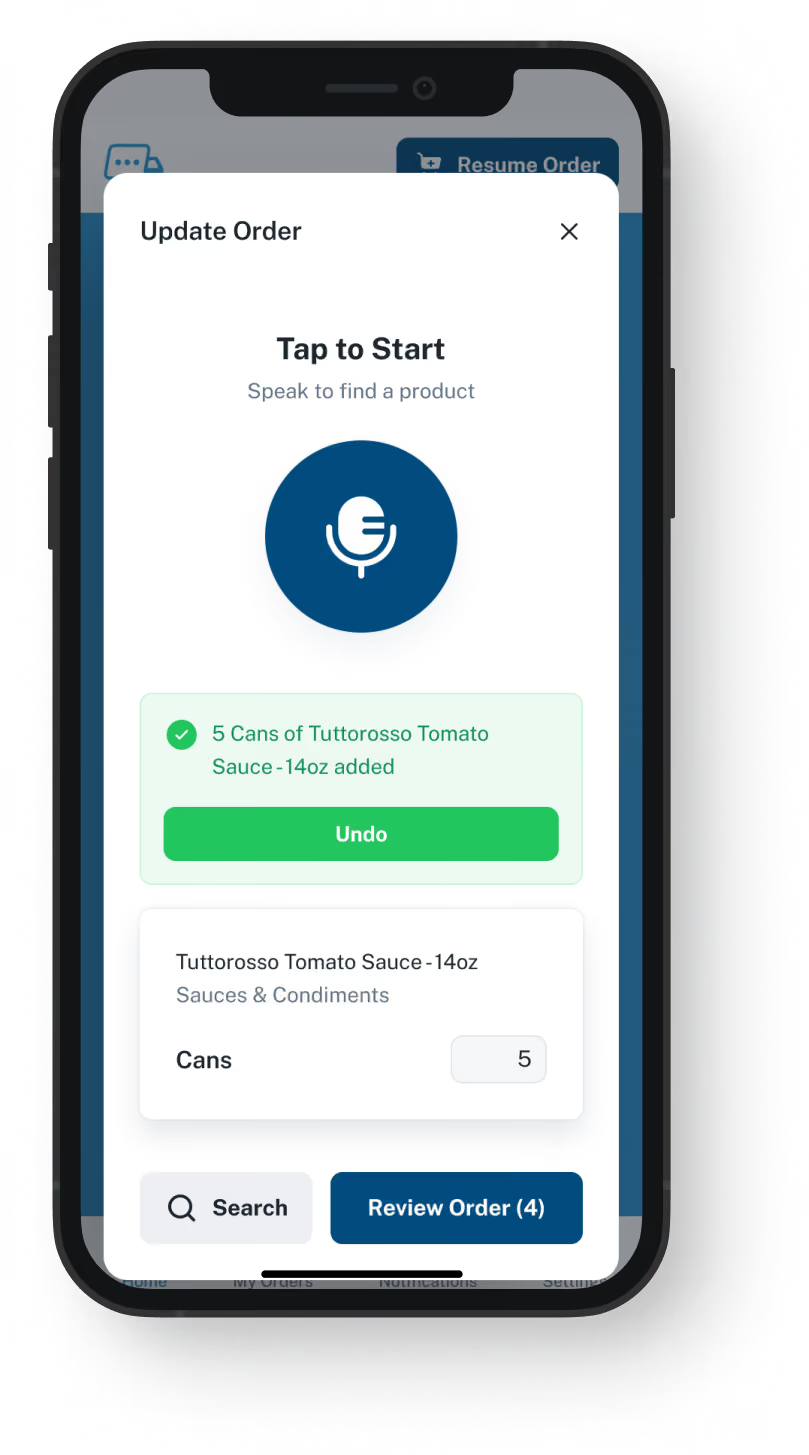
The chef taps Push to Speak and reads off what the kitchen is short on. The app sets it out as items from that restaurant's own guide; the chef fixes any that are wrong, then sends the order. There is no store to browse and no call to your office.
The chef looks over each item before sending
Available 24/7, including when your office is closed
Saves 20 to 30 minutes compared with the same order by phone
Pulled away mid-order? It is saved, ready to pick up again
Order Guides

Guides built from what each account buys in Zoho

Send us a spreadsheet of each account's usual items, with that account's prices from Zoho. We load those items under your item codes. From then on, you keep each guide's prices current in our admin platform; whether they can update from Zoho Inventory is a question for the demo.
Each kitchen sees only the items it buys from you
You set the price and the items in each guide
Orders placed after a price edit carry the new price
No add-on to install to get started
Dashboard mockup
Dashboard mockup
Delivery Formats

How a finished order reaches your team

You pick the format: an email with a PDF, Excel or Word attachment, or the order sent straight by EDI or through the API, if your Zoho Inventory account can take orders that way.
To a rep's inbox or a shared orders address
Over EDI or the API, when your setup takes it, nobody retypes it
Picking, invoicing and delivery carry on in Zoho
Orders from the app get their own number and time
Inventory Visibility

Order activity shown next to your stock levels

VoiceOrder Solutions carries real-time inventory visibility tied to order activity. It does not replace your stock system: that stays in charge, and a demo shows how the levels connect.
Counts and reorders are still done in Zoho
Fewer stockout surprises for your order desk
Stock numbers come from the system you count with today
Zoho still tracks batches, expiry dates and warehouses
Dashboard mockup
Getting Started

From a Zoho export to the first app order

It starts with a file you already have. We build the guides from it, and each restaurant can begin ordering in the app.
1

Export your customers' items

The price list or item export Zoho already produces, saved as Excel or CSV, is usually all we need.
2

We open each kitchen's account

We load its guide and set the account up, and the kitchen installs the app. Most place a first order the same day.
3

Orders land in the format you picked

Each one has been checked by the chef, item by item, and carries a number and a time.

"I used to spend hours every week ordering food. Now it's simple, super easy, and I have free time to spend on other aspects of my restaurant."

Tony Luna | Owner-Chef, Prairie Moon
Delivery Formats

Orders go out in the formats distributors already use

Each order leaves VOS as an email with a PDF, Excel or Word file, an EDI or API feed, or a QuickBooks entry. No one has to switch software to receive it.
Integration icon

Email

Integration icon

PDF, Excel, Word

Integration icon

QuickBooks

Integration icon

EDI

Integration icon

API Direct

Integration icon

iOS App

Integration icon

Android App

Integration icon

Web Admin

Integration icon

Distributor Platforms

Both, Side By Side

Where Zoho Inventory's job ends and the app's begins

Nothing here is an alternative to Zoho Inventory. Stock, billing and the portal are still Zoho's to run; the app handles the single step none of those do, a kitchen sending its order.
Integration icon

Zoho Inventory keeps the records it holds today

Your customer records, stock, batch history and invoices live there. What we hold is every kitchen's order guide with its prices, kept current by you, along with the orders kitchens place in our app.
Integration icon

The portal carries on for invoices and payments

Restaurants keep looking up orders and paying bills there, as they do now. The app is only where an order starts. A call to your office still gets no number from us; only app orders get one.
Integration icon

A Zoho Commerce store can stay for accounts that browse

If you run one, keep it: some accounts like to search a catalog and type. The app is for the chef who finds it quicker to talk than to search.

Watch the step Zoho's portal skips: a chef's order sent from the app

Over a 20-minute demo, we read an order aloud into the app, edit one item on screen, and send it. Then we show the formats your desk could get it in, and what an API order would need on the Zoho side.
FAQ

Questions from teams that run Zoho Inventory

Do we need a Zoho Inventory alternative before kitchens can order on their own?
No. Your stock stays in Zoho, and its portal keeps handling bills and payments. The one thing the portal will not do is accept an order from the restaurant. Our app fills that gap: a chef tells it what is short, checks the items and sends them.
Is VoiceOrder Solutions better than Zoho Inventory?
For one job, yes: the order Zoho's portal cannot take, sent by a chef who would otherwise call, with every item checked first. We do not set out to be a Zoho Inventory replacement. Zoho Inventory does far more, from batches and warehouses to invoices, so the app goes beside it, not in its place.
Our kitchens already use the Zoho customer portal. Why not order there?
Because Zoho built the portal for looking things up: its help pages list viewing sales orders, paying invoices and checking deliveries, and say customers cannot order there. Zoho's answer for online ordering is a separate product, Zoho Commerce. Keep the portal either way; the app only adds the order.
Does someone here still have to enter app orders into Zoho Inventory?
It depends on the format. Zoho and VoiceOrder Solutions are separate companies, nothing ties our app to Zoho, and each supports only its own software. EDI and API orders can land in Zoho with no retyping, provided your Zoho account is able to take them in; we check that with you in the demo. When you choose email, the order is a file (PDF, Word or Excel) that the chef reviewed before sending, and someone on your side enters it from there rather than from a call or a message left overnight.
Doesn't Zoho's own AI already create orders?
Zoho's AI, Zia, answers questions about stock, orders and customers, and Zoho says AI agents can create orders through its tools. The voice links above are another route. Our app is a different thing: the chef voices the order, then checks each item from their own guide before it is sent.
Does setting this up change anything in our Zoho account?
Getting started needs no Zoho login and installs nothing: we build from a file you pull out of Zoho, and your settings and pricing are left alone. If you later want orders to arrive by EDI or the API, the demo covers what that would take on your side.
How soon can we be live, and what does it cost?
Most distributors are up and running in 24 to 48 hours. Zoho publishes its plan prices; ours is a quote for your business. Any Zoho Inventory alternative that takes over your stock means moving items, batches, warehouses and the accounting link in one go. Next to that move, adding one new way for restaurants to order is small.
Where do the Zoho Inventory details on this page come from?
From zoho.com, visited on 9 November 2026: Zoho Inventory's product, pricing, order management, AI (Zia) and mobile pages, Zoho's support articles about the portal and price lists, and Zoho Commerce's note on B2B selling. The details on voice tools are taken from automation services' own Zoho Inventory listings. If any detail is now wrong, write to us and we will correct this page.

Keep Zoho's portal for bills, and give restaurants an app to order in

One demo: an order read aloud into the app, one item fixed, and the file that lands on your desk.