For Food Distributors

Not A Sage X3 Alternative: Add The Kitchen's Side

Add spoken, checked kitchen orders beside the X3 setup your Sage partner built around lots, quality and the warehouse. With VoiceOrder Solutions, kitchens say their order into our app and look over each line before it reaches you. To start, nothing your partner built has to change.
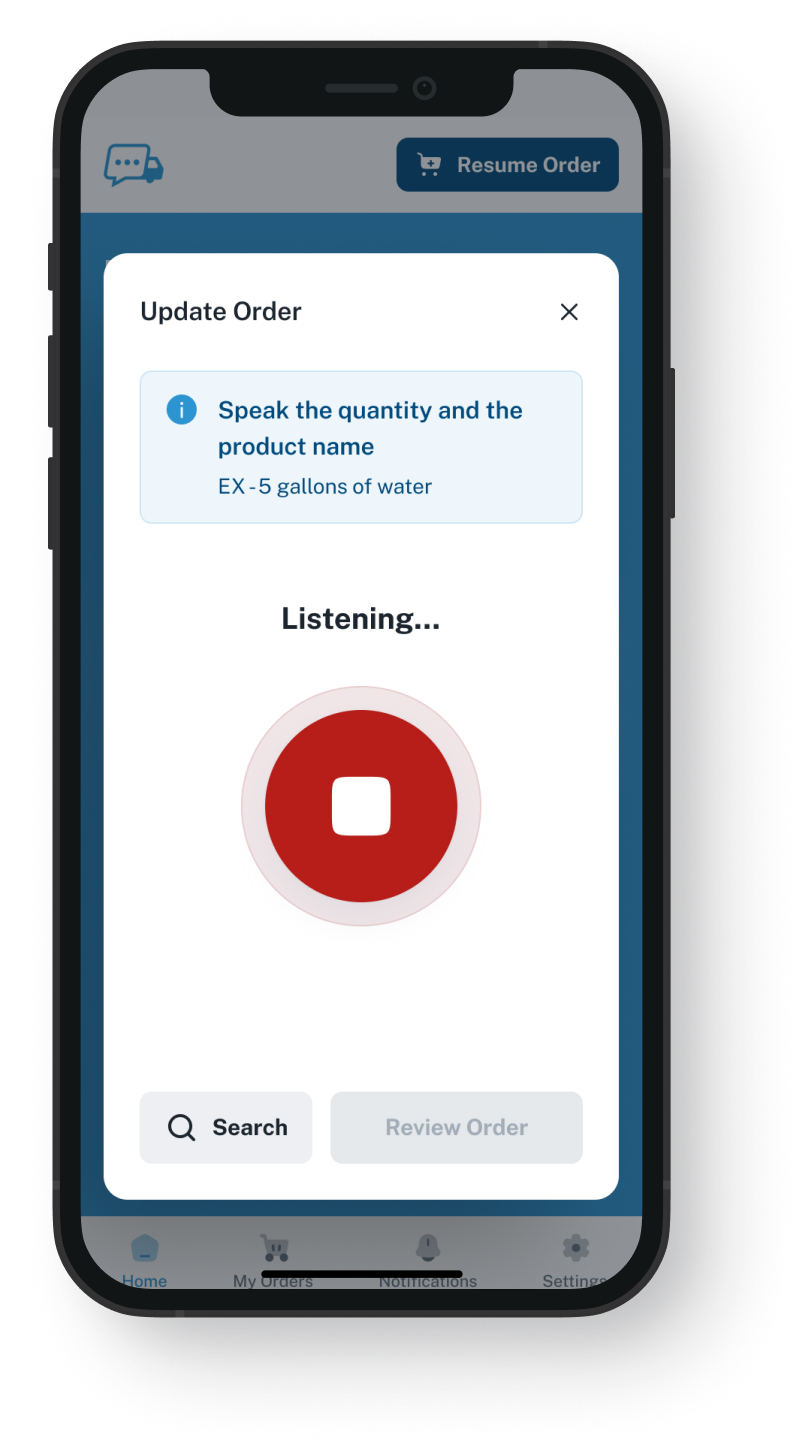
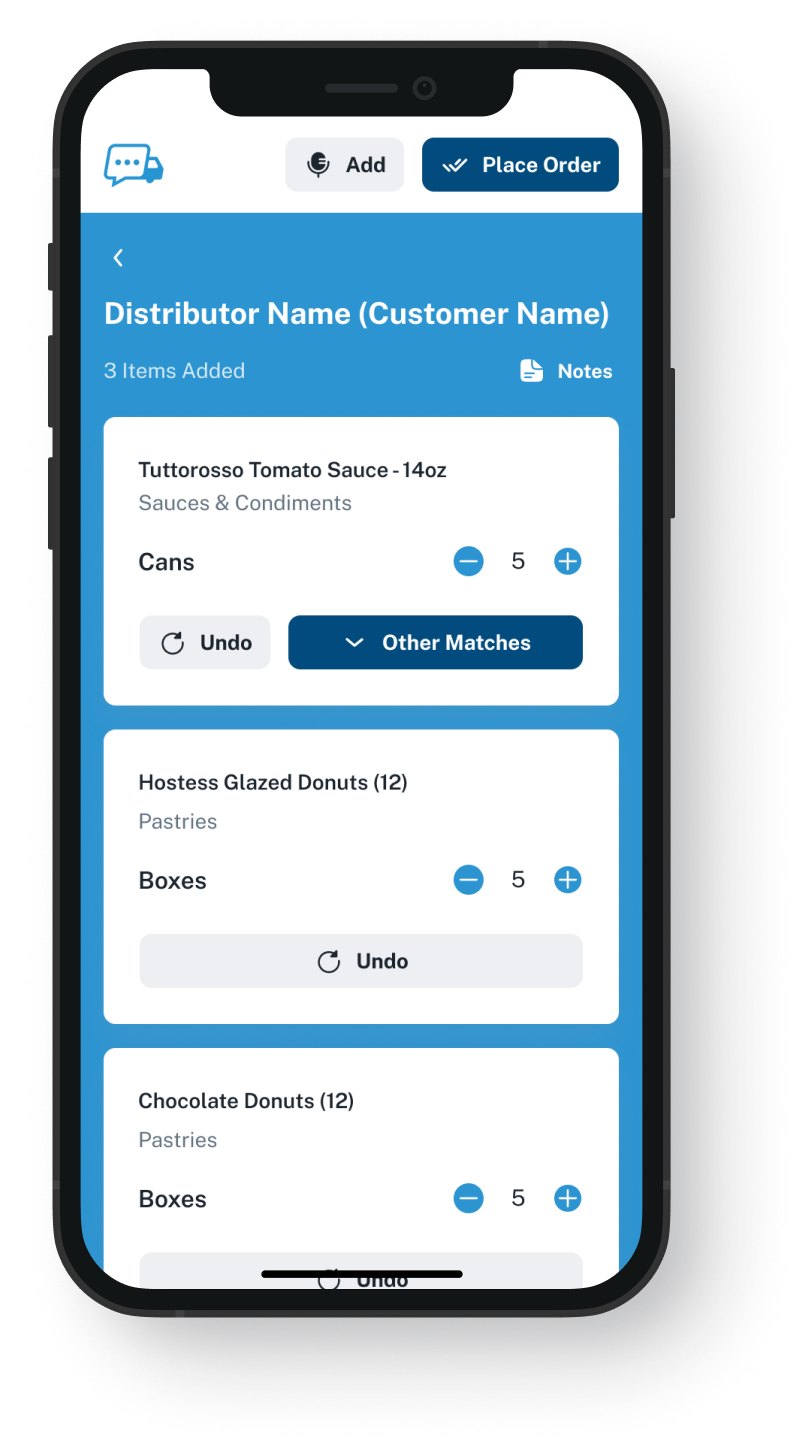
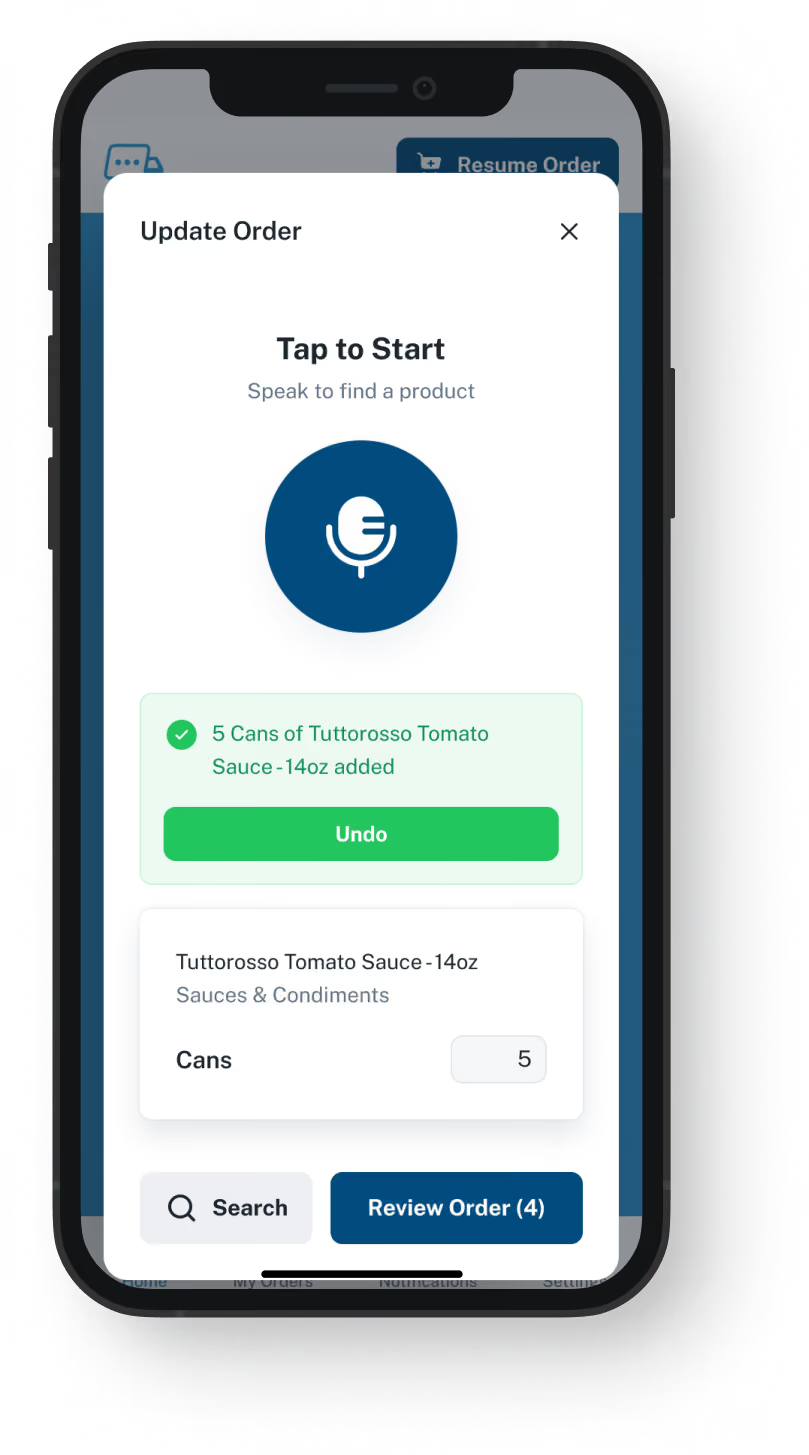
VoiceOrder app ordering screen
20-30 Min

Saved on each order your desk no longer takes by phone

24/7

Kitchens can send orders, office open or not

24-48 Hrs

Gets most distributors up and running

Add, Don't Replace

Sage X3 plus VoiceOrder Solutions.
The partner build stays as it is.

VoiceOrder Solutions lets a kitchen speak its order and correct it before it goes. The jobs Sage X3 already does for you carry on, so both sides of those rows are checked. Only the rows about how kitchens place orders with you differ. This is not a Sage X3 alternative in the usual sense, where the ERP itself changes: each product stands alone, with no built-in link between them.

Feature

Sage X3 + VoiceOrder Solutions

Sage X3 on its own

Lot, batch and recall controls
Kitchens talk through the order and approve each line
Entered by your staff or through an add-on
Allergen reporting and quality checks
A kitchen orders after hours, numbered and timed
Waits as a voicemail or email
Credit checks as an order is entered
Reps see customers, stock and quotes on mobile
Kitchen ordering set up from a spreadsheet
Through a Sage marketplace or partner-built portal
Purchasing, replenishment and site transfers
Warehouse, packing and shipping
Why Teams Compare

Why search for a Sage X3 competitor at all?

Most teams who look up a Sage X3 alternative chose X3 for its food depth and still want it. What they often find is that the setup project stopped short of how a kitchen gets an order to you. Three situations come up.
Integration icon

The project covered lots and the warehouse

X3 was shaped around recalls, quality checks and stock. If nobody built anything for the kitchens, orders still come in as calls, texts and voicemails for your desk to enter.
Integration icon

Ordering for kitchens is a marketplace add-on

Sage X3's own sales tools serve your reps and your call-center staff. For customers ordering themselves, Sage points to its marketplace or a partner build: a portal that suits kitchens happy to log in and search.
Integration icon

Copilot answers your team, not your kitchens

Sage's February 2026 release added a sales agent to Copilot that warns your team about overdue orders and slipping demand. It works inside X3 for your staff, and no Sage page we read describes it taking an order from a kitchen.
What You Get

An app your kitchens order from, not a Sage X3 alternative

Dashboard mockup
Voice Ordering

Said by the chef, corrected before it is sent

A chef says what the kitchen needs while looking at the shelf. The app turns it into lines from that account's guide, they fix anything that is off, and they send it. No portal to log in to, no search box and no call to your desk.
Wrong item or amount? The kitchen fixes it before sending
Open for orders 24/7, long after your office closes
Saves 20 to 30 minutes compared with the same order by phone
Interrupted halfway? The order waits where they stopped
Order Guides

A guide for every account, built from your export

Send us a spreadsheet of each account's usual items and agreed prices. We build one guide per account under your item codes. Your item master stays in X3, and you keep each guide's prices current in our admin platform.
Each kitchen sees only its own list
You set the prices and choose what each guide holds
Update a guide and the very next order reflects it
To begin, nobody builds an X3 screen, workflow or add-on
Dashboard mockup
Dashboard mockup
Delivery Formats

Delivered as a file, or over EDI or the API

A finished order can reach you by email as a PDF, a spreadsheet or a document, or travel by EDI, through the API or into QuickBooks. An emailed order needs nothing set up in X3; which other format suits your setup is a question for the demo.
Sent to a rep, a shared inbox or the order desk
Over EDI or the API, when your setup takes it, nobody retypes it
Credit checks, allocation and shipping still run in X3
Your phone line keeps working for accounts that prefer it
Inventory Visibility

What is in stock, beside what is being ordered

VoiceOrder Solutions carries real-time inventory visibility tied to order activity. It does not replace your stock system: that stays in charge, and a demo shows how the levels connect.
The catalog updates whenever stock changes
Fewer stockout surprises on a busy delivery day
Stock numbers come from the system you count with today
Lots, batches and recalls stay with Sage X3
Dashboard mockup
Getting Started

Getting kitchens ordering, with no work inside X3

You export a list from X3, we do the setup, and kitchens start ordering from their phones.
1

Pull a price list out of X3

A spreadsheet of item codes and the price each account pays is usually all we need. We never need a login to X3, and nothing is installed.
2

We load each account's guide

Each kitchen downloads the app and finds its own guide waiting. Most kitchens order for the first time that same day.
3

Each order lands checked and numbered

The kitchen has checked every line, and it comes with an order number and a timestamp, in the format you picked.

"I used to spend hours every week ordering food. Now it's simple, super easy, and I have free time to spend on other aspects of my restaurant."

Tony Luna | Owner-Chef, Prairie Moon
Delivery Formats

Orders go out in the formats distributors already use

Each order leaves VOS as an email with a PDF, Excel or Word file, an EDI or API feed, or a QuickBooks entry. No one has to switch software to receive it.
Integration icon

Email

Integration icon

PDF, Excel, Word

Integration icon

QuickBooks

Integration icon

EDI

Integration icon

API Direct

Integration icon

iOS App

Integration icon

Android App

Integration icon

Web Admin

Integration icon

Distributor Platforms

Who Does What

How Sage X3 and VoiceOrder Solutions share the order

X3 handles every step once an order is in. VoiceOrder Solutions covers the step before, when the kitchen puts the order together, so it is an addition, not an alternative to Sage X3.
Integration icon

Traceability and credit stay in X3

Lots, recalls, allergen records, credit limits and invoices are kept in X3, your system of record. We hold the order guide for each account and its prices, which your team edits in our admin tool. We also keep the orders kitchens send through the app.
Integration icon

Phone and portal accounts carry on

Restaurants that phone your desk, or order through a portal a partner built for your X3, carry on as before. Our app is for kitchens that would rather speak than type. A call your desk still takes is entered the way it is today, with no order number from us.
Integration icon

Your partner's plans go ahead as scheduled

Sage X3 upgrades and anything your partner is building go ahead on their own schedule. We install nothing in X3, and an order emailed to you needs no change there at all.

Twenty minutes: one spoken kitchen order and how it could reach X3

Watch an order said into the app, one line changed and sent, then ask how your partner's X3 setup could take it in.
FAQ

Questions Sage X3 users bring to a demo

Is VoiceOrder Solutions a Sage X3 alternative?
No. X3 keeps your customer accounts, lots, billing and stock, exactly as your partner configured it. VoiceOrder Solutions adds the kitchen's end: chefs say their orders into an app and fix any wrong line before it is sent.
Is it better than Sage X3?
Only at one job: giving kitchens their own way to get an order to you, a job X3's own tools leave to your reps and phone staff. Once the order is in, X3 is the system you keep.
Can customers order through Sage X3 without calling us?
Sage's own X3 pages list no customer portal among its features. They point to the Sage marketplace instead, where partners offer portals and online stores. Those let kitchen staff search and reorder by typing. Ours suits chefs who find talking quicker than typing, with each line checked before it goes.
Does anyone sell voice tools for X3?
Yes. At least one company sells voice for X3, built for your own team to create orders and look things up by talking. Ours sits on the customer's side: the kitchen talks the order through in our app and corrects any line before it goes to you.
Does Sage X3 link to VoiceOrder Solutions?
No. There is no ready-made link between the two, and Sage's support and ours each cover only their own software. If your X3 setup accepts EDI or API orders, they arrive without anyone typing them again; a demo will show whether yours does. By email, each order comes as a PDF, Excel or Word file whose lines were checked in the kitchen, and your staff type it in from that file instead of from a call or a voicemail.
Does our Sage partner need to be involved?
Not to get started. Setting up needs no X3 login and installs nothing: we work from a spreadsheet you export. If you later want orders to arrive by EDI or through the API, the demo covers what that would need on your side, which may mean a word with your partner.
How quickly can we start, and what does it cost?
Most distributors go live within 24 to 48 hours, because no work happens inside X3. Neither side publishes prices: X3 comes quoted through a Sage partner, and we quote per distributor. A Sage X3 replacement is a different scale of decision: it moves traceability, finance and the warehouse at once, often with a new implementation partner. That is the kind of Sage X3 alternative we do not sell.
Where do the Sage X3 details on this page come from?
From sage.com, reviewed on 9 November 2026: the X3 product, distribution, food and supply chain pages, Sage's Copilot announcement from February 2026, and a search for voice tools sold for X3. Sage publishes no X3 prices, so none appear here. Anything out of date since then is our mistake to fix.

Keep your X3 as built, and let each kitchen say its own order

A 20-minute demo: one order spoken, checked and sent, and a straight answer on how it would reach you.