For Food Distributors

Not An Odoo Alternative: Chefs Say Today's Shortages

Get each kitchen's order the way the chef says it, checked by the chef in the VoiceOrder Solutions app before it is sent. Odoo's Order Again refills a cart from a past order; our app starts from what ran short today. Odoo carries on running your accounting, stock and online shop.
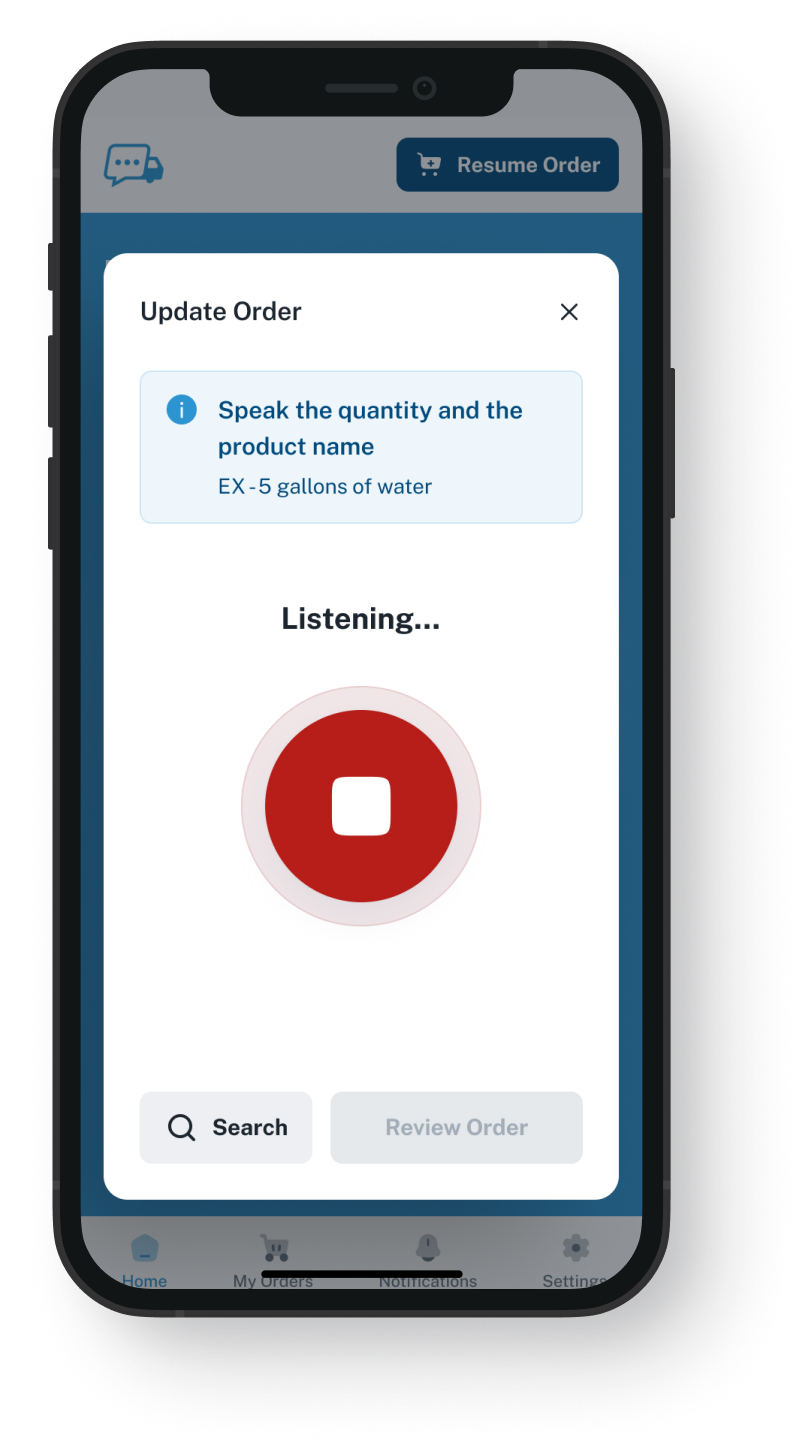
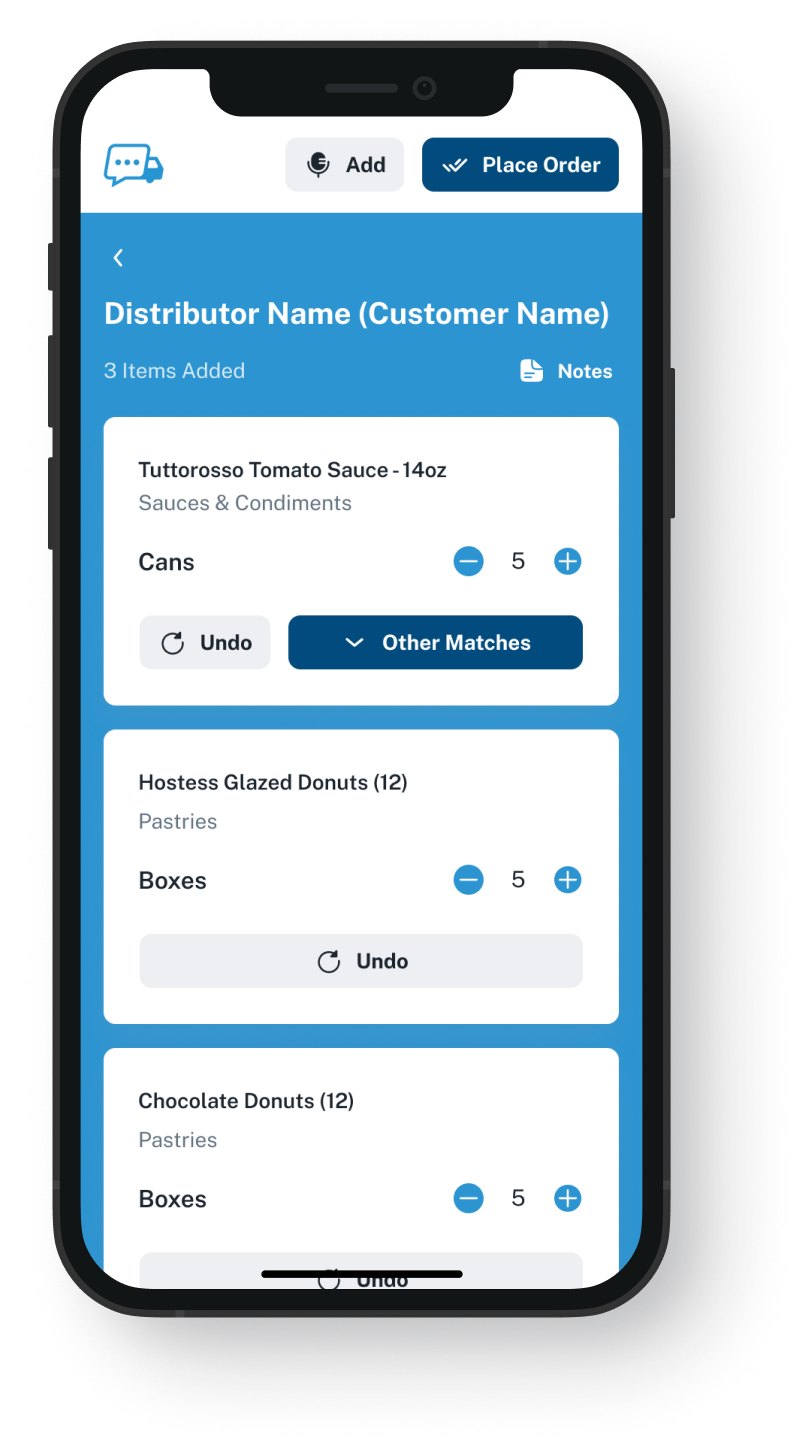
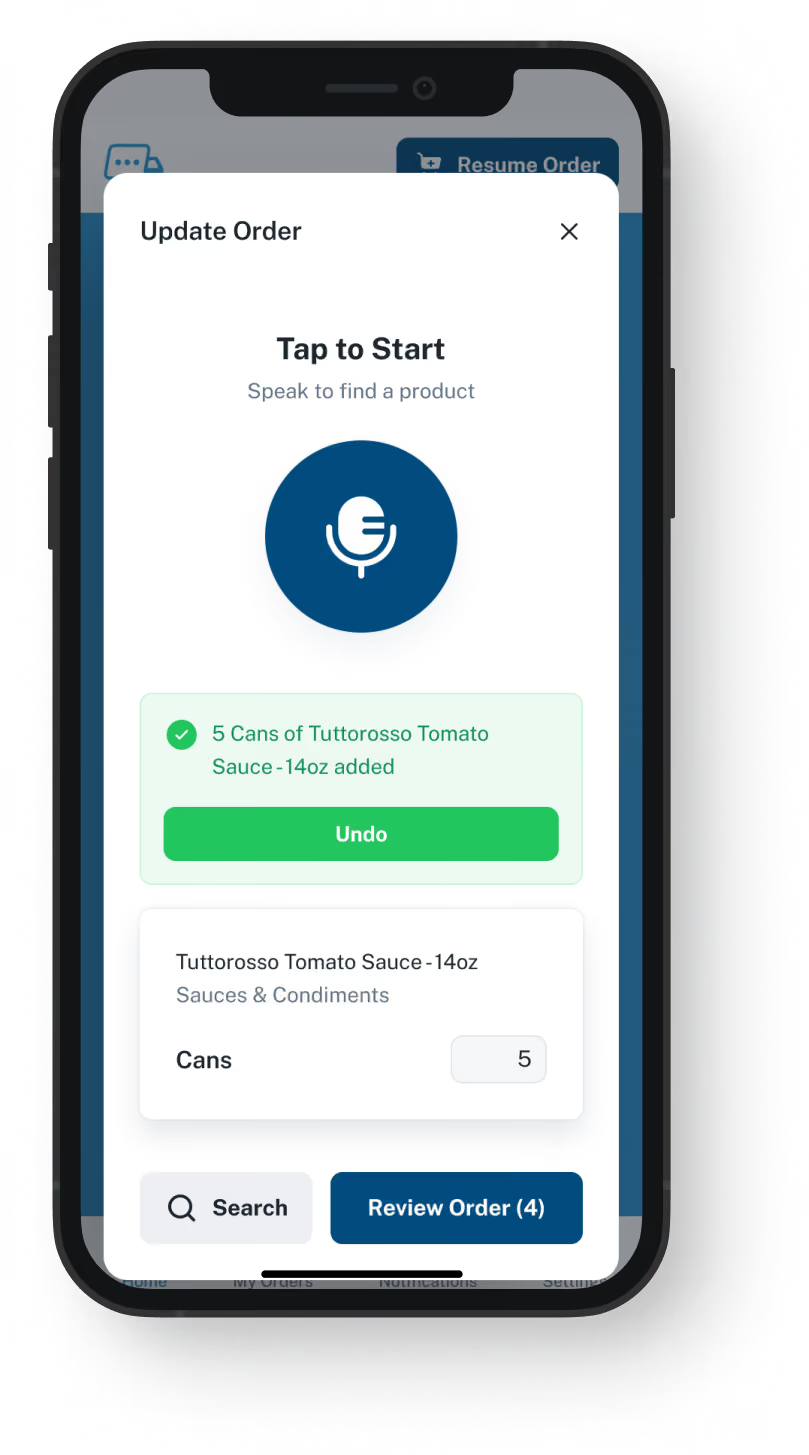
VoiceOrder app ordering screen
20-30 Min

Saved per spoken order versus a call

24/7

Ordering window, nights and Sundays included

24-48 Hrs

Until most distributors are taking orders

One Step Added

Odoo plus VoiceOrder Solutions.
Every Odoo app stays installed.

Rather than calling you, kitchens can use their voice in our app, and every app you already use stays where it is. If you searched for an Odoo alternative, know that we are not another ERP to move to. Invoices, stock and your online shop are covered in both columns. The rows where the columns part ways are about how an order gets from the kitchen to you. The two stay separate products, each with its own job.

Feature

Odoo + VoiceOrder Solutions

Odoo on its own

Lot numbers, expiry dates and traceability
Chefs speak what they need, then correct each line
Signed in to your shop, then typed
Accounting, invoicing and online payments
Ordering what is short now, by voice
Searched and typed in the shop, or copied with Order Again
Order Again for repeat orders
A kitchen that used to call you sends an order with a number
Your staff enter the call in Sales
A pricelist for each customer
Customer ordering set up from your order guides
Set up in Odoo's eCommerce app
Replenishment rules and barcode scanning
Why Distributors Compare

Why some distributors start looking at an Odoo competitor

Not every distributor who searches for an Odoo alternative wants to leave it. In Odoo, each new need gets another app, and for kitchens used to phoning you, that app is a web shop to sign in to. Here are three reasons the phone stays busy anyway.
Integration icon

Odoo Sales starts after someone types the call

Odoo handles every step once a quotation exists. Before that, a chef calls at 6 a.m., texts a photo or leaves a message, and someone in your office enters it in Odoo Sales one line at a time.
Integration icon

A shop login suits some kitchens

Odoo's shop can be set to invitation only, with each customer's pricelist and an Order Again button. Kitchens that sign in use it well. The ones that never set a password keep calling.
Integration icon

Order Again copies what was bought before

Odoo's portal can refill the cart from a previous order, and the chef then adjusts each quantity. When what ran out this week is not what ran out last week, a call can feel quicker than editing old quantities.
What You Get

No Odoo alternative needed: here is what we add

Dashboard mockup
Voice Ordering

The chef names what ran out, then checks the list

The chef opens our app and says what is running low. It lists those items from that kitchen's own guide, they fix anything that looks wrong, and they send it. No shop password, no search bar, no time on hold.
The kitchen approves each line before it leaves the phone
Open for orders after your office has closed for the night
Saves 20 to 30 minutes compared with the same order by phone
A half-built order waits if the chef gets pulled away
Order Guides

One spreadsheet becomes each account's guide

Export what each customer buys out of Odoo into a spreadsheet. We turn those rows into one guide for every customer, under your own codes and at the price you set for them. Odoo keeps the full product list; each guide holds just the lines that kitchen buys.
A kitchen sees only the items in its own guide
You choose the price and the lines in each guide
Update a guide and the kitchen's next order comes from it
Each account and its order history, kept in one place
Dashboard mockup
Dashboard mockup
Delivery Formats

Pick how each order lands with your team

A finished order can reach you as an email with a PDF, Excel or Word file, over EDI, through the API, or into QuickBooks. Which one fits how you run Odoo is something we work out with you in the demo.
Goes to one rep or to a shared orders inbox
Over EDI or the API, when your setup takes it, nobody retypes it
Picking, delivery and invoices run in Odoo as before
Keep taking orders in the online shop too
Inventory Visibility

How much is left, next to what was ordered

VoiceOrder Solutions carries real-time inventory visibility tied to order activity, and the catalog updates as stock changes. It does not replace your stock system: that stays in charge, and a demo shows how the levels connect.
Stock for your catalog in one view, tied to orders
Fewer stockout surprises after a big Friday order
Stock numbers come from the system you count with today
Lots, expiry and scanning stay with Odoo Inventory
Dashboard mockup
Getting Started

One Odoo export, then the first spoken order

You send a file, we set up the accounts, and the kitchens begin ordering.
1

Pull each account's items out of Odoo

A spreadsheet from Odoo is usually all we need: the items each customer takes and the price, under your codes.
2

Each kitchen gets its guide and the app

We load the guides and open the accounts; the kitchen downloads the app. Most place a first order the same day.
3

Your desk receives the kitchen's checked order

Each one comes in checked by the customer, with a number and the time it was sent, in the format you picked.

"I used to spend hours every week ordering food. Now it's simple, super easy, and I have free time to spend on other aspects of my restaurant."

Tony Luna | Owner-Chef, Prairie Moon
Delivery Formats

Orders go out in the formats distributors already use

Each order leaves VOS as an email with a PDF, Excel or Word file, an EDI or API feed, or a QuickBooks entry. No one has to switch software to receive it.
Integration icon

Email

Integration icon

PDF, Excel, Word

Integration icon

QuickBooks

Integration icon

EDI

Integration icon

API Direct

Integration icon

iOS App

Integration icon

Android App

Integration icon

Web Admin

Integration icon

Distributor Platforms

Working Next To Odoo

Which jobs Odoo keeps, and the one we take on

This is not an alternative to Odoo, and it is not one more Odoo app either: nothing of ours is installed in your database. We handle the order a kitchen says aloud; Odoo runs the sale, the stock and the invoice from there.
Integration icon

Odoo is still where your records live

Your customer list, stock and billing stay in Odoo. We keep the guide for every kitchen, at prices you update in our admin platform, along with every order placed through our app.
Integration icon

Kitchens on the Odoo shop can stay on it

If some accounts already use Order Again in your Odoo shop, leave them be. Save our app for the accounts whose chefs still reach for the phone to order. A call to your office gets no number from us; every order spoken in our app is numbered.
Integration icon

Billing stays with Odoo

Quotes, invoices and any online payment you take remain in Odoo and its customer portal. We take the kitchen's order; the bill still comes from Odoo.

Watch us talk an order into the app, then ask how it would reach Odoo

It is a twenty-minute call: we fix one item before sending, and then go over which delivery format would suit you.
FAQ

Questions Odoo users ask us

Would an Odoo alternative fix the phone orders?
No. Another ERP would still get the same calls, because they come from chefs who would rather not sign in and type. Give those accounts our app to say what they need, and keep every other part of Odoo as it is.
Is VoiceOrder Solutions better than Odoo?
Only at one job: collecting what a kitchen ran short of today, spoken by the chef and checked before it reaches you. Outside that, Odoo does far more, so we run next to it.
Odoo already lets customers reorder. Why add this?
It does. An invitation-only shop shows each customer its own pricelist, and Order Again in the portal copies an older order into the cart. Both mean signing in first, then searching or editing quantities. Ours begins with whatever the chef notices is missing today.
Are there voice ordering tools for Odoo already?
Yes. Add-ons in Odoo's app store can have an AI answer a customer's phone call and build the sale, and other tools read emailed orders. On a call to a phone bot, there is no list on screen to look over while ordering. In our app, the chef sees every line and fixes it before sending.
Are Odoo and VoiceOrder Solutions linked?
No. Neither product comes with a link to the other, and each of the two companies supports only its own software. Orders that come through EDI or the API can land in Odoo without anyone typing them again, if your Odoo is set up to accept them that way; we confirm that in the demo. An order that goes by email shows up as an attached file the chef has already gone over, and someone on your team keys it in from that rather than from a call or a voicemail.
Do we have to install anything in Odoo?
Not to get started. Our setup asks for no access to your Odoo account and adds no module: we start from a file you pull out of Odoo. If, later on, you would like orders to arrive over EDI or the API, we walk through what your side would need during the demo.
How long does it take, and how does pricing compare?
Going live takes 24 to 48 hours for most distributors. Odoo puts its prices on its website; we do not, and quote per distributor instead. Moving to an Odoo alternative means a full Odoo replacement: every app, record and habit at once. Adding us leaves all of them where they are.
Where do the Odoo details on this page come from?
From odoo.com, Odoo's own documentation and its app store, checked on 9 November 2026: the food distribution page, the eCommerce and B2B setup guides, the Odoo 19 release notes, the page listing their plans and the add-ons sold for Odoo. We leave their prices and figures off this page. If any of it no longer matches Odoo today, tell us and we will fix it.

Keep Odoo, and let each chef say today's order in their own words

Twenty minutes, one order spoken and sent, and a straight answer on how it would reach you.