For Restaurant Operators

Not A Crunchtime Alternative: For Your Local Distributor

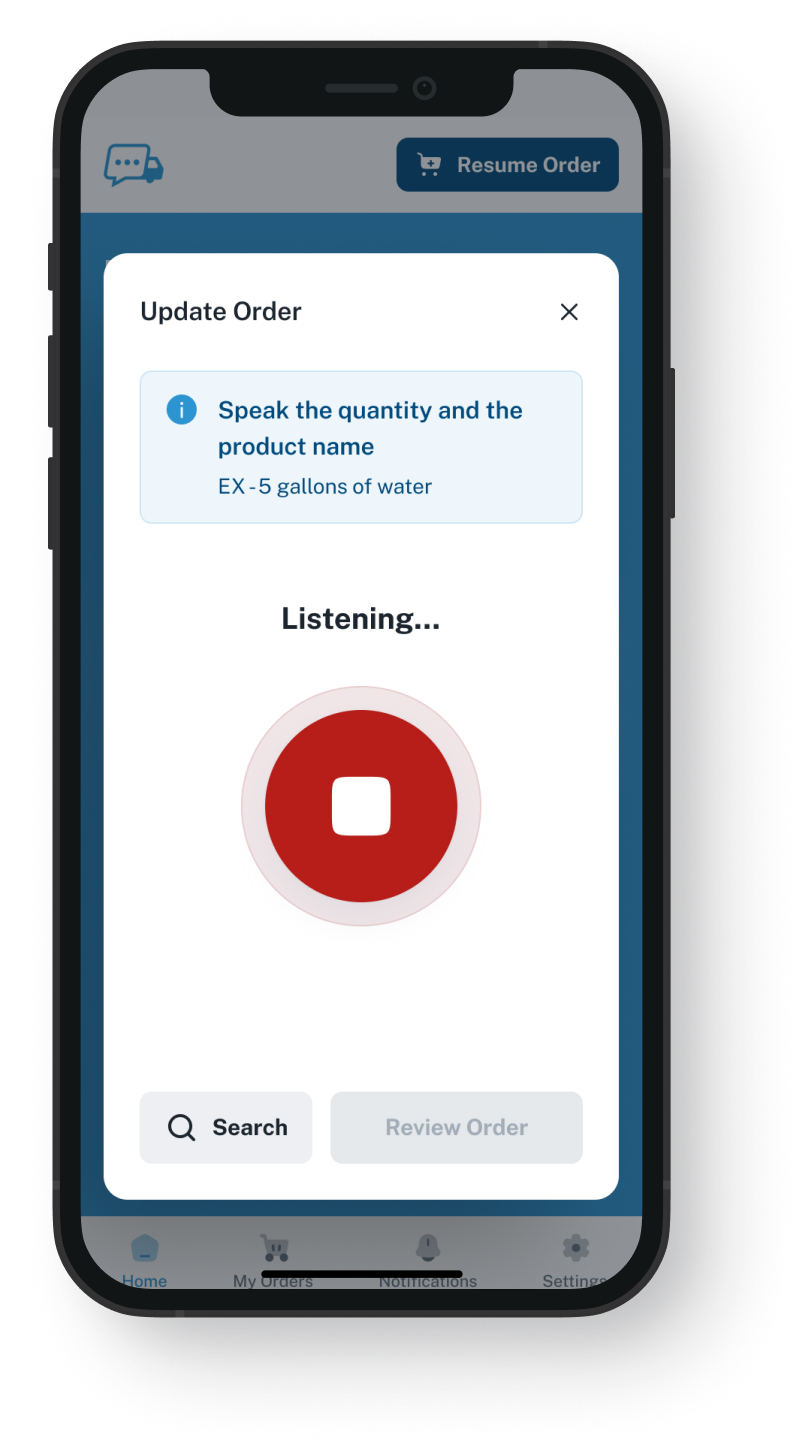
When your local supplier still gets your orders by call or through the rep, speak them into the VoiceOrder Solutions app. Each line comes from their order guide (what you normally order, at the prices on your account), and you get an order number back. It works only if that distributor offers our app.
VoiceOrder app ordering screen
20-30 Min

saved on each order you would have phoned to the rep

Same Day

is when most kitchens can start ordering, once their distributor adds them

24/7

to send it, even after the distributor's office has closed

Plus Your Local Supplier

A local supplier Crunchtime does not link to?
If they are on our app, skip the call and say what you need.

Speaking changes one thing: the order to a supplier with no electronic link, if that supplier has signed on with us. If you are weighing a Crunchtime alternative, the ticks for counts, forecasts, vendor links and receiving are Crunchtime's own.

Feature

Crunchtime + VoiceOrder Solutions

Crunchtime on its own

Say a distributor's order aloud, then review the lines
Not listed on their site
Spoken stock counts, through a Crunchtime add-on
Sales forecasts and recommended order amounts
Auto-orders on each vendor's order days
Products and prices on your account, loaded by the distributor
Local distributors on our app, plus linked vendors
For some linked vendors
Electronic links with distributors on its list
Receiving and invoice photos on your phone
A confirmation on your phone for each sent order
Yes, when you order in our app
Varies: some vendor links send a confirmation back
Commissary orders and transfers
Why Operators Look

Why you might search for a Crunchtime alternative

Crunchtime connects to a distributor's system one vendor at a time, through a project its team sets up and tests. Sometimes a look at a Crunchtime competitor starts with one local supplier that has no such link.
Integration icon

Your supplier may not be on its list

Its list of linked vendors runs from national broadliners to regional bakeries and dairies. Any vendor can ask for a link, but a small local distributor may not have one yet.
Integration icon

Some vendors are set to phone orders

Without a link, Crunchtime can email the vendor a PO (purchase order). If that vendor is set up for phone orders instead, Crunchtime sends nothing, and someone has to get the order to the rep.
Integration icon

Its voice feature counts stock

Managers with Crunchtime's voice counting add-on can speak stock counts into the app, so nobody stops to type. Placing an order with a distributor is a separate task.
What You Get

What the app adds, with no Crunchtime replacement

Dashboard mockup
Voice Ordering

Speak the order where you stand, then check it

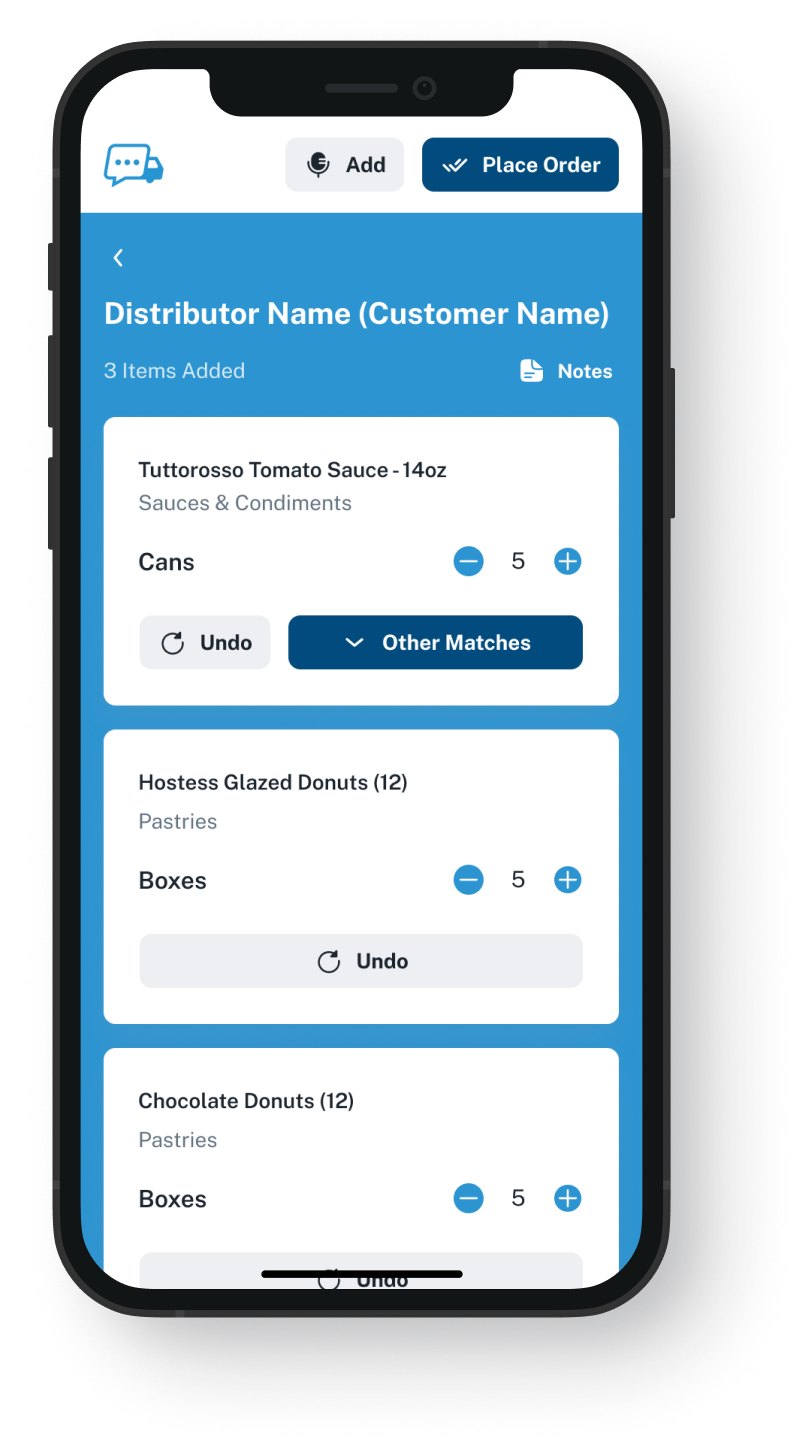
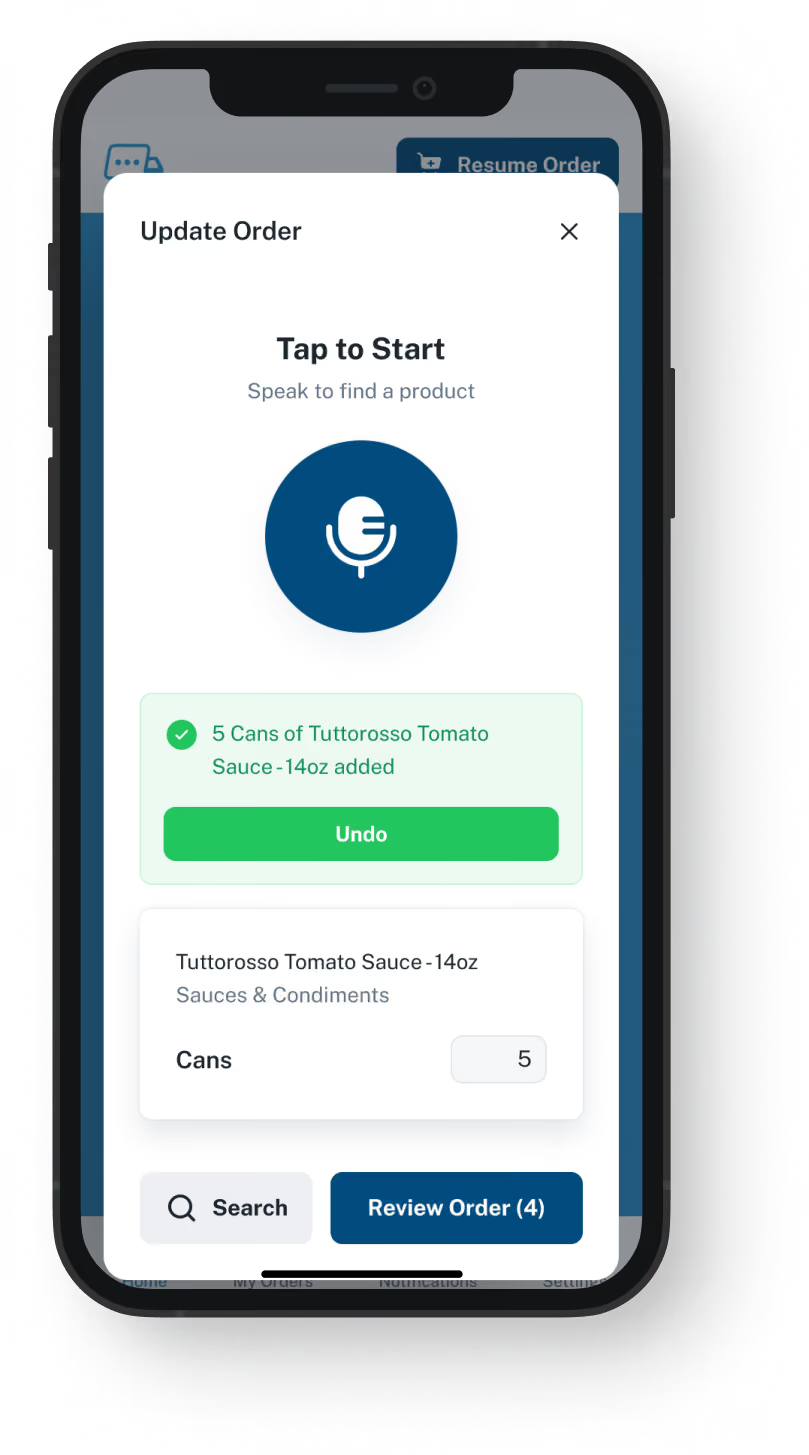
In the walk-in, start the app and tell it what that distributor should bring. Each item shows up as a line from your guide, with the amount you said. Change an amount or remove a line, then send it when it looks right.
Nothing goes out until you send it
Order late at night, after close, when the rep is off
Saves 20 to 30 minutes compared with the same order by phone
Pulled away halfway? It is saved where you stopped
Set Up On Their Side

Your distributor loads the guide, not you

The distributor sets up the products you buy from them, with their item codes and the prices you pay them, and can update the guide from their side. There is no list for you to keep. Some vendors linked to Crunchtime send guide files to it; this is for a distributor that does not.
Only the items you usually buy from them
At the prices set for your account
No vendor setup for your office to do
You still deal with the same rep
Dashboard mockup
Dashboard mockup
Your Order Number

Every app order comes back with a number

In the app, every sent order carries a number, the date and the time, and a confirmation lands on your phone. If the truck shows up short, quote that number to your rep, instead of recalling what was said on a call.
The exact time you sent it
Confirmed by notification or text
Simple to hold up against what arrived
No number from us for calls or voicemails
Crunchtime's Side

Crunchtime keeps the rest of the job

Counts, forecasts, recommended orders, labor schedules and the other Crunchtime tools carry on as they are. On the day you order from the supplier with no link, Crunchtime's suggested amounts can be the list you read out.
Keep counting there as you do now
Receive deliveries and photograph invoices in its app
Linked vendors keep getting orders from Crunchtime
Labor, food safety and kitchen tools are untouched
Dashboard mockup
Getting Started

Getting set up starts with your distributor

Ordering this way needs no alternative to Crunchtime. Your distributor does the setup, and all you need is your phone.
1

Ask if your distributor offers it

If they do, they open your account and load your guide. Not sure? We can look into it for you.
2

Download the app and sign in

Your guide is already there when you log in.
3

Speak, look it over, send

Look over each line, fix anything that is off, and send.

"I used to spend hours every week ordering food. Now it's simple, super easy, and I have free time to spend on other aspects of my restaurant."

Tony Luna | Owner-Chef, Prairie Moon
Delivery Formats

Orders go out in the formats distributors already use

Each order leaves VOS as an email with a PDF, Excel or Word file, an EDI or API feed, or a QuickBooks entry. No one has to switch software to receive it.
Integration icon

Email

Integration icon

PDF, Excel, Word

Integration icon

QuickBooks

Integration icon

EDI

Integration icon

API Direct

Integration icon

iOS App

Integration icon

Android App

Integration icon

Web Admin

Integration icon

Distributor Platforms

Keep Both

What to adjust in Crunchtime when you speak one vendor's order

Keeping both is not choosing a Crunchtime alternative: it hands one job to a second app. Vendor links, counting and sales forecasts stay with Crunchtime. The local supplier's order moves to our app, said on your phone and checked before it is sent.
Integration icon

Crunchtime will not see it as on order

An order you say in our app is not a Crunchtime vendor order. If Crunchtime's recommended amounts subtract what is already on order, they will not know about this delivery. Until it arrives, allow for it by hand when you read the next suggestion. When it comes in, record it in Crunchtime yourself, or get help from whoever set up your Crunchtime account.
Integration icon

Switch off auto-order for that distributor

If Crunchtime auto-orders from that distributor, auto-order has to be turned off for them before your first spoken order, so they get one order, not two. Ask whoever runs your Crunchtime setup, or do it yourself if that is you.
Integration icon

Begin with the vendor you already call

When Crunchtime's setup says to phone a vendor, it sends that vendor nothing, so getting that order to the distributor is already up to you. That order is the easiest one to move into our app, unless your brand wants it kept in Crunchtime.

Watch a walk-in order reach a distributor, in a short demo

In 20 minutes we use a made-up guide, speak three or four items, correct one wrong line, then open what reaches the distributor's inbox.
FAQ

What Crunchtime users often ask

Do I need a Crunchtime alternative to order from my local distributor by voice?
No. Crunchtime keeps doing your counts and forecasts, and keeps ordering from the vendors it is linked with. If your distributor is on VoiceOrder Solutions, you can order from them by voice in our app, with no call to the rep. A small supplier may not have it yet: ask them, or contact us to find out.
Is VoiceOrder Solutions better than Crunchtime?
Not at what Crunchtime does: we run no counts, forecasts, labor schedules or kitchen screens. Our app is for ordering from a distributor who has signed up with us: you say what you need, then look over every item before it is sent. If one supplier with no Crunchtime link is why you went looking for a Crunchtime alternative, that is the order our app can take.
Do VoiceOrder Solutions and Crunchtime connect?
No. We answer questions about our app, Crunchtime answers questions about theirs, and neither team supports the other's product. Whatever you order with us goes only to your distributor; Crunchtime never gets a copy.
Is this the same as Crunchtime's voice counts?
No. Crunchtime's Voice-Based Inventory, an add-on for its Inventory app, lets you count aloud: say an item and an amount. Our app turns what you say into order lines, then sends them to the distributor who gave you the app. You can use both: Crunchtime for the count, our app for the order.
Can I order commissary items or transfers this way?
No. Both stay in Crunchtime. We handle orders to distributors that use VoiceOrder Solutions, nothing else.
I said two cases and the app shows six. What now?
Nothing has gone yet, so fix it on the review screen: change the amount, swap the item or delete the line. That review is the safeguard, and a hurried look can still miss a mistake. A call or a voicemail gets no number from us; only app orders do.
How do I get set up, and what does it cost?
Through your distributor: they set up your account with your order guide, and most kitchens place a first order in the app that same day. If they do not have it, your orders to them stay as they are today. Contact us and we will connect you with the right person. VoiceOrder Solutions comes to you from your distributor, so cost is a question for them; we publish no price. Crunchtime's own site does not list its prices.
Where do the Crunchtime details on this page come from?
From crunchtime.com and its public support center, as we read them on 9 November 2026: product pages, vendor setup guides and mobile app notes. On that date we found nothing there about saying an order to a distributor. We have left their customer numbers and savings figures off this page. If you find a detail that is now wrong, email us and we will correct it.

Order from the local distributor out loud, and get a number back.

Ask the distributor you want to order from whether it offers VoiceOrder Solutions, or ask us and we will check.