For Food Distributors

Not A Business Central Alternative: Orders Checked Before Sending

Get orders that each kitchen has gone over itself, one line at a time. With VoiceOrder Solutions, whoever orders for the kitchen talks it into our app and fixes any wrong line before it goes. The books, the stock and the warehouse remain Business Central's job.
VoiceOrder app ordering screen
20-30 Min

Saved on each order that once came by phone

24/7

Open for orders, Sundays and late nights too

24-48 Hrs

Until most distributors take their first order

Same ERP, Earlier Check

Business Central plus VoiceOrder Solutions.
The ERP stays where it is.

Your kitchens get one new step, where they speak and check their own orders. It sits before the ERP, so calling it a Business Central alternative would be wrong. Business Central's finance, stock and AI agent all stay as they are, so both columns get credit for those rows. Nothing joins the two products by default.

Feature

Business Central + VoiceOrder Solutions

Business Central on its own

Finance, receivables and payables
Kitchens talk through the order and fix any line first
Checked after sending: a quote by email, replies approved by staff
Lot numbers, expiry dates and FEFO picking
An AI agent that turns emailed requests into quotes
An ordering app in each kitchen's hands
Needs a partner add-on
AI line suggestions while your staff enter an order
Replenishment planning and warehouse picks
Kitchens that used to call now send orders with a number
Someone writes up the call
Customer-specific prices and discounts
Where The Search Starts

Why a distributor goes looking for a Business Central competitor

Few distributors searching for a Business Central alternative want to leave the ERP itself. The catch is timing: Business Central's order agent reviews a request only after the kitchen has sent it, and a call gives it nothing to read until someone types it up.
Integration icon

Every request starts as a quote

Business Central's Sales Order Agent always drafts a sales quote first, even when the customer asked for an order. By default that quote goes back by email and becomes an order only after the customer says yes, so one order can make two trips through the inbox.
Integration icon

Mix-ups surface once the kitchen has moved on

When the agent is unsure which item was meant, it can email the customer to clarify or ask your staff for help, and someone on your team approves every reply. It is careful work, but the correcting happens after the request has gone, when the kitchen may have moved on.
Integration icon

A call still has to be typed in

The agent starts from what a customer wrote: an email, a PDF or a photo. When a kitchen phones at 6 a.m., somebody on your side answers and enters it by hand, either as an order or as a task for the agent.
What You Get

Why this is not a Business Central alternative, and what it adds

Dashboard mockup
Voice Ordering

The kitchen fixes a line before you ever see it

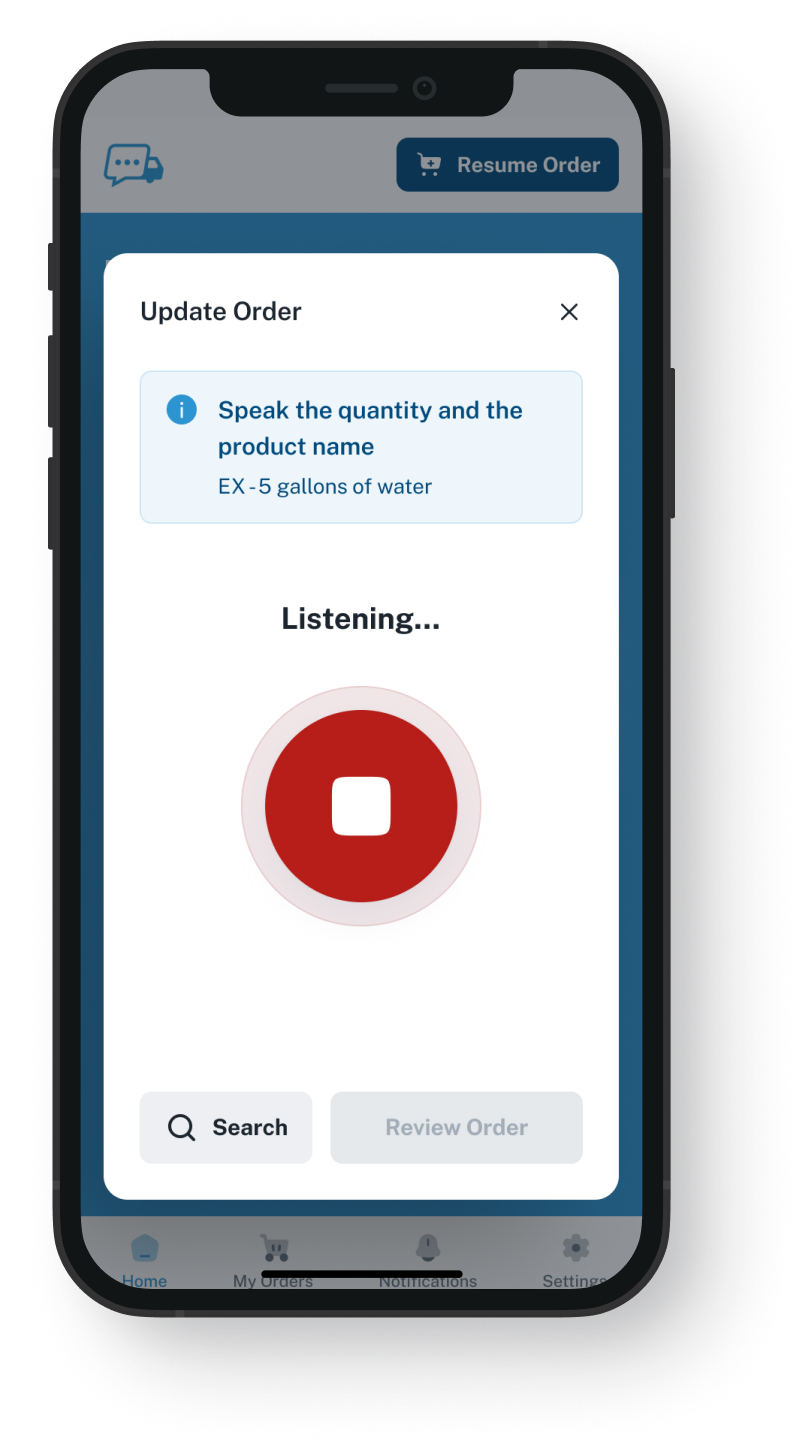
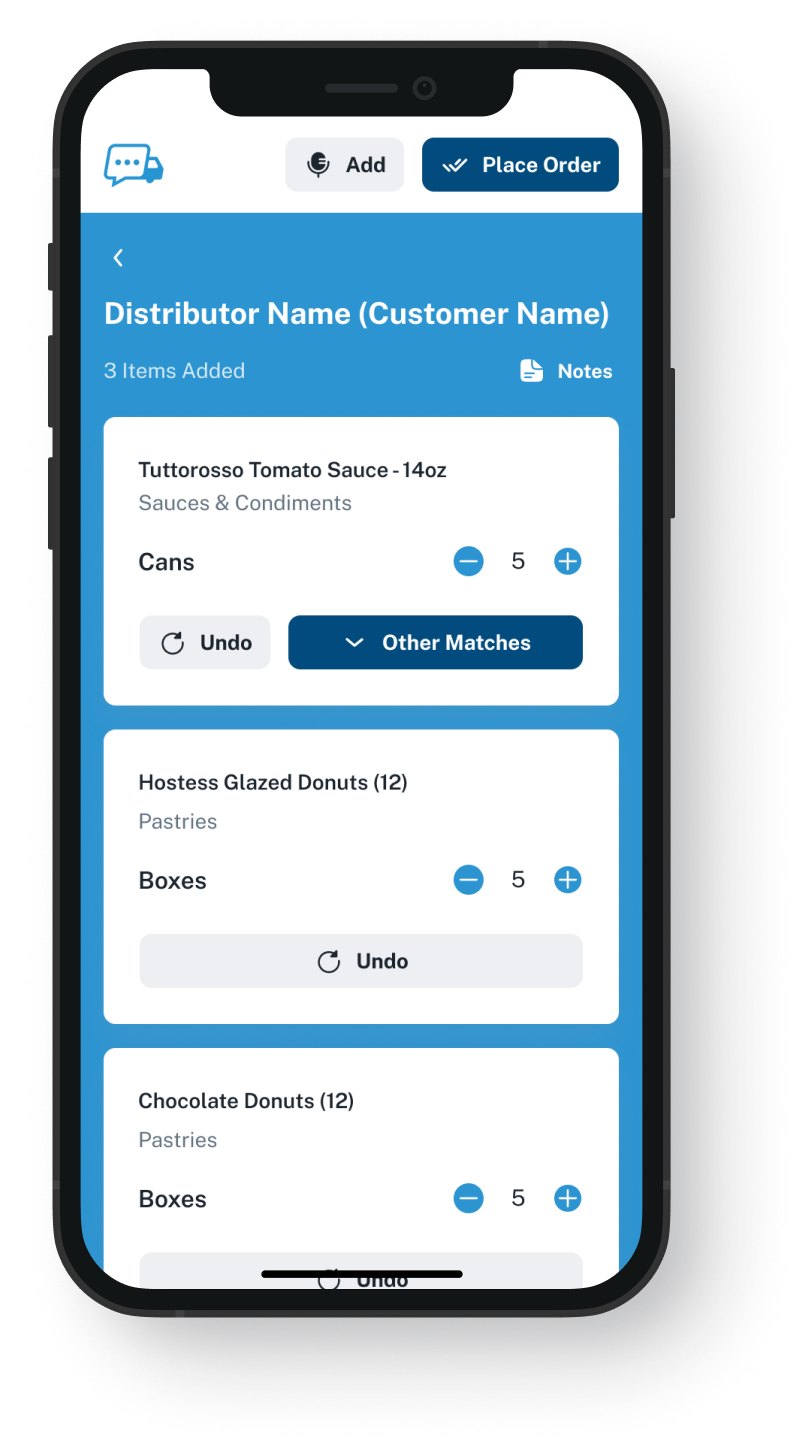
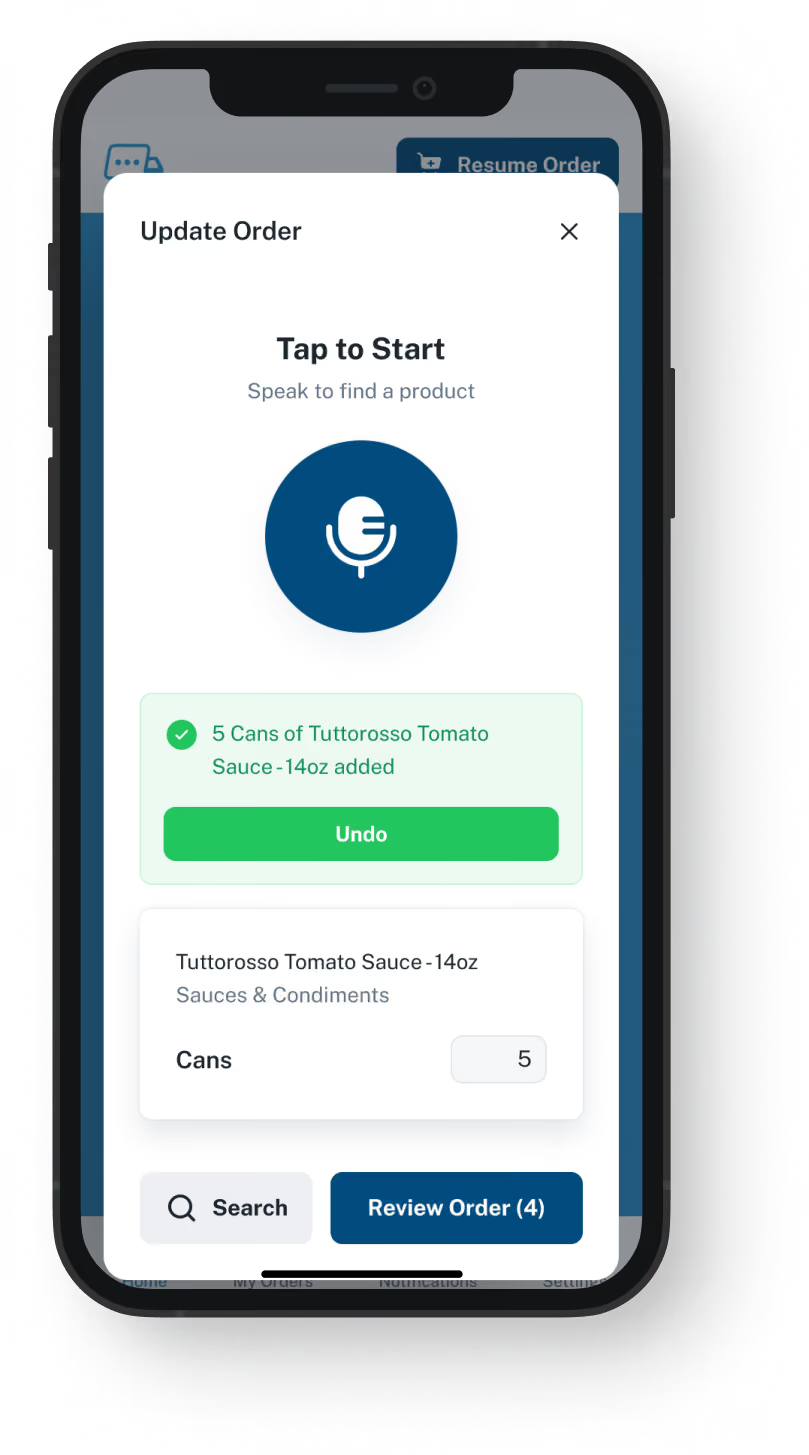
Standing in the walk-in, the chef names what is short. Our app turns it into lines from that kitchen's guide, the chef changes anything that came out wrong, and only then does it go. The questions get settled in the kitchen, before the order leaves.
The chef approves every line before it goes
Takes orders at midnight and on a Sunday
Saves 20 to 30 minutes compared with the same order by phone
Interrupted mid-order? It waits where they stopped
Order Guides

Guides built from your Business Central item list

Export what each account buys to a spreadsheet and send it over. Those items go in under your item numbers, at the prices you gave that customer. Your item master never leaves Business Central; you update each guide and its prices yourself, in our web admin.
Each kitchen sees only the items on its own guide
You choose what goes in a guide and what it costs
Update a guide and the very next order picks it up
Setup installs nothing inside Business Central
Dashboard mockup
Dashboard mockup
Delivery Formats

Handed over in a format your office takes

Each finished order gets to you by email with a PDF, Excel or Word file attached, or over the API, over EDI or into QuickBooks. You pick one, and during the demo we look at how it would reach your ERP. If it comes by email, someone on your team enters it into Business Central, working from a list the kitchen already reviewed instead of taking it down over the phone.
Addressed to a rep or a shared orders mailbox
Over EDI or the API, when your setup takes it, nobody retypes it
Picking, invoicing and delivery run as they do now
No software has to be retired first
Inventory Visibility

Stock in view while the orders arrive

VoiceOrder Solutions gives you real-time inventory visibility tied to order activity. It does not replace your stock system: that stays in charge, and a demo shows how the levels connect.
Your catalog keeps up as stock rises and falls
Fewer stockout surprises after a weekend of orders
Stock numbers come from the system you count with today
Lots, expiry and replenishment remain the ERP's job
Dashboard mockup
Getting Started

From one Business Central export to the first spoken order

A single export is usually all we need to begin.
1

Pull a spreadsheet out of Business Central

Export each customer's usual items with your prices from Business Central to a spreadsheet, keeping your own item numbers.
2

We set up the guides, then each kitchen

Each guide is loaded and each account opened, then the kitchen installs the app. Most kitchens have sent an order before that day is out.
3

Checked orders come to your desk

Orders from the app turn up numbered and timestamped, reviewed by the kitchen first, in the format you set.

"I used to spend hours every week ordering food. Now it's simple, super easy, and I have free time to spend on other aspects of my restaurant."

Tony Luna | Owner-Chef, Prairie Moon
Delivery Formats

Orders go out in the formats distributors already use

Each order leaves VOS as an email with a PDF, Excel or Word file, an EDI or API feed, or a QuickBooks entry. No one has to switch software to receive it.
Integration icon

Email

Integration icon

PDF, Excel, Word

Integration icon

QuickBooks

Integration icon

EDI

Integration icon

API Direct

Integration icon

iOS App

Integration icon

Android App

Integration icon

Web Admin

Integration icon

Distributor Platforms

Working Together

Where each one fits once both are running

Nobody needs an alternative to Business Central to change how kitchens order. Our app handles the minutes before a kitchen presses send; after that, your team takes over in Business Central.
Integration icon

The ERP keeps customers, stock and invoicing

Business Central remains your system of record. We hold the order guide for every account, priced your way, plus a copy of every order made in our app.
Integration icon

Emailed orders can stay with Business Central's agent

Customers who email an order or send a PDF can carry on that way, and your staff keep approving the agent's replies. Our app is there for kitchens where talking comes easier than writing. We give no number to an order phoned to you; the app numbers only what comes through it.
Integration icon

A partner's web portal can stay too

Business Central has no customer ordering portal of its own; partners sell them as add-on apps. Accounts already using one can carry on. Two ways in for two kinds of kitchen is fine.

See a kitchen fix one line, then press send

Twenty minutes: we talk through one order in the app, correct an item on screen, send it, then look at how it could reach Business Central.
FAQ

Answers for teams on Business Central

Do we need a Business Central alternative to add voice ordering?
No. Business Central keeps its job as your ERP, and its agent can keep handling emailed orders. What we add is a check at the kitchen's end, made before anything reaches you. Start with the customers who phone you most.
Is VoiceOrder Solutions better than Business Central?
Only at one job: letting the kitchen catch its own mistakes before you receive the order. The rest is Business Central's work, which is why our app sits beside it.
Doesn't Business Central's AI agent already take orders?
It does, from email. It reads a customer's message and any PDF or photo, matches the items, prepares a quote first, and asks your staff to approve each reply before it goes. Our app works earlier: a chef says what is needed and fixes each line before it is sent. Neither one makes a wrong order impossible. The difference is who checks it, and when.
Can kitchens use Business Central's own mobile app?
That app was made for your licensed staff: they sign in with their Business Central user name to review data, edit records and email quotes. It is not an app for your customers to order in. Voice add-ons for Business Central exist too: the one we found is built for drive-thru lanes and self-service kiosks, and partners can build custom ones. Ours sits with the kitchen: the chef talks each order through and corrects any line before it reaches you.
Does any link join VoiceOrder Solutions and Business Central?
No. They are sold separately, nothing links them out of the box, and neither of us offers support for the other side. Over EDI or the API, the app can pass an order straight in with no retyping, if the way Business Central is set up for you allows it; we check that together in the demo. Emailed orders hold lines the kitchen has already approved, and your staff key them in from there instead of from a call.
Will you need a Business Central login from us?
Not to get set up. We need no login and install nothing: we work from an export you send us, so your permissions and customizations are left alone. If EDI or API delivery interests you later, we go through what it needs on your side in the demo.
How long does setup take, and is pricing published?
Setup takes 24 to 48 hours for most distributors. Business Central publishes per-user prices for its plans; we publish none and give every distributor its own quote. A Business Central replacement, or any Business Central alternative, means moving every customer, item and ledger to a new system. Our app moves none of them.
Where do the Business Central details here come from?
From Microsoft's Business Central product and pricing pages and its help articles, checked on 9 November 2026: the AI order agent, item tracking, the phone app for staff and the plans, plus a web search for voice tools other companies sell for it. Their prices are published there, so we leave the figures to them. If something here no longer holds, write to us and the page gets corrected.

Keep Business Central, and let kitchens check their own orders

Twenty minutes, one spoken order, and an honest look at where it would land.