Your reorder point is the stock level that has to trigger the next order: average daily usage across the lead time, plus the buffer you keep. Put the three in to see the trigger, the days you have left before you hit it, and what a late truck costs.
Usage and lead time
cases
Cases a day across a normal week, slow days and all.
days
Order placed to truck unloaded, not the date the supplier promises.
What you hold
cases
The buffer you keep under the lead time demand. Sizing it from demand swing and a service level is a safety stock calculator's job; here it is a number you type in.
cases
What is on the floor today, so the days left can be counted.
Stress test the lead time
days
A late truck is the usual reason a reorder point fails. Two days is a common slip on a DSD route.
Reorder point
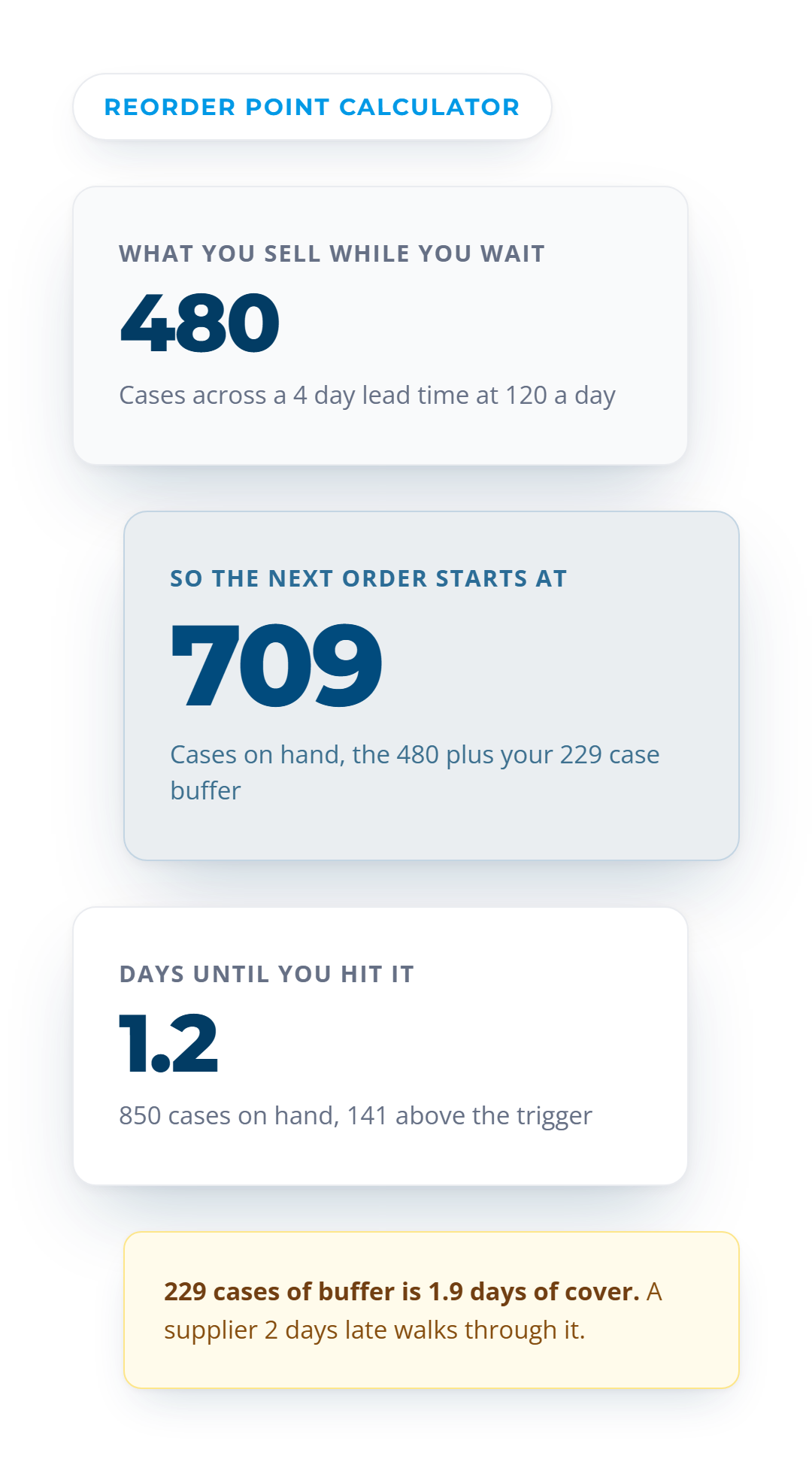
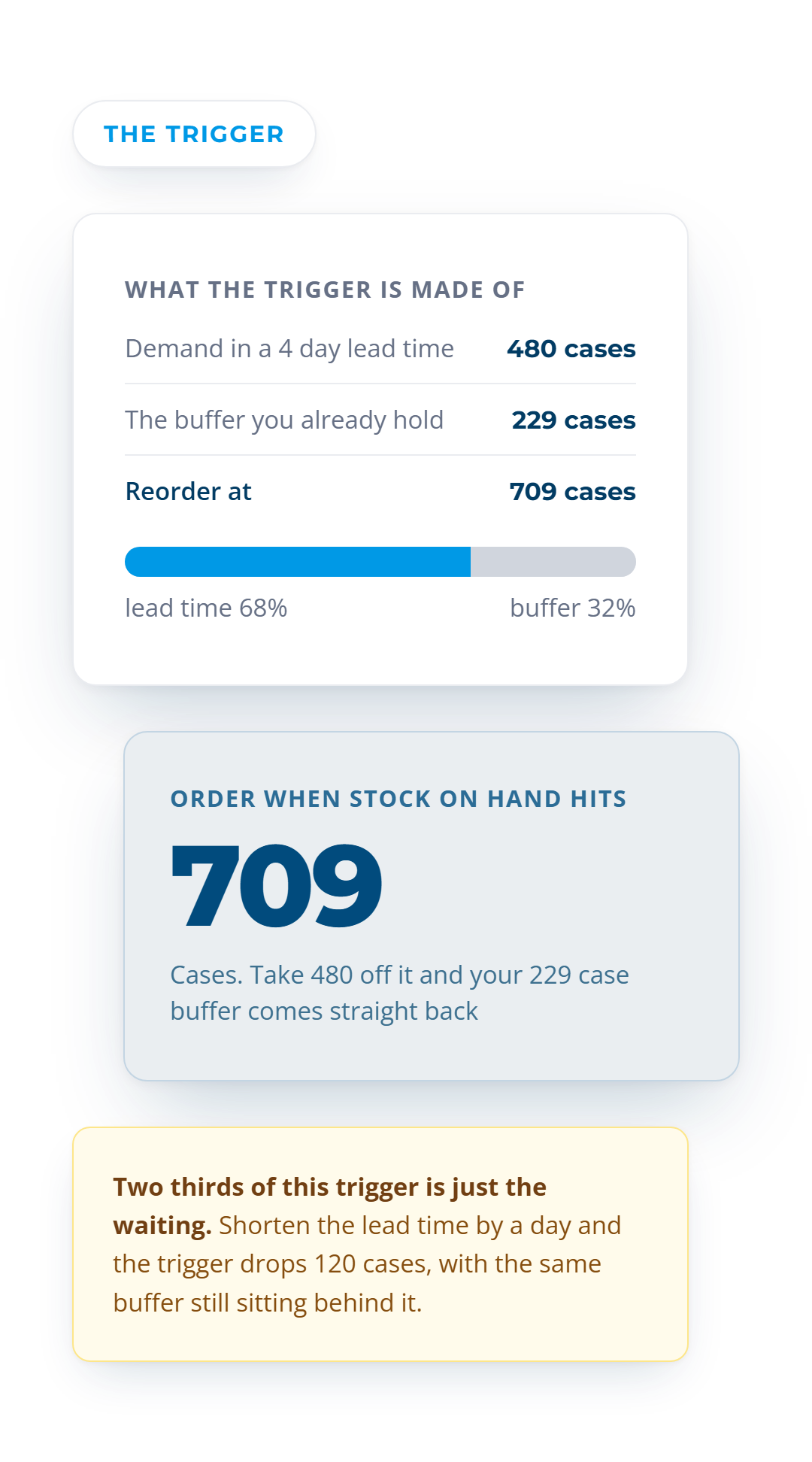
709 cases
480 cases of lead time demand plus your 229 case buffer
Days until you hit it
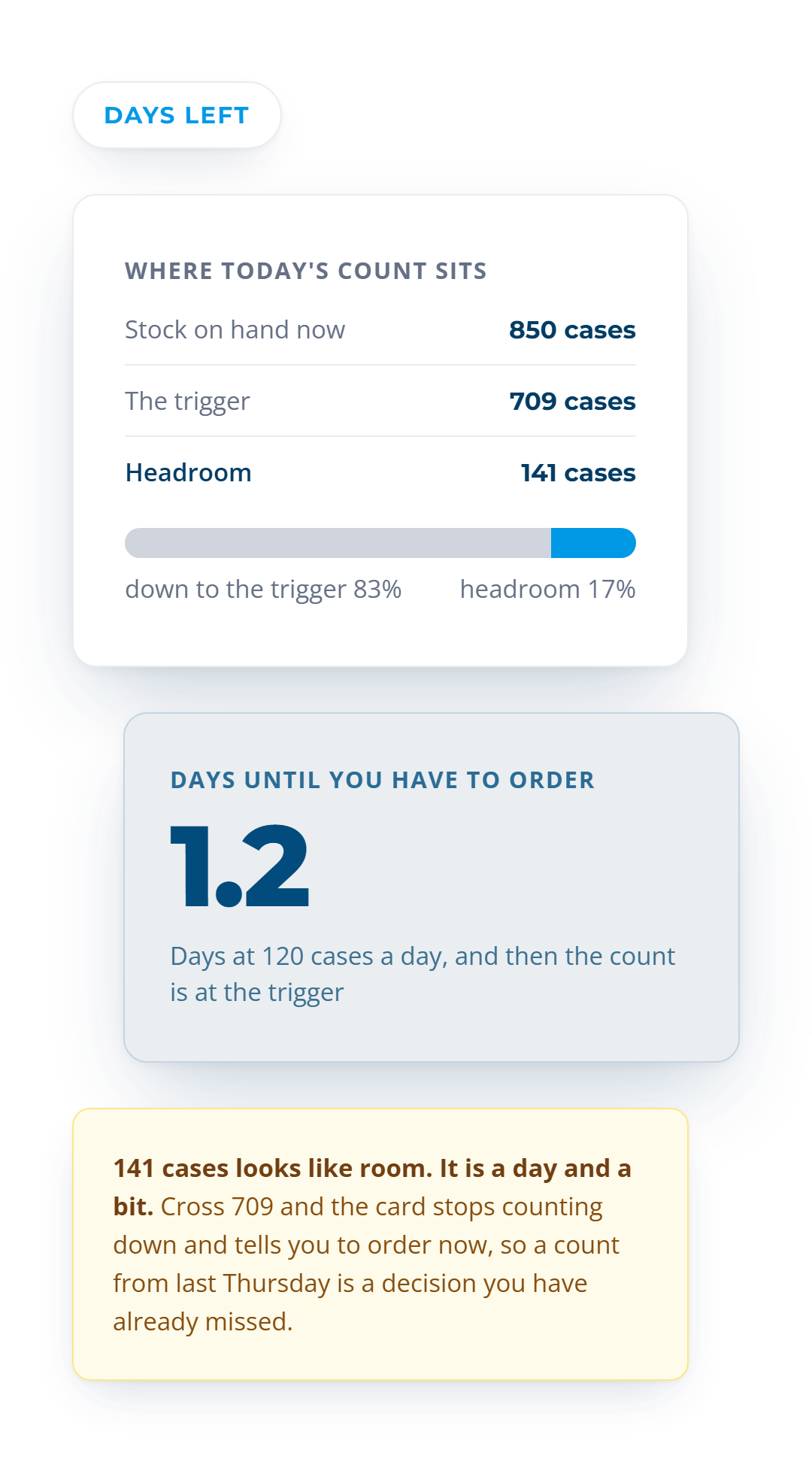
1.2 days
850 on hand, 141 cases above the trigger
Demand during the lead time
480 cases
120 cases a day across 4 days
Cover at the reorder point
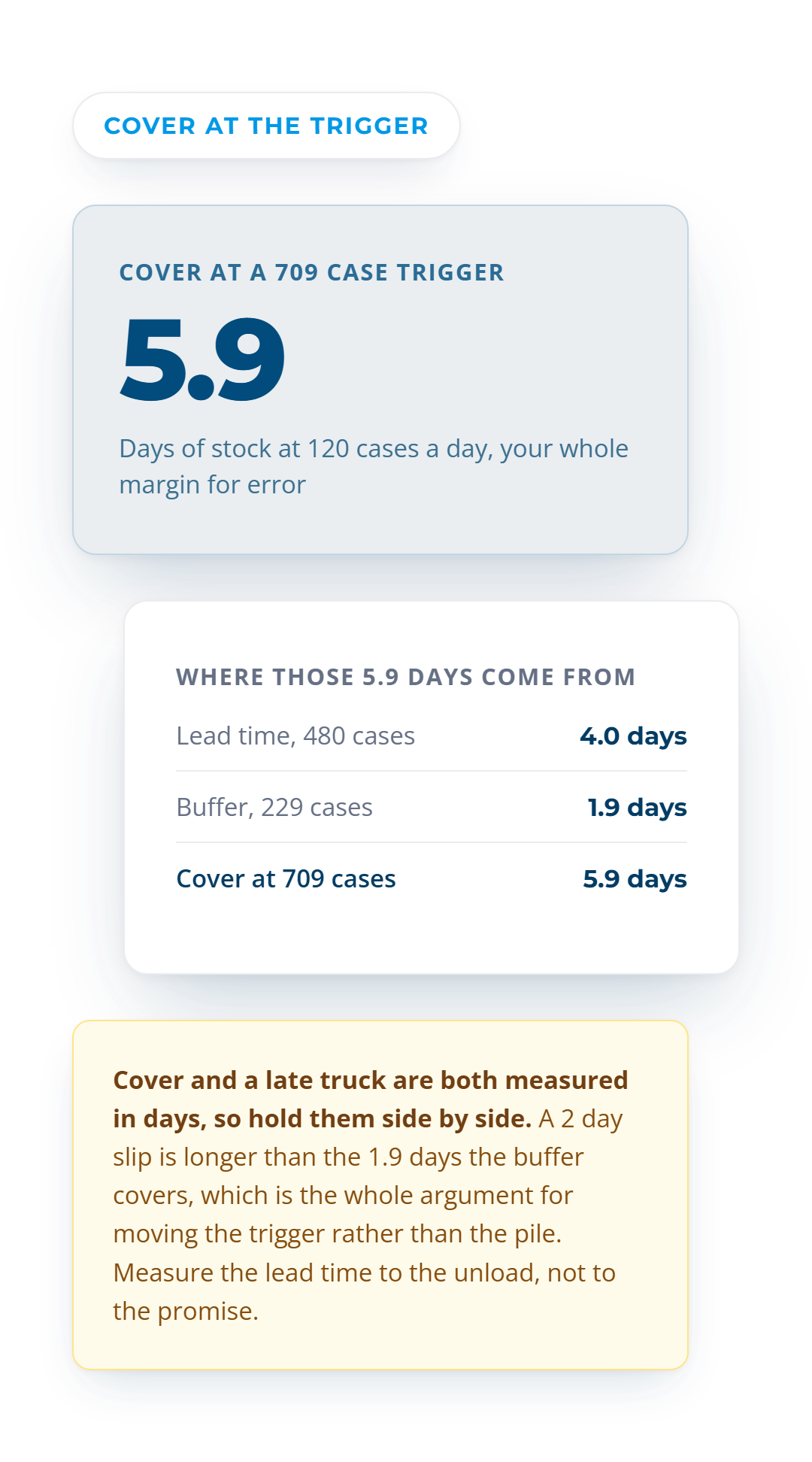
5.9 days
709 cases at 120 a day
If the lead time slips 2 days
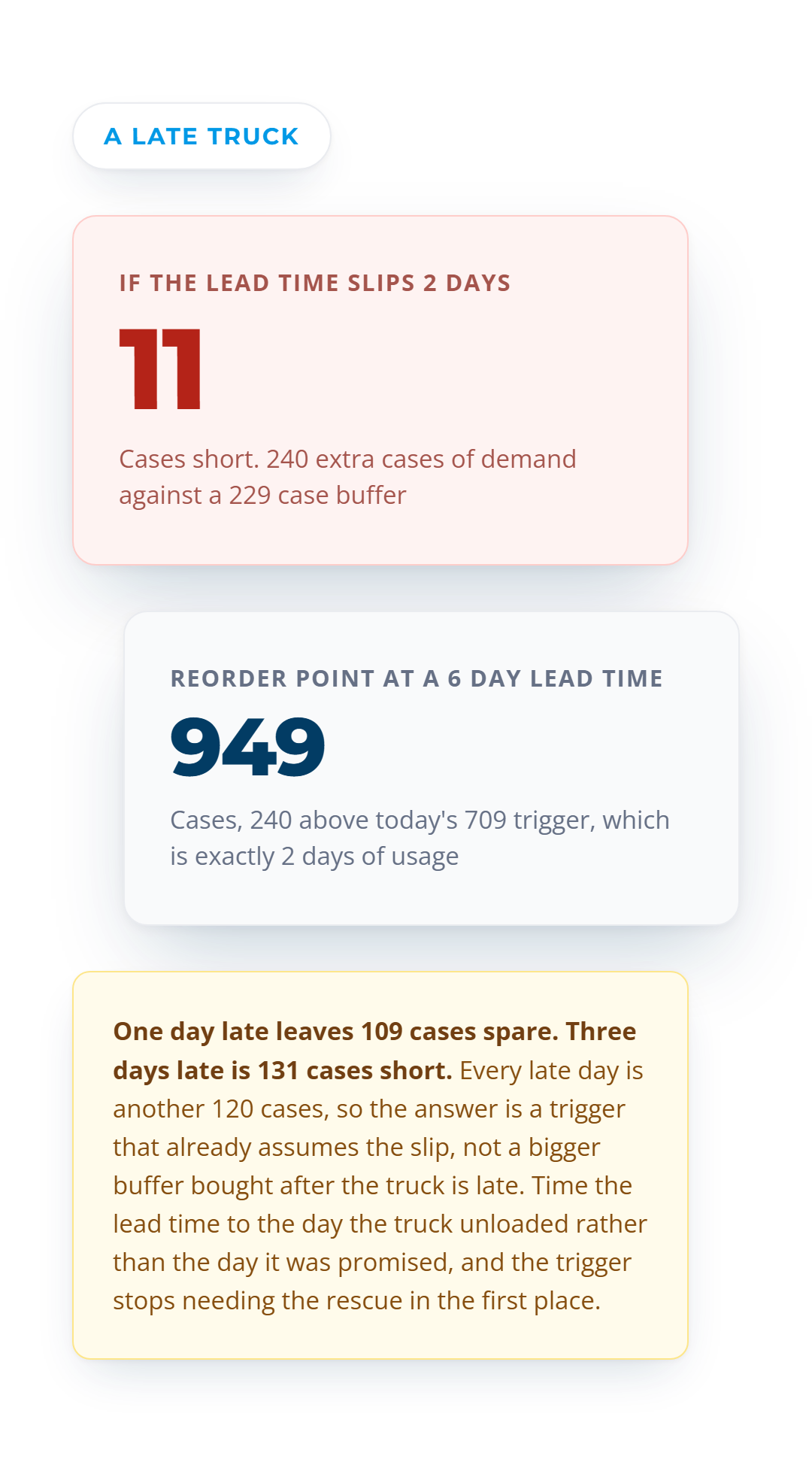
11 cases short
240 extra cases of demand against a 229 case buffer
Reorder point at a 6 day lead time
949 cases
240 cases above today's 709 trigger
Your buffer is 229 cases, which covers a 1.9 day slip, not a 2 day one. A supplier who runs 2 days late walks straight through it and leaves you 11 cases short. Raise the trigger to 949 cases or get the lead time honest, because padding the buffer after the truck is late is not a plan.
A trigger is only as good as the usage behind it.
VoiceOrder Solutions captures orders straight into your existing order guide, so the usage you set this against is the same thing that shipped.
Estimates only. This uses the standard reorder point definition, usage across the lead time plus safety stock, and no forecast. Recheck it whenever usage or a supplier's lead time moves.
709 cases
The level that has to trigger the next order
1.2 days
Headroom left at 850 cases on hand
11 cases
Short if the supplier runs 2 days late
Sound Familiar?
A reorder point fails on the lead time, not on the math
The arithmetic takes a minute. Choosing the lead time you feed it is the part that decides whether the trigger holds.
We order when the shelf starts to look light.
A look is not a level. At 120 cases a day across a 4 day lead time the trigger is 709 cases, and 850 cases on hand leaves you 1.2 days to get the order placed.
We hold a buffer, so a late truck is covered.
The 229 case buffer is 1.9 days of usage. A supplier who runs 2 days late walks straight through it and leaves you 11 cases short.
The supplier says four days.
Use the day the truck unloaded, not the day it was promised. At a 6 day lead time the trigger is 949 cases, which is 240 cases above the one you run today.
How It Works
How to use the reorder point calculator
Three numbers set the trigger. A fourth says how long you have, and a fifth tests the whole thing against a late delivery.
1
Enter your usage and your real lead time
120 cases a day across 4 days is 480 cases you will sell while you wait. Measure from order placed to truck unloaded.
2
Add the buffer you already hold
480 cases plus a 229 case buffer puts the trigger at 709 cases. You type the buffer in here, because this tool does not size it for you.
3
Read the days left, then stress the lead time
850 cases on hand gives you 1.2 days before you hit it. Set the slip to 2 days and the trigger needs to be 949 cases.
What You See
What the calculator shows you
The trigger
The stock level that has to start the next order
480 cases of demand across the lead time plus a 229 case buffer puts the reorder point at 709 cases. Subtract the two cards on screen and you get the buffer back.
A trigger only works if someone sees the count cross it. These nine habits are what keep it honest.
Measure your real lead time
Time it to the unload, not the promise
Set a trigger per SKU
Recheck it when usage shifts
Stress it for a late truck
Keep the count current daily
Watch your short shelf life lines
Ask for a ship date, not a week
Review every trigger quarterly
Six Levers
What actually decides whether a reorder point holds
Only two of these six sit inside the formula. The other four are why a trigger misses in practice.
Your real lead time
Order placed to truck unloaded, not the date you were given. Each extra day adds 120 cases to the trigger at this usage rate.
Usage counted on slow days too
120 cases a day has to be the average across a normal week. Take it from a busy week and you carry stock you never needed.
The buffer you already hold
229 cases here, typed in rather than worked out. Sizing a buffer from how much demand and lead time swing is a safety stock calculator's job.
Supplier reliability
A 2 day slip costs 11 cases on this line. The cheapest fix is a supplier who unloads on the day they said, not a bigger pile.
How current your count is
A 709 case trigger does nothing against a count from last Thursday. Someone has to see the number cross it in time to act.
Shelf life
Raising a trigger buys cover in days, and on a short life item those days have to clear before the product does.
See how VOS captures every order the day it is placed
Each account orders from a guide built on your own SKUs, and VoiceOrder Solutions queues anything placed after hours. The usage behind your trigger then matches what actually shipped.
The stock level that has to trigger your next order. It is the demand you will sell while you wait for the truck plus the buffer you keep, so 480 cases plus a 229 case buffer means you order at 709 cases on hand. It answers when to order, not how much to bring in.
How is ROP calculated?
Average daily usage times the lead time, plus the safety stock you already hold. 120 cases a day across 4 days is 480 cases, and a 229 case buffer takes the trigger to 709 cases. Measure the lead time from order placed to truck unloaded, because every extra day adds 120 cases.
What is the formula for calculating reorder level?
Reorder level, order point and ROP are three names for the same figure, usage across the lead time plus the buffer. Do not confuse it with a par level, which is the quantity you top up to. The reorder level is 709 cases here and says nothing about how much to order.
What happens if the reorder point is too low?
You run out before the truck arrives, and the buffer absorbs the gap until it cannot. A 2 day slip adds 240 cases of demand against a 229 case buffer, which leaves you 11 cases short. The answer is a trigger of 949 cases, not a call to the account on the day.
How do you find the normal reorder period?
Divide the trigger by your daily usage to see what it covers, then count down from today's stock. 709 cases is 5.9 days of cover at 120 cases a day, and 850 cases on hand leaves 1.2 days before you hit it. How often you order after that is set by how much you buy each time.
What is the formula for calculating inventory level?
Count what is on the floor, then hold it against the trigger. 850 cases on hand against a 709 case trigger leaves 141 cases of headroom, which is 1.2 days at 120 cases a day. If the count is a week old, so is the answer.
How do you calculate the order point?
Set it per line, then make sure somebody sees the count cross it. A trigger of 709 cases is worth nothing if stock gets checked once a week. Reset it whenever the lead time moves, since a 6 day lead time takes the same line to 949 cases.
See the trigger coming in time to act
VoiceOrder Solutions keeps real-time inventory visibility tied to order activity, and the catalog updates as stock levels change. A line sliding toward its 709 case trigger is then visible the same day.
.webp)